











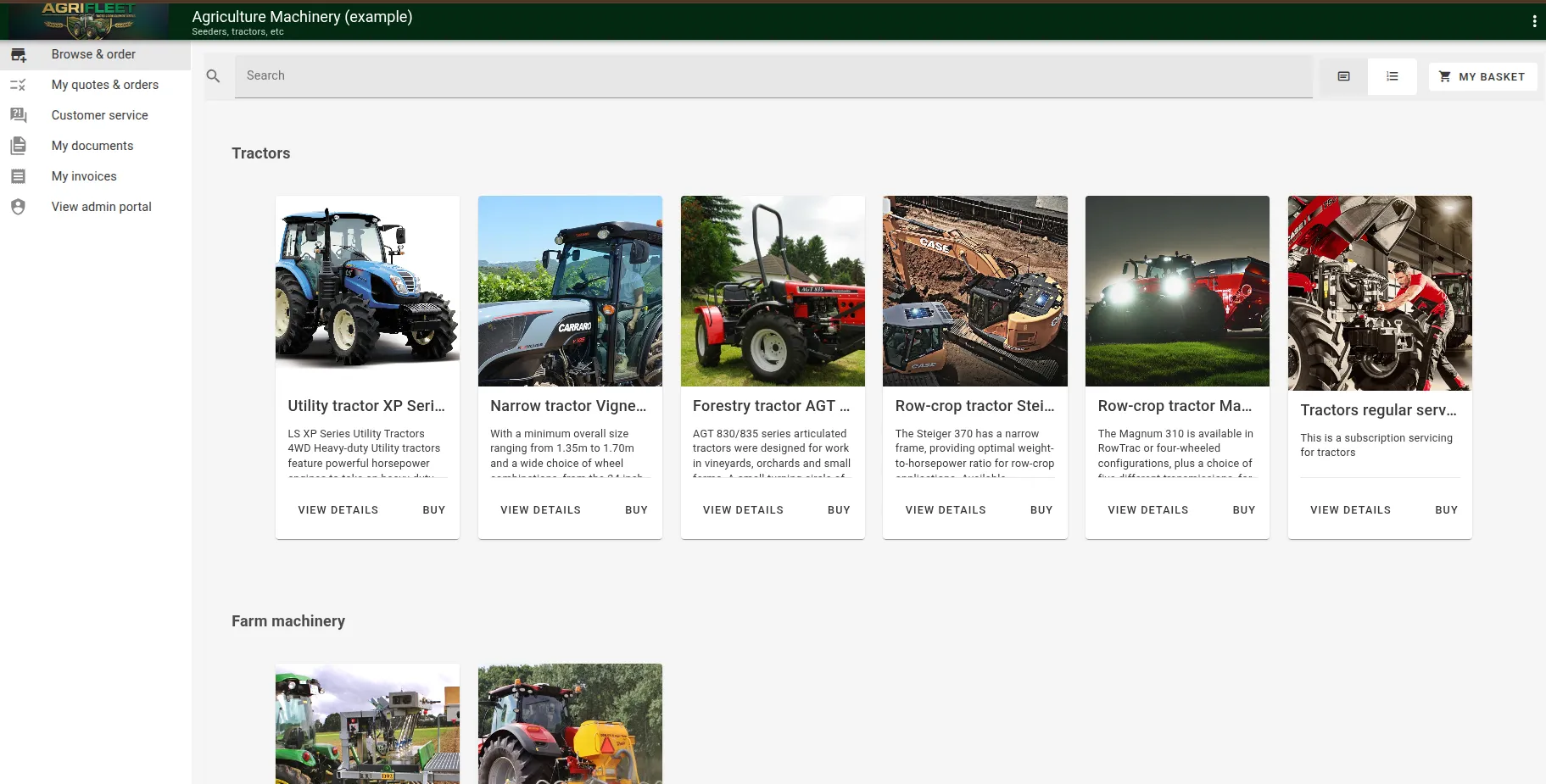
What Should a Customer Portal Include?
Blog: CPQ, Customer Portal and Process Management software
Customer portals come in all shapes and forms, and they are often very specific to the business that runs them. A gardening company, a law firm and a mobile operator all give their customers a place to log in — but what they show once the customer is inside has very little in common.
That specificity used to mean custom development. Today it does not have to: there are out-of-the-box solutions that cover the common ground and let you configure the rest. ProcessMate is one such solution.
Below is a walk through the features a typical customer portal may include. Most businesses need a handful of them, not all — the useful exercise is deciding which ones your customers would actually log in for.
Invoices
Issuing invoices and allowing customers to pay them. This is the feature most portals start with, because it is the one interaction every business has with every customer. A portal turns the invoice from an email attachment into a record the customer can find, review and settle on their own.
Customer service portal
A place to submit service requests and trouble tickets. Customers track the status of what they raised, and both customers and staff comment on the ticket, so the whole exchange stays in one thread instead of scattering across mailboxes.
Project management
The customer views the project, its milestones, and how far each one has progressed. This can be tied back to invoicing — based on billable hours worked, for example — so that what the customer sees on the project and what they see on the invoice are the same data.
Ecommerce and order management
Letting customers select products and order them, with immediate purchase and payment or without, then tracking the fulfilment status with notifications along the way.
This is especially interesting for businesses with a multi-step order execution or delivery mechanism — gardening or logistics, for instance — where “ordered” and “delivered” are separated by several stages the customer genuinely wants visibility into.
Quotation management
One particular branch of the order management capability. The customer requests a quote, receives it, and approves it. Once the quote is approved, the process can spill straight into order management and fulfilment can start.
Requesting and approving quotes on the customer side, and building them on the staff side — manually or automatically — is exactly the kind of back-and-forth a customer portal is there to enable. ProcessMate covers this end to end: see quotation and ordering.
Document management
Sharing documents with customers and having them signed. It ties naturally into invoicing, project management and service management — the contract, the statement of work, the sign-off sheet all belong next to the thing they relate to.
It also works as a standalone capability, for example to establish a document trail for customer contracts or other documentation that has to be provably delivered and accepted.
Customer assets
Vehicles, real-estate objects, machinery — anything the customer owns and you service. Professional services companies can let customers inventorise these assets in the portal and then tie their requests, whether orders or service tickets, to a specific asset.
The payoff is history: every request, every visit and every invoice attached to the asset it was about.
Custom capabilities
Some portals need something that no standard feature set covers — resource usage views (gigabytes left in a mobile operator’s bundle, energy generated by a set of solar panels), or complex financial views. In most cases these require custom development, but they sit on top of the same portal rather than replacing it.
Where to start
Pick the interaction your customers ask about most often — an invoice, a ticket status, a quote — and put that in the portal first. The rest of the features above tend to make sense only once customers are already logging in.
If you want to see how this works in practice, take a look at the ProcessMate customer portal and at quotation and ordering.
The post What Should a Customer Portal Include? appeared first on CPQ, Customer Portal and Process Management software.