











Every To Do List Template You Need (The 11 Best Templates)
Blog: Blog | Process Street | Compliance Operations Platform
A to do list template should not take hours to set up, nor should it be complicated. Every second spent setting up a task list and preparing for the work ahead is time that could be spent eliminating items from your schedule. A reusable structure should let you jot down tasks, set priorities, and mark work complete without turning planning into another job.
This guide brings together 11 practical templates for daily planning, focused work, recurring responsibilities, and weekly review. Choose the format that matches your time horizon and the amount of structure your work needs.
What is a to do list template?
A to do list can be defined as a list of errands or tasks, usually written as a memory aid detailing what needs to be accomplished. A template makes that structure reusable instead of forcing you to start from a blank page. At minimum, it gives you a task field and a way to mark completion. More detailed versions add due dates, owners, priorities, time blocks, notes, or recurring schedules.
Keeping a to do list organizes tasks, keeps you focused, and makes everything much more manageable. Seeing an outline of what needs to be done keeps you grounded. To do lists are usually used by single individuals to keep track of everyday tasks. Use a structured task tool when work repeats, crosses teams, needs approvals, or must produce an auditable record. A list tells you what needs attention. A process also explains how work should move from start to finish.
Before choosing a template, decide whether you need a printable page, a spreadsheet, or an operational workflow. Then look for only the fields you will actually maintain. A compact template used every day will outperform a complex system that gets abandoned after a week.
Basic daily to do list templates
Daily templates work best when you can see the whole day at a glance. The five formats below cover quick prioritization, time blocking, carryover planning, focus sprints, and mixed personal or work responsibilities.
Smartsheet simple daily task list
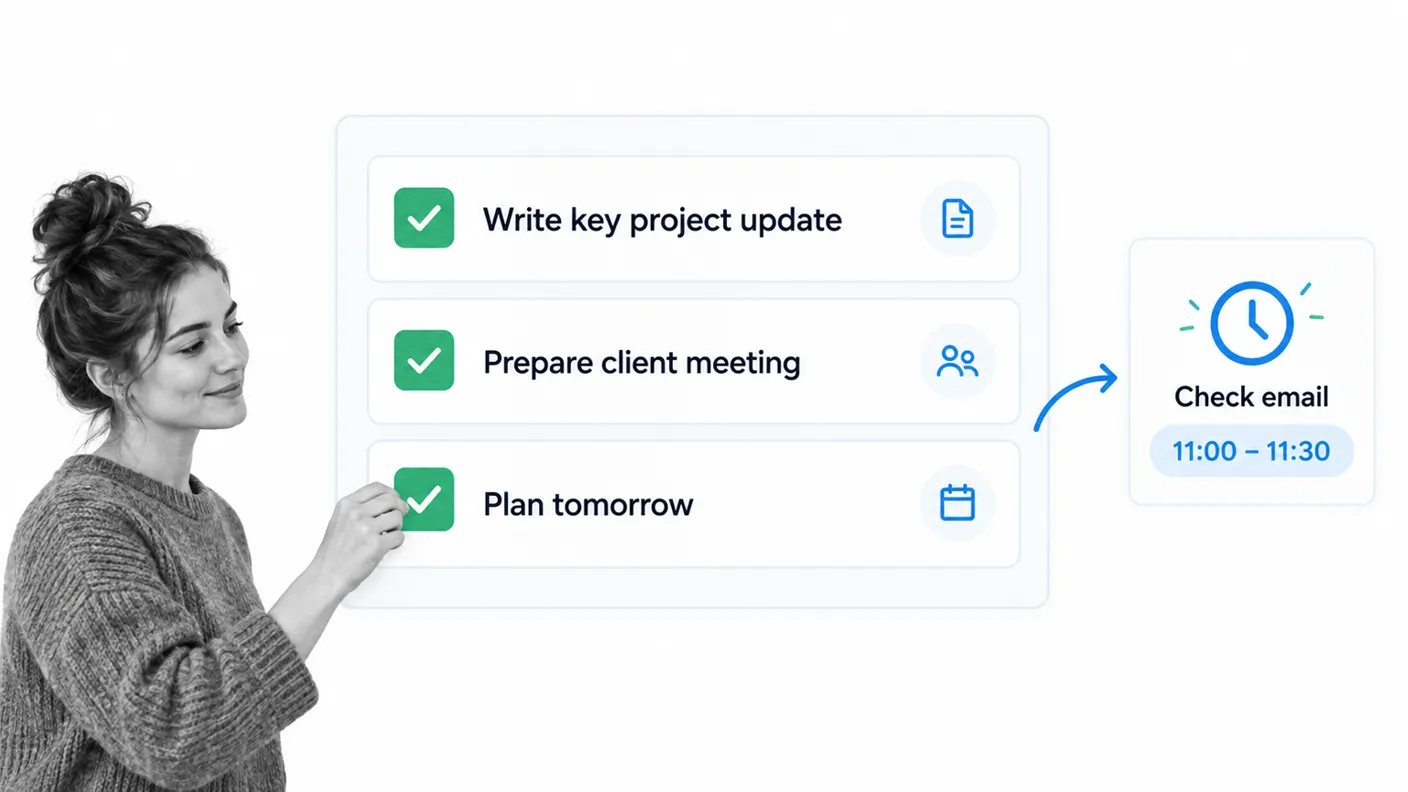
1. The Smartsheet task list collection includes simple daily files for Excel, Word, PDF, Google Docs, and Google Sheets. Start with three priority tasks, then place lower-priority work beneath them. That limit keeps an ambitious list from hiding the work that matters most.
This format suits people who want a familiar document or spreadsheet that can be printed, shared, or edited without learning a new system. The strict focus on three important duties prevents email and minor tasks from taking over. Add a notes column only if you need context that cannot fit in the task name.
Simple As That Daily Docket
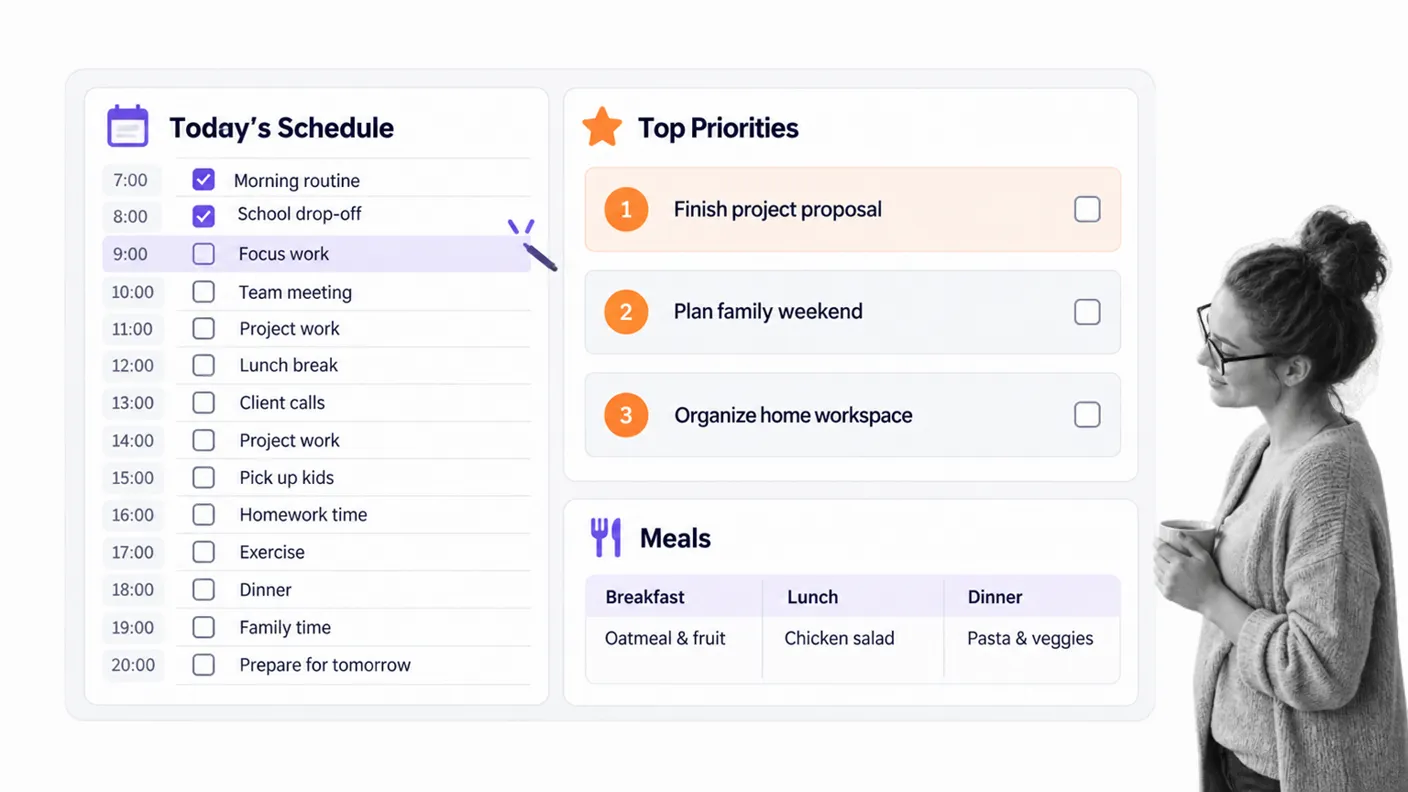
2. The Simple As That Daily Docket is a hybrid of several planning categories. It is primarily designed to be run every day and suits anyone who likes to plan every detail, from the time at which each task will be done to which tasks are top priority and even the daily diet. It is useful when appointments and tasks compete for the same hours.
Complete the fixed-time commitments first, then assign open blocks to your most important tasks. This makes overbooking visible before the day begins and gives unscheduled work a realistic place in the calendar.
Adobe two-day planning page
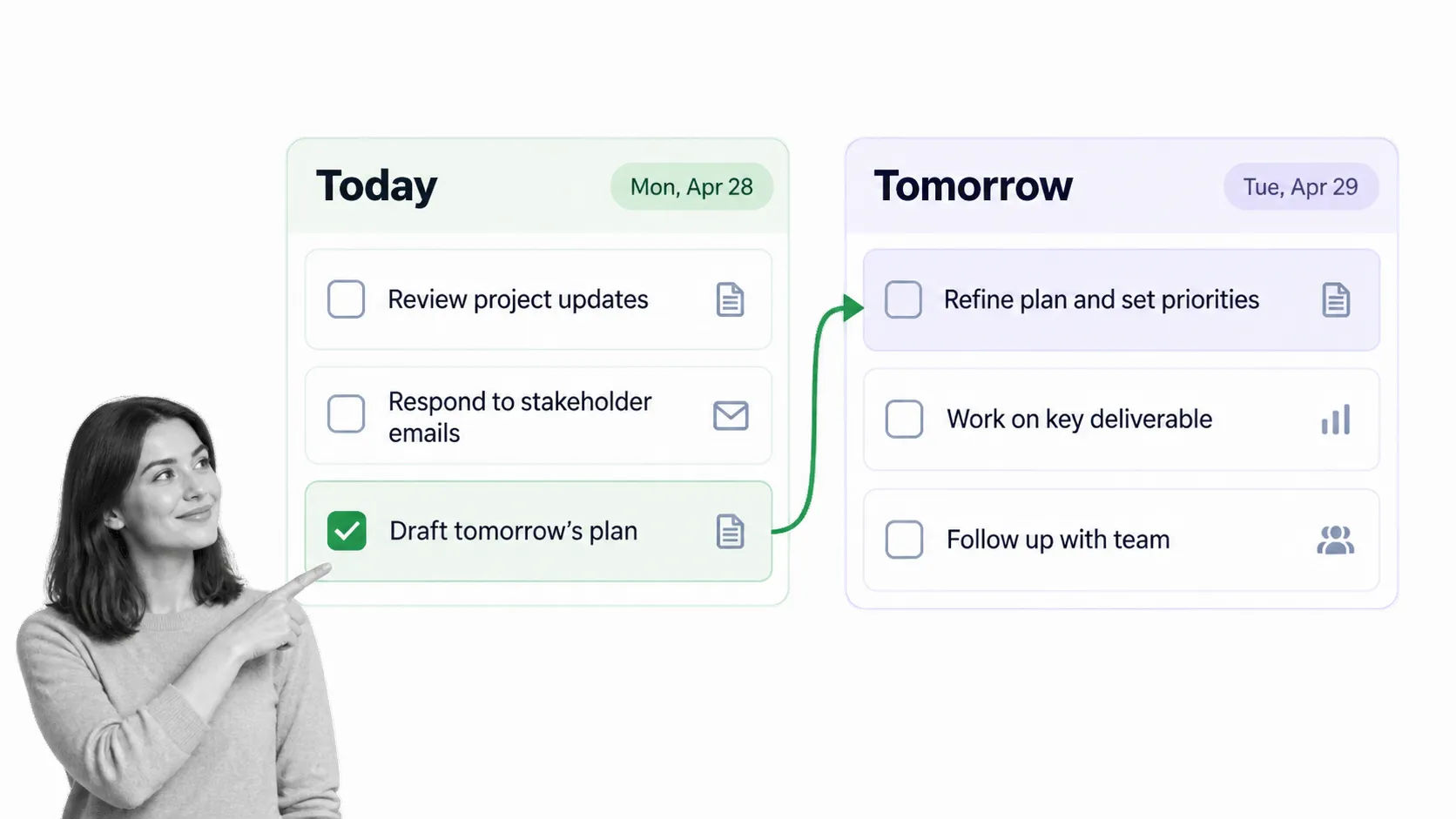
3. Adobe’s printable to do list templates are easy to customize and save as PDFs. A useful twist on the average daily list is a two-column view that allows you to organize two days in advance rather than just one. That flexibility helps anyone whose tasks change very little from day to day and gives unfinished work a deliberate place instead of letting it disappear.
At the end of the day, move only tasks that still deserve attention. Delete, delegate, or reschedule the rest. That quick review prevents a growing backlog from becoming a permanent source of noise.
Pomodoro focus list
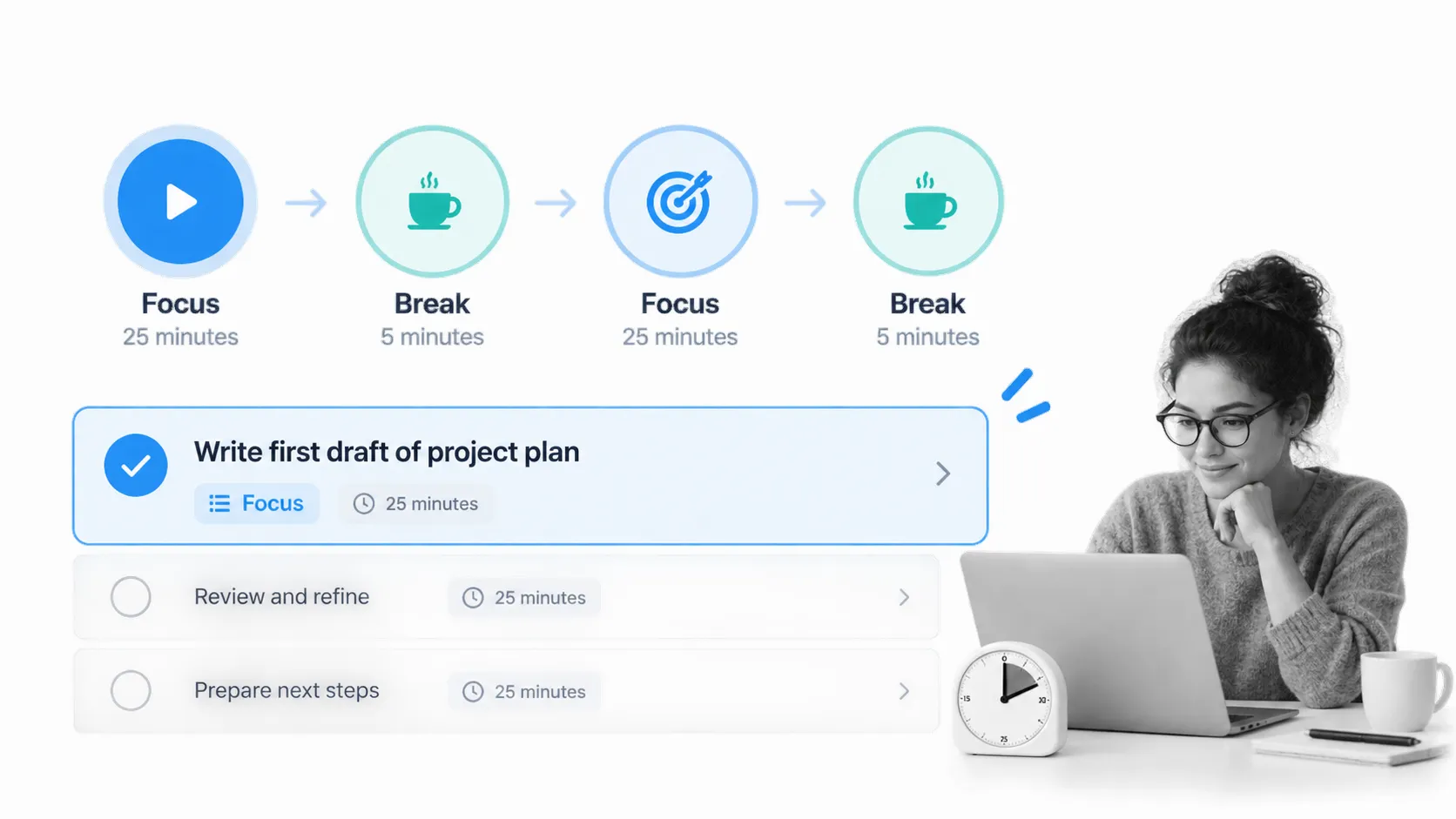
4. The Pomodoro Technique resources turn a task list into a sequence of focused work intervals. Choose one task, work for 25 minutes, take a short break, and repeat. Record how many focus blocks a task consumes so future estimates become more accurate.
This is a strong option for writing, analysis, study, or any task that feels difficult to start. The timer narrows the commitment to one short block, while the list preserves a clear next action.
Glue Sticks and Gumdrops daily control list
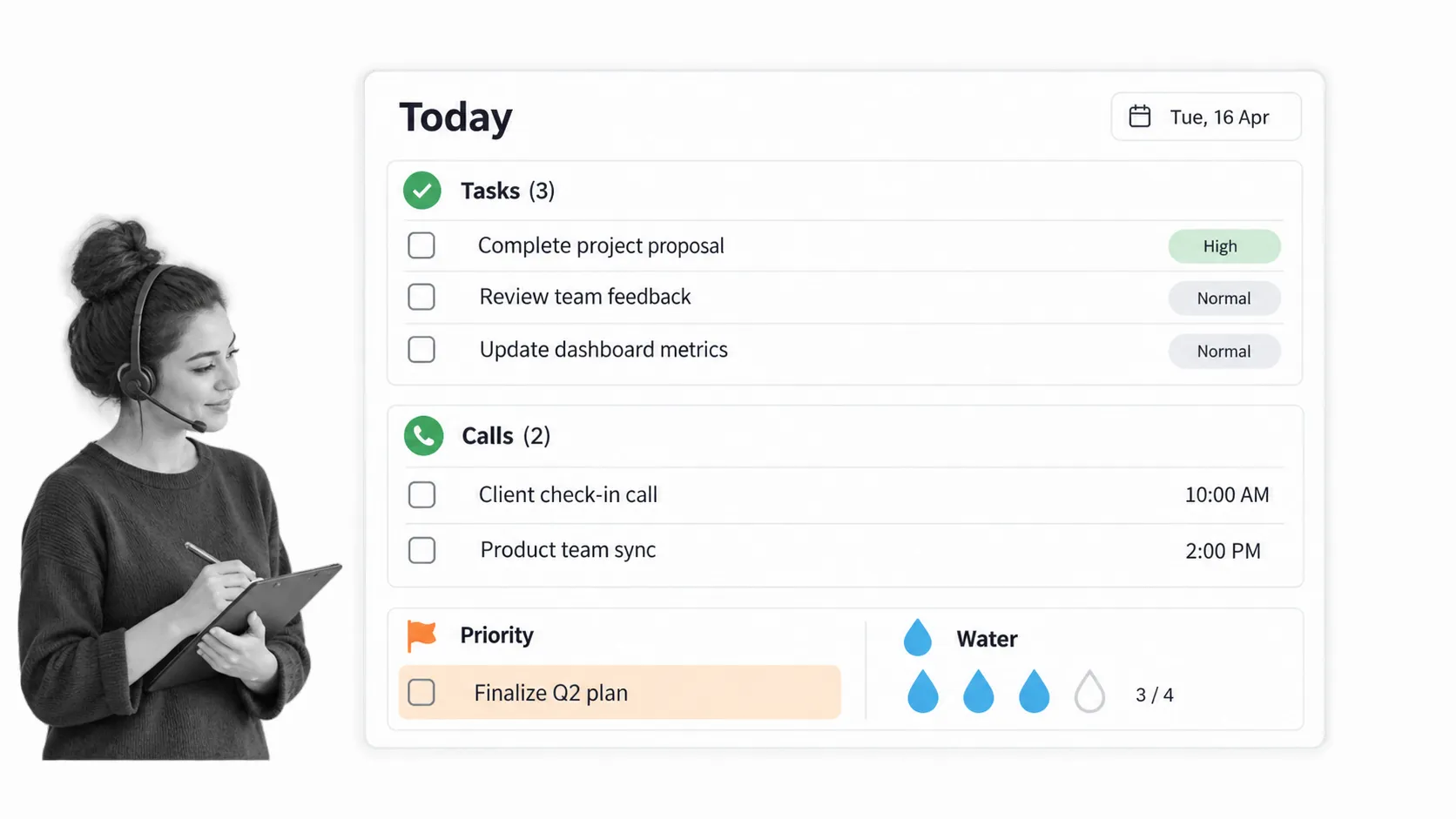
5. The Glue Sticks and Gumdrops daily to do list has personality as well as plenty of room to record tasks for the day, prioritize extra important duties, note who you need to call, and keep a small reminder at the bottom of the page. That division works well when a single day includes focused work and short administrative actions.
Keep each section short. Calls can be grouped into one batch, the priority box can hold the single outcome that defines a successful day, and the main task area can contain the remaining actions in completion order.
Running a process to upgrade your to do list
A plain list is ideal for one-off work. Processes give greater complexity and control over your tasks compared with to do lists because a series of tasks works together to produce a specific end. Repeating business operations also need instructions, owners, due dates, form fields, approvals, conditional paths, and a record of what happened. More than one team member can be working on a given process at the same time.
Process Street is a Compliance Operations Platform with Docs and Ops capability areas plus built-in AI. Teams can document how work should happen, run that work as structured workflows, and keep evidence connected to each execution in one product.
Process Street daily work schedule
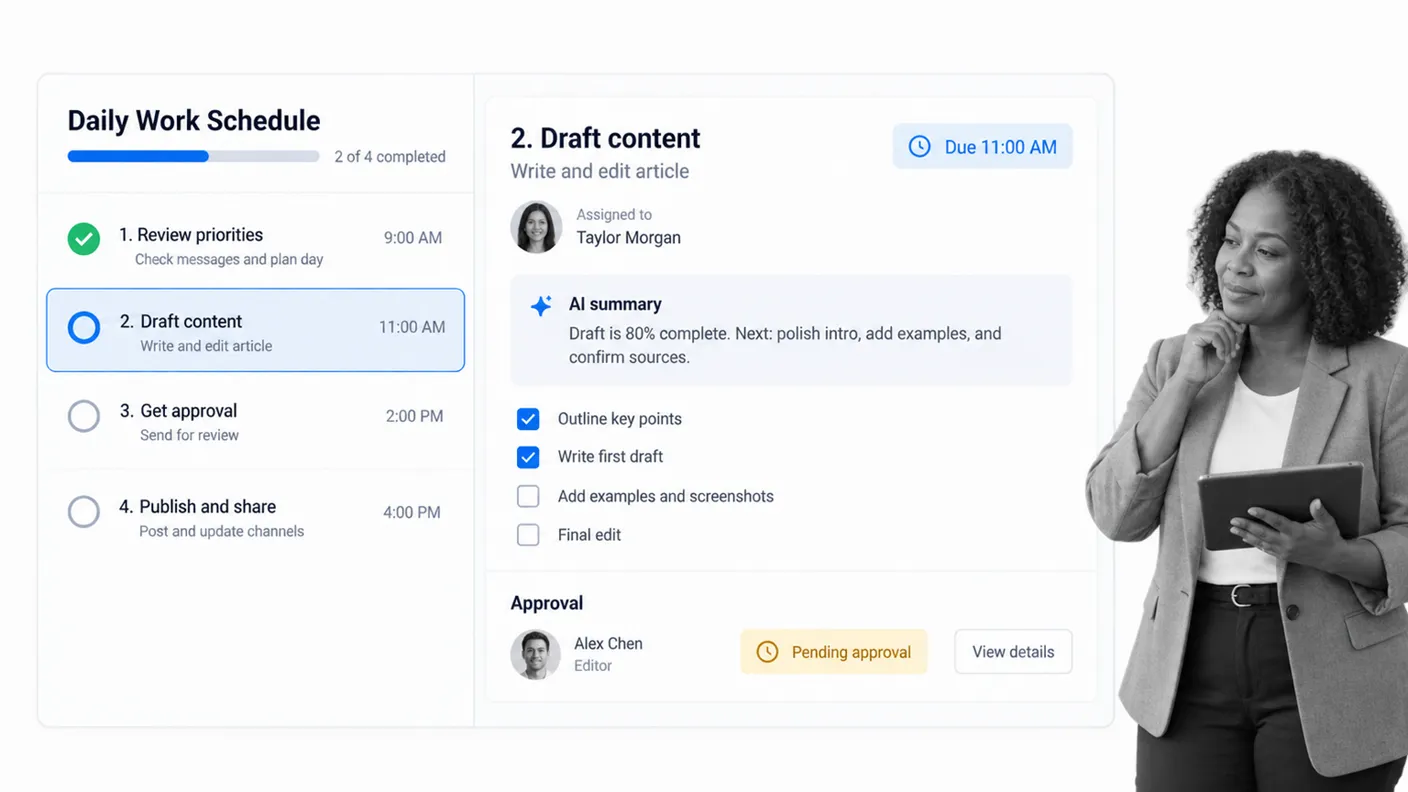
6. The Daily Work Schedule Checklist is designed for recurring tasks that must be completed consistently. Run this daily work schedule every day and work through it to cover the small recurring tasks that always need to get done. Enter bigger tasks or projects into the checklist as they appear, assign the work, capture the required information, and route exceptions for review.
Use it for editorial routines, operations checks, support handoffs, or any daily schedule where missing one small step creates downstream risk. Built-in AI can help summarize work and support the team inside the workflow, while the underlying process remains visible and governed.
Weekly to do list templates
A weekly list gives you enough distance to balance priorities across several days. It is useful for recurring team activity, personal planning, and work that needs flexibility but not a full project plan.
Process Street weekly marketing routine
7. The Process Street Marketing Weekly To Do List Workflow turns recurring weekly work into a repeatable run. Jot down tasks for every day of the week, then record progress as the week moves along. Never worry about ruining a paper list with minor mistakes such as ticking off the wrong task. You can instantly edit and update every instance of the workflow, no matter how many times you run it.
It is best for a team that has a recognizable weekly rhythm but still needs ownership and visibility. The workflow can hold links, files, form responses, approvals, and evidence alongside the tasks themselves.
Spreadsheet123 weekly task list
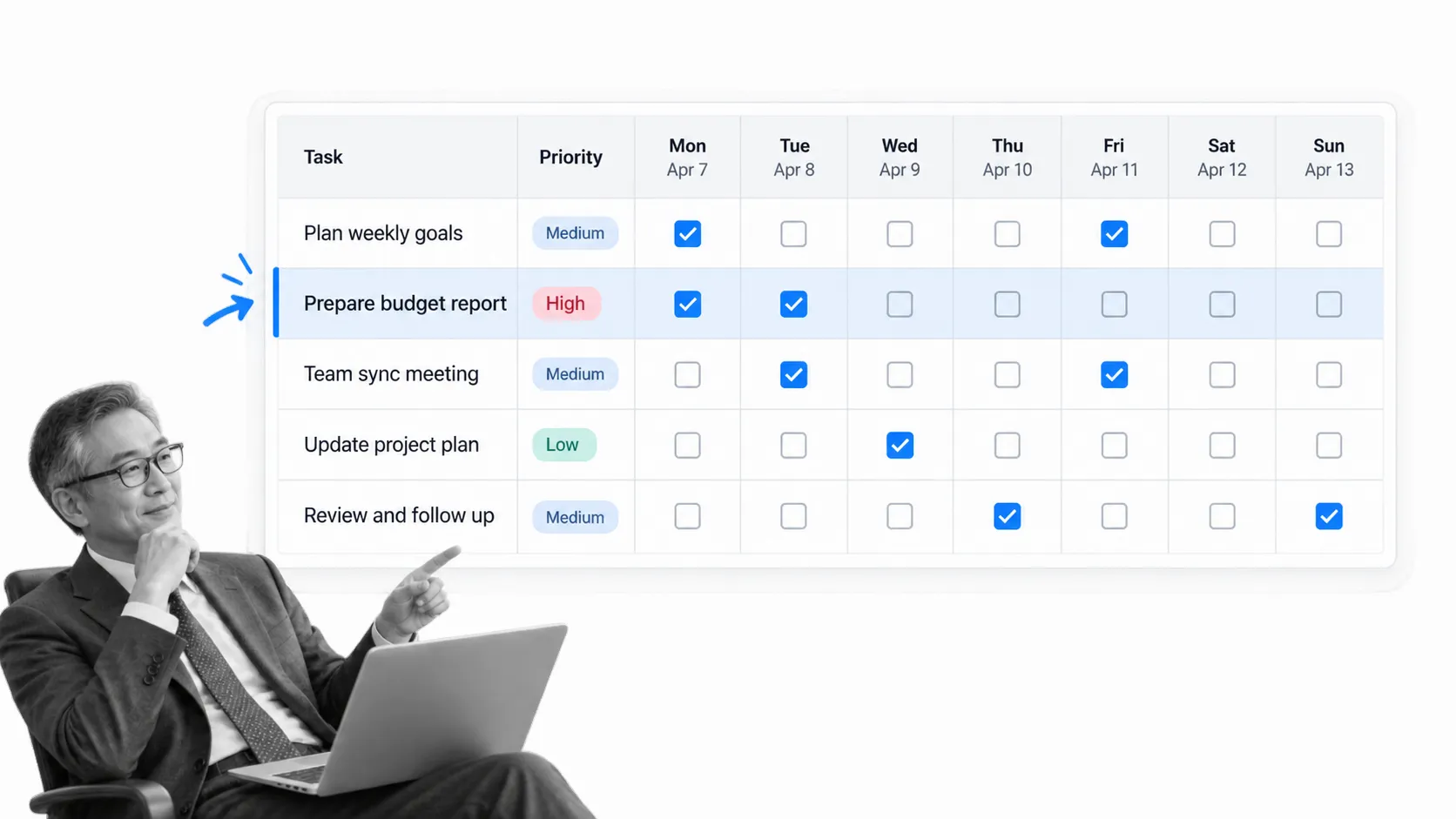
8. Misleading name aside, the Spreadsheet123 Daily To Do List is a useful weekly template. It lays out tasks in plain English, provides a section for each day including the weekend, and includes a checkbox for every task. Because it is an Excel file, the layout is familiar to many users and the rows can be sorted by priority.
A spreadsheet is also useful when you need to filter tasks by owner or priority. Avoid turning it into a hidden project database. If dependencies, approvals, or audit history matter, move the work into a structured workflow.
List It Planner weekly sheet
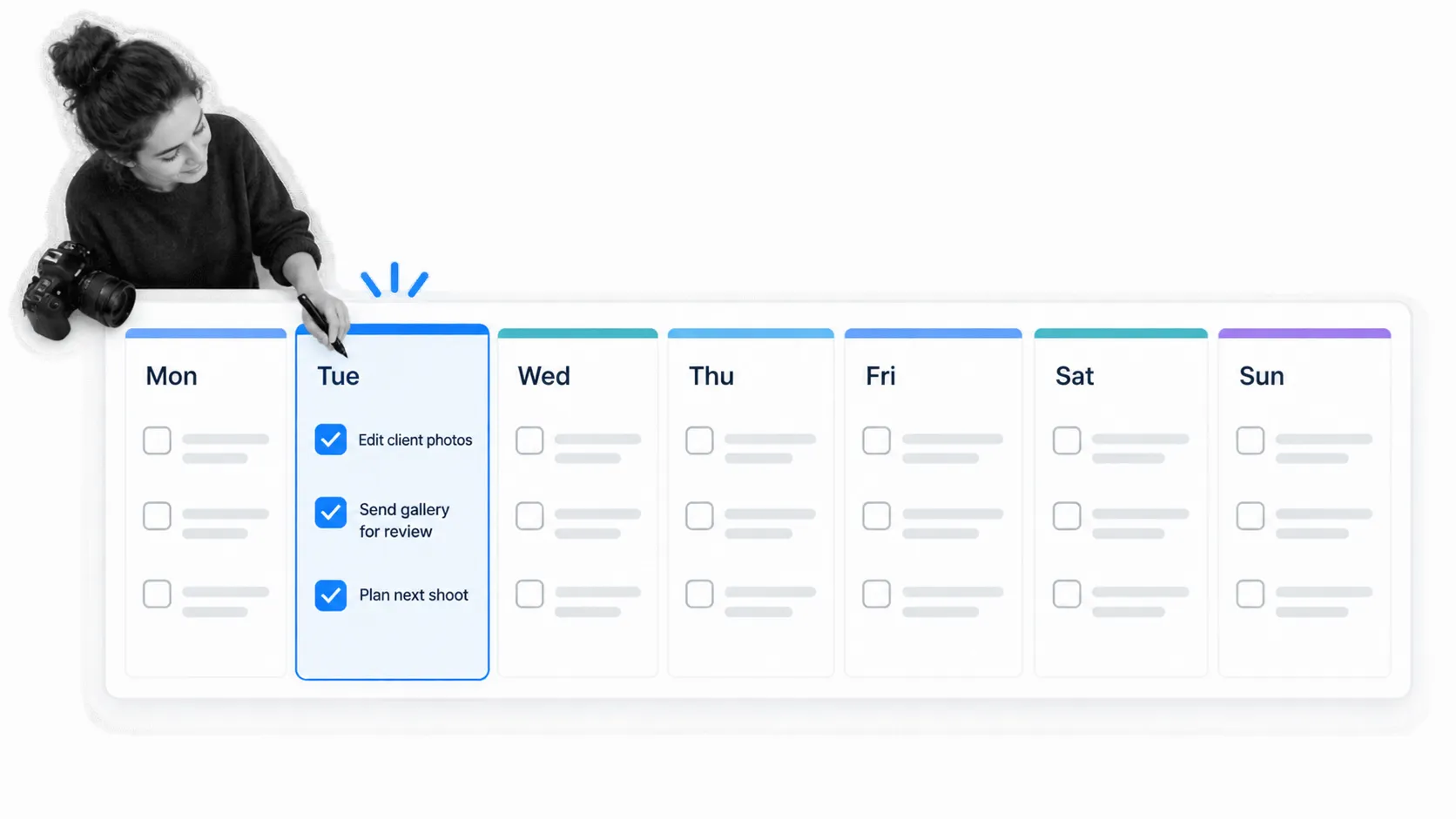
9. List It Planner is designed for anyone looking for a long-term organizer. Its physical calendar is split into weekly to do lists that can sit on a desk and stay at hand whenever a new task appears. The printable weekly sheet uses a separate column for each day, so it works well for people who prefer writing by hand.
Plan only about two-thirds of your available capacity. The open space gives urgent work somewhere to land and makes it easier to move a task without rewriting the entire week.
Microsoft Create weekly goal planner
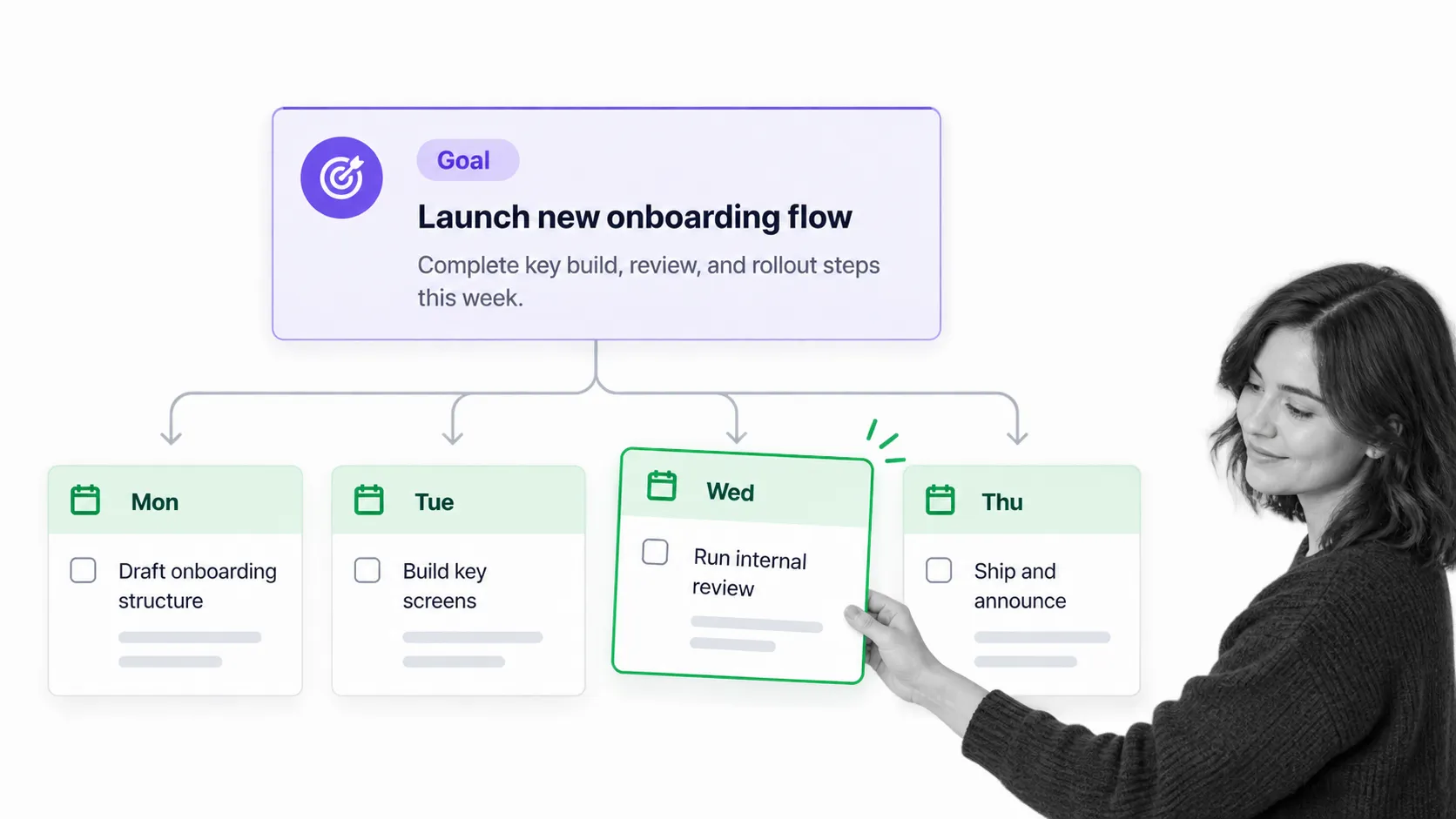
10. The Microsoft Create to do list templates offer editable designs for Word, Excel, and other Microsoft tools. A minimal black and white weekly goal layout is useful when several daily tasks contribute to one larger result. Split long-term goals into bitesize chunks for the week ahead so each action is small enough to schedule.
Write the outcome at the top, then give each day one concrete step. This keeps activity connected to the goal and makes it easier to spot a week filled with tasks that do not advance the desired result.
Vertex42 weekly task list
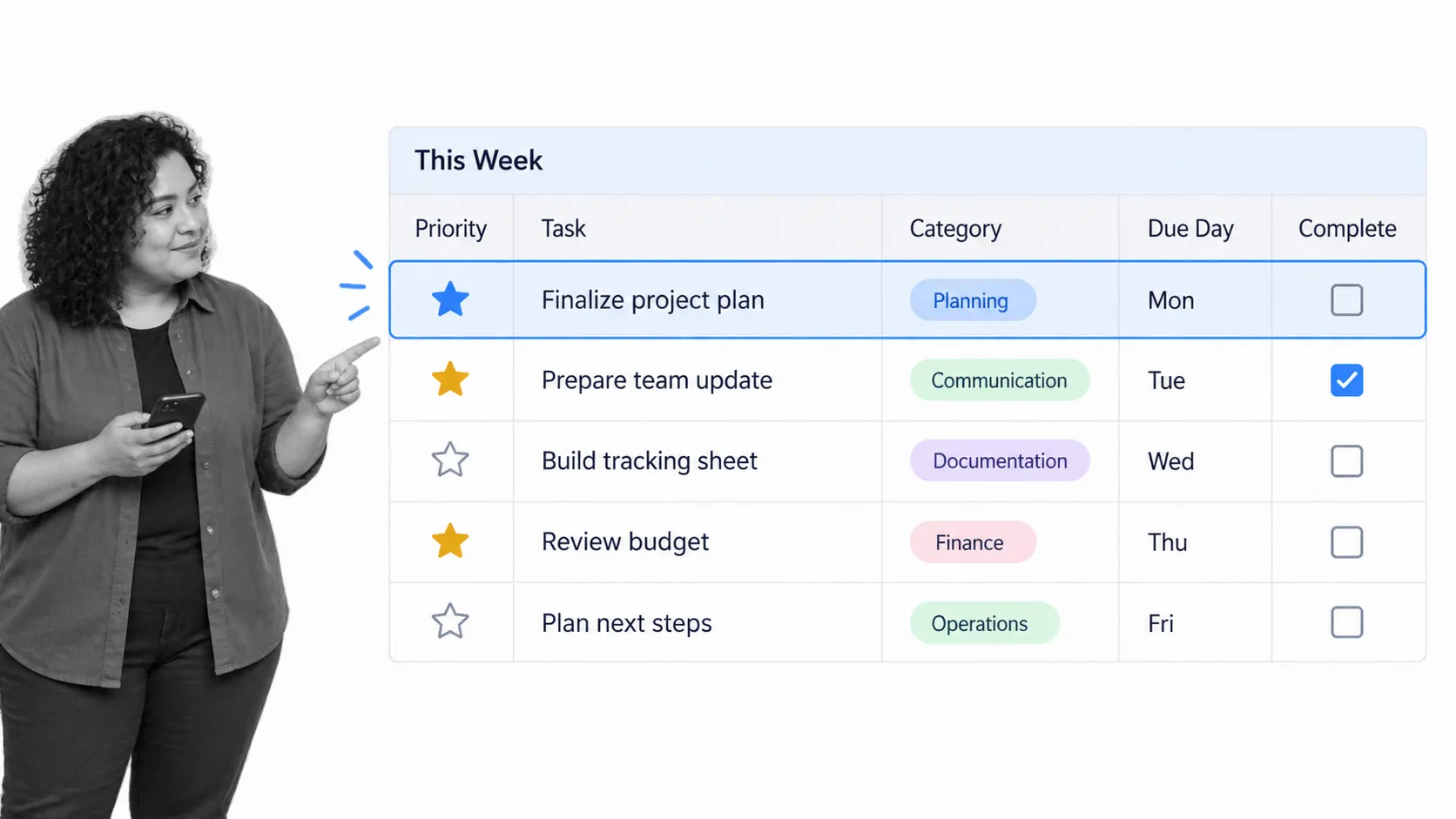
11. The Vertex42 prioritized daily to do list is, in fact, a template for planning an upcoming week’s tasks. It provides a spreadsheet structure with priority, category, due day, and completion fields. The benefit is a clear priority mark next to the most important tasks, which helps when a basic checkbox list lacks enough context.
Use consistent category names and a small priority scale. Too many labels create sorting work without improving decisions. A task should be easy to scan, schedule, and close.
How to choose your format
Start with the simplest option that handles your real constraints. Choose a printable daily list for personal focus, a spreadsheet when sorting and filtering matter, or a workflow when work repeats across people and must be completed the same way every time.
Do not maintain the same tasks in several places. Remember to use only one of these to do lists, or at most one from each category, to avoid getting bogged down with unnecessary tools. Pick one source of truth for daily commitments and review it at a consistent time. A five-minute morning plan and a five-minute end-of-day review are usually enough to keep the list current.
If your list repeatedly needs instructions, assignments, approvals, or evidence, it has become a process. Move that work into a repeatable workflow so the list stays focused on decisions rather than carrying the entire operating system of the team.
Go beyond the list
For a deeper look at prioritization, ownership, recurring work, and execution, read our task management guide. It explains how to move from capturing tasks to managing work that stays clear and accountable.
To do list template FAQs
What should a to do list template include?
A useful template includes a task name, completion status, and enough context to act. Depending on the work, that may include a due date, priority, owner, time estimate, or notes. Every extra field should support a decision.
Is a daily or weekly to do list better?
Use a weekly list to choose priorities and distribute work across available days. Use a daily list to decide what you will actually complete next. Many people benefit from a weekly planning session followed by a short daily review.
When should a to do list become a workflow?
Convert a list into a workflow when the same work repeats, more than one person contributes, steps must happen in order, or approvals and evidence matter. A workflow preserves the method as well as the tasks.
The post Every To Do List Template You Need (The 11 Best Templates) first appeared on Process Street | Compliance Operations Platform.