











4 Types of Software Testing and When You Should Use Them
Blog: Blog | Process Street | Compliance Operations Platform
The way customers see it, your software release cycle looks like this: take ages developing the software, beta test it, add a few features, fix a few bugs, and ship. That is not real life. Beta testing is only one type of software testing your product needs before customers trust it.
Software testing works best as a layered system. Unit tests catch flaws inside small pieces of code. Integration tests catch broken handoffs. System tests check the whole product. User acceptance testing confirms real users can do the job the software was built for.
If your software is struggling to get into a usable state, it is probably because you are overlooking one of those layers. Testing is important for two main reasons:
- Tests reveal flaws in your software.
- Tests reveal flaws in your software development process.
Note: Apart from customer-facing and QA tests, tests are code.
Use this guide to decide which types of software testing belong in your development process, who should own each layer, and where automation should take over.
| Testing type | What it checks | Best owner | Best timing |
|---|---|---|---|
| Unit testing | One small unit of code or behavior | Developer | During build and code review |
| Integration testing | How units and services work together | Developer or QA engineer | After related units are ready |
| System testing | The full product in a test environment | QA team | Before release candidate approval |
| User acceptance testing | Whether real users can complete real work | Product, QA, and selected users | Before staged rollout or broad release |
These four levels do not replace other testing categories. Functional testing, non-functional testing, regression testing, smoke testing, API testing, security testing, usability testing, and exploratory testing usually sit inside one or more of these levels. The level tells you where the test happens. The category tells you what risk the test is trying to catch.
Unit testing: the first pitfall
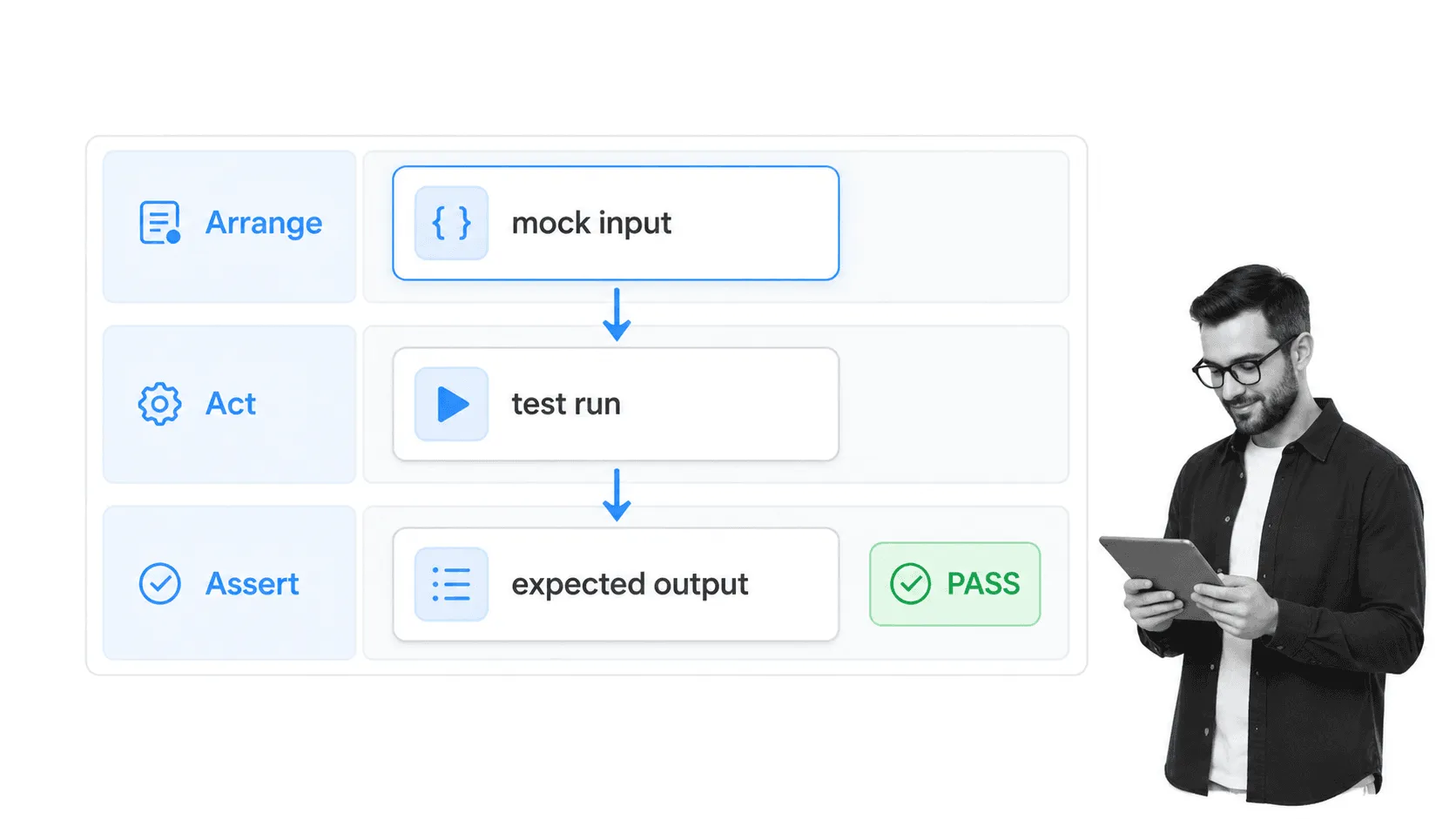
When your vacuum cleaner is blocked, you detach the pipes to find which section the blockage is in. Every time you detach a pipe, you either rule it out or discover the issue.
That is exactly what unit testing does. A unit can be a function, class, method, button, API handler, or small feature. The point is to prove that one unit behaves correctly before you trust the whole product.
Unit testing is usually a white-box activity, because the person writing the test needs to understand the code internals. Developers should run unit tests during build, code review, and every change to the code base. A good unit test is small, repeatable, fast, and specific enough that a failure points to the code that needs attention.
Unit testing is essential, but it is not enough. Passing unit tests prove the parts work alone. They do not prove the parts work together, and they do not prove the product works for a user.
See the unit test section of our complete testing process for a practical checklist.
Integration testing: check if the units work well together
Integration testing moves one level higher than unit testing. It checks how units, modules, services, and data flows behave when they interact.
For example, after building a unit for archiving checklists, you might find that it breaks search. Integration testing helps you find which parts of the code clash, then fix the issue during debugging.
As the video above explains, the more units in your software, the more integration test cases you create. You are not only testing each component. You are testing how each component reacts to the others.
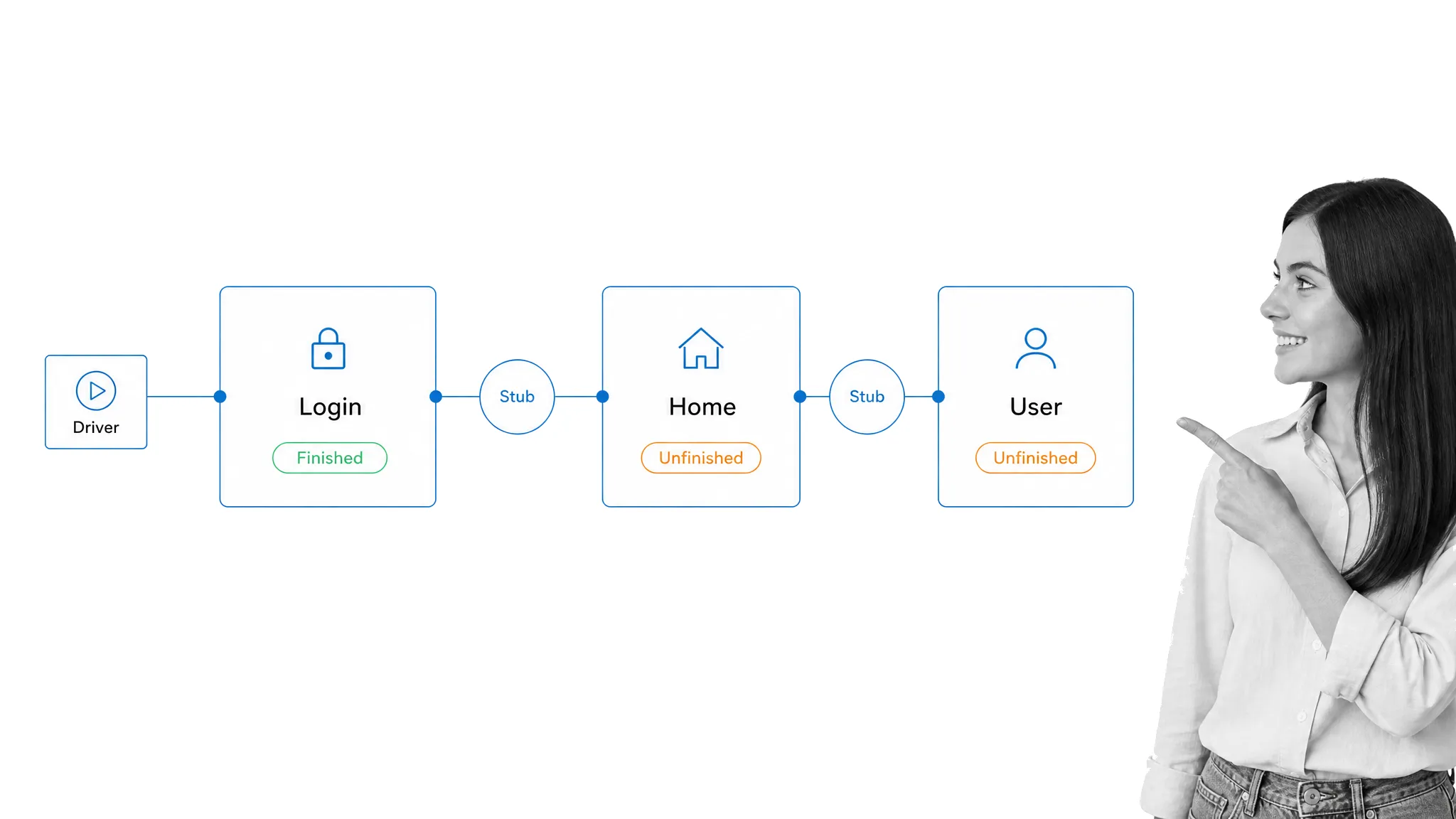
Stubs and drivers are still useful concepts here. A stub simulates a called component that is not ready yet. A test driver calls a component that is ready when the higher-level caller is not ready yet. They let you test the handoff without waiting for every dependency to be complete.
For a simple Login, Home, and User module example, Home and User might be minor modules called by Login but not ready for testing yet. In that case, you write dummy code that simulates the called methods. If Home and User are ready but Login is not, a driver can call those modules and return values as if the missing Login module existed.
Integration testing is where many teams find the messy bugs: mismatched data formats, broken permissions, failed API calls, missing events, duplicated records, and workflows that only break when two features meet.
In agile teams, this breakdown helps you see which account type, feature, or user journey is affected, amongst other release risks, so the team is able to prioritize the next fix.
System testing: does the entire piece of software work as intended?
By the time you get to system testing, unit and integration tests should already be complete, and the software should be running in a test environment that resembles production.
Think of it this way: when you build a computer, you test the power supply, motherboard, and other pieces individually. That is unit testing. Then you make sure the motherboard gets power from the power supply. That is integration testing. System testing checks whether the entire computer works as a whole, and whether an unexpected reaction between components causes failure.
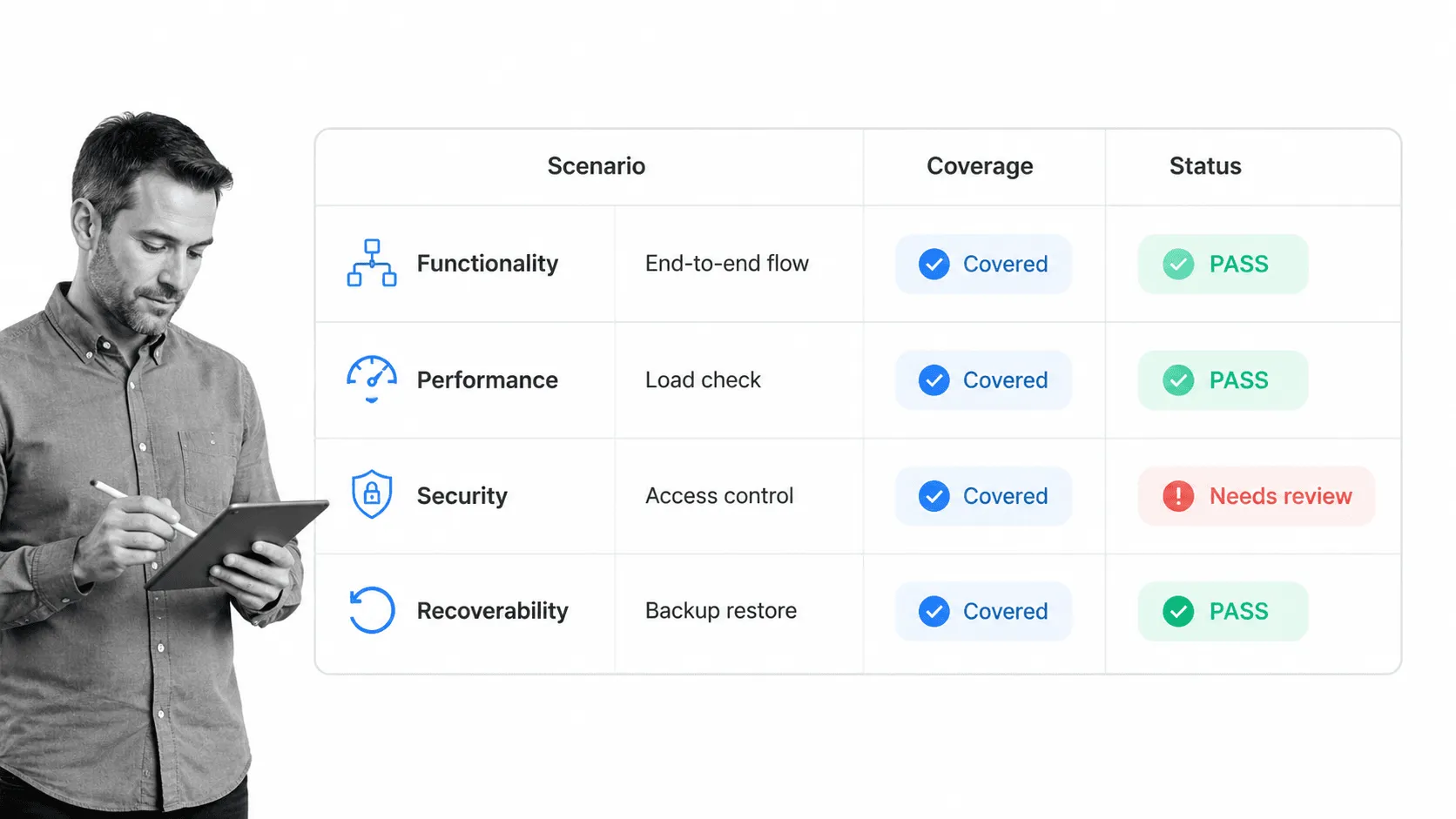
System testing is broad. It can include functional testing, documentation testing, interoperability testing, performance testing, scalability testing, stress testing, load testing, regression testing, compliance testing, security testing, recoverability testing, usability testing, and compatibility testing.
This is also where non-functional testing becomes harder to ignore. It is not enough for a feature to work once in ideal conditions. You need to know whether it stays secure, usable, fast, recoverable, and stable when real conditions put pressure on it.
As software testers, your job is to make sure the system-level checklist is complete enough to catch fatal errors before customers do.
User acceptance testing: alpha and beta (black box) testing
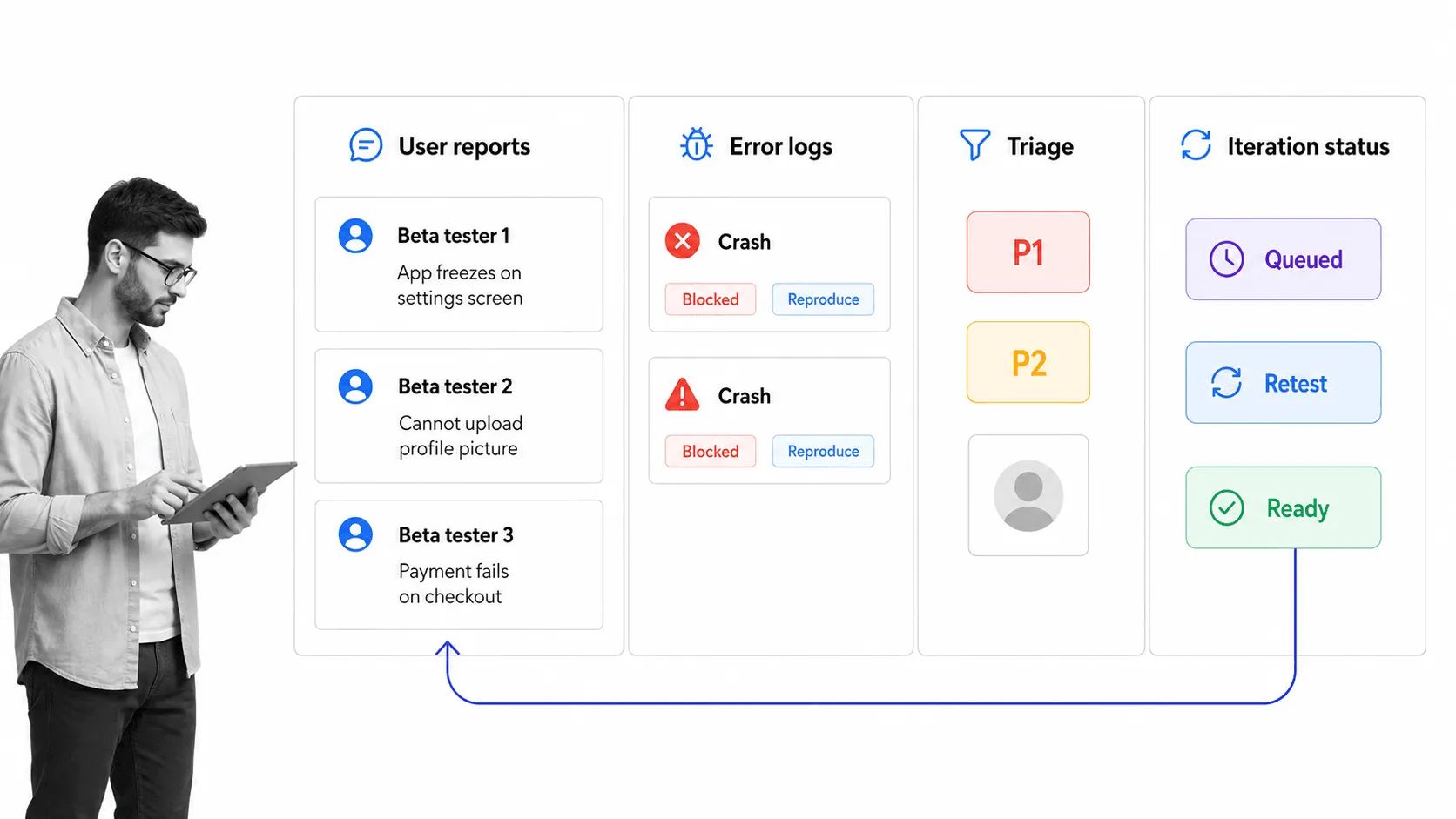
When unit, integration, and system testing are complete, it is time to accept that your team has still only covered part of the risk. There are bugs only users can catch because real usage creates combinations your team did not predict.
That is why user acceptance testing, or UAT, matters. You are building for users, not for yourself. UAT checks whether the software supports real user goals in realistic conditions.
UAT is usually black-box testing. Users and testers do not need to know how the code works internally. They need to confirm that tasks, permissions, workflows, interfaces, notifications, and edge cases behave as expected from the outside. For comparison, white-box testing looks inside the implementation, while black-box testing starts from the specification and expected behavior.
Modern UAT does not need to mean one big beta period. Teams often use staged rollouts, feature flags, internal alpha groups, customer advisory groups, support feedback, product analytics, and structured release criteria. The process is still simple:
- Select a varied sample of users across roles, locations, browsers, devices, and workflows.
- Give them access to the release candidate or feature flag.
- Capture feedback, error logs, reproduction steps, and severity.
- Decide whether each issue blocks launch, needs a follow-up task, or can be accepted.
- Iterate on the software and repeat the acceptance checks.
For more information on beta testing, Joel Spolsky’s classic guide to running a beta test is still useful.
Tools for automated testing
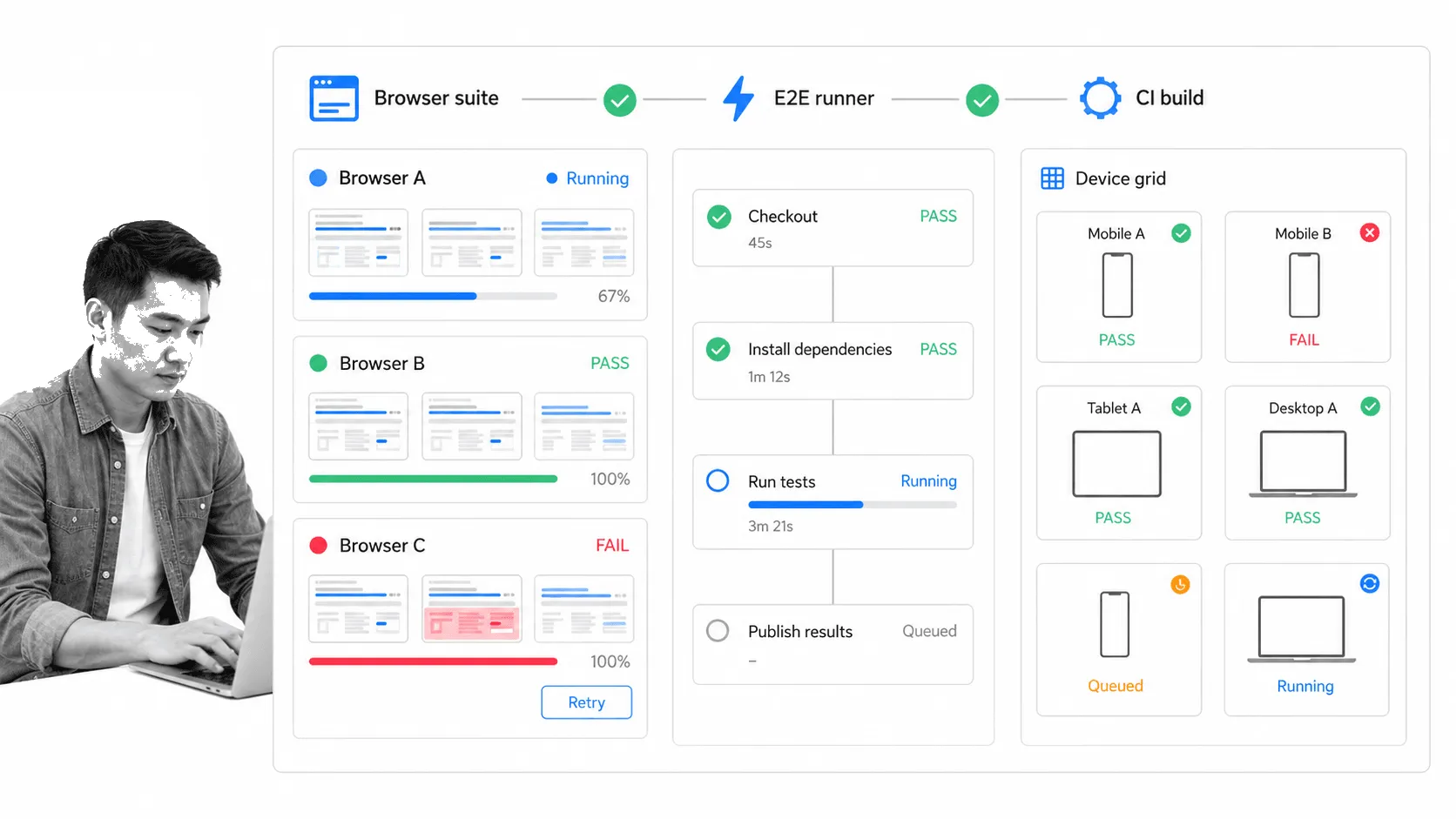
Manual testing is still valuable, especially for exploratory testing, usability, judgment calls, and new workflows. But repetitive regression checks belong in automated testing wherever the test can be made reliable.
Browser and interface testing can use tools like Selenium, Playwright, and Cypress. Device and browser coverage can be expanded with platforms like BrowserStack. CI/CD pipelines can run tests through tools such as CircleCI, GitHub Actions, and enterprise CI platforms like CloudBees.
These tools do different jobs. Selenium and Playwright help automate browser behavior. Cypress is strong for frontend workflows and component testing. CI/CD tools decide when tests run and whether a build can move forward. Test management tools track cases, evidence, owners, and coverage across releases. If you need a broader comparison, see our guide to test management tools.
AI-assisted testing is also changing the workflow. It can help draft test cases, summarize failure patterns, and speed triage. It should not replace ownership. A test suite still needs clear scope, clean data, versioned requirements, and a release process that decides what happens when a test fails.
The benefits of automated testing
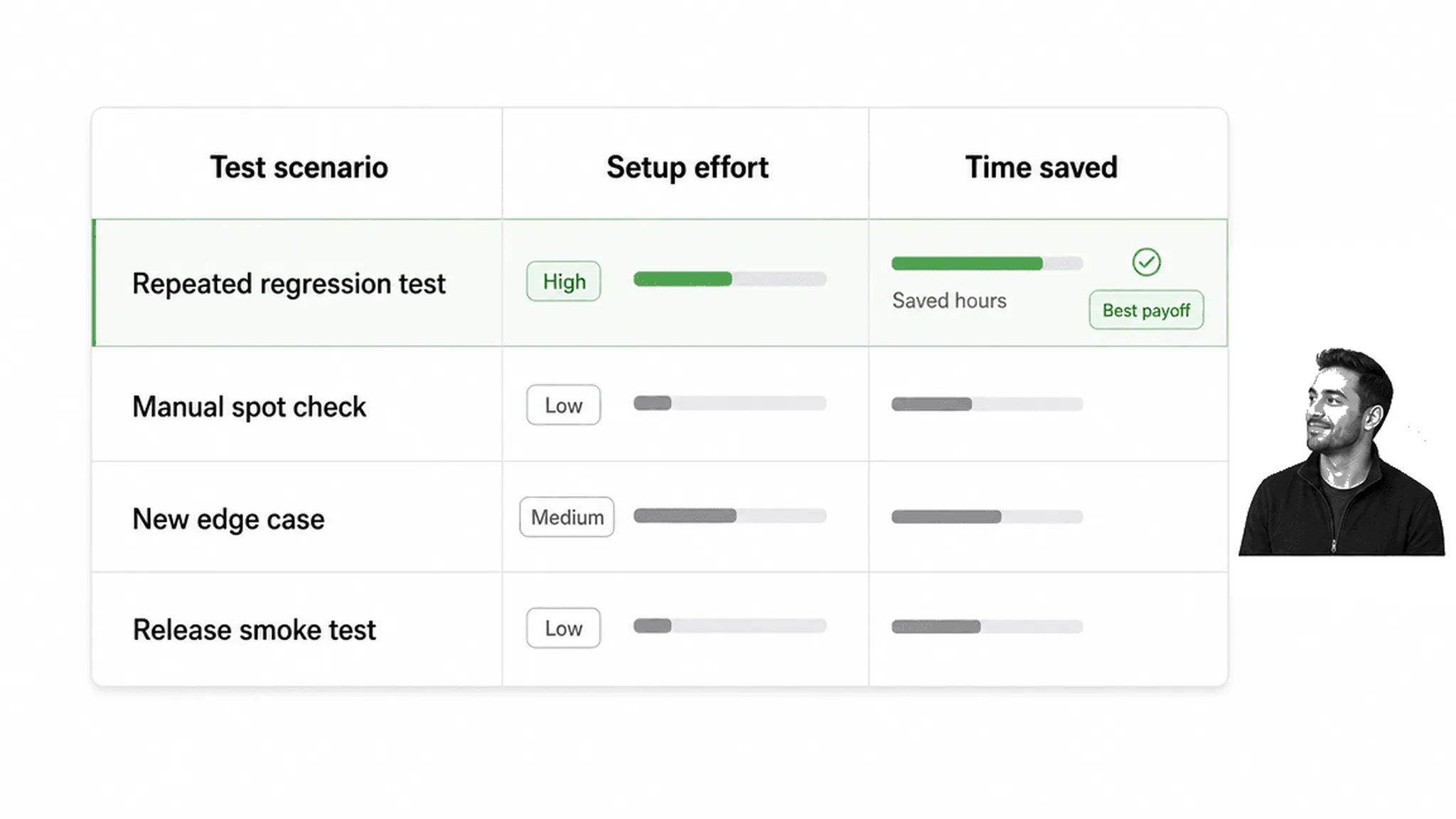
As your software expands, it becomes practically impossible to cover every combination by hand. A new feature can affect permissions, billing, search, notifications, integrations, mobile behavior, browser behavior, and old workflows in ways nobody expects.
Automated testing gives your team a repeatable safety net. Instead of manually checking every common path, you write tests or configure tools that run those checks consistently.
Automated testing frees your development team from the dreary weeks of testing that follow a feature build. It improves quality, lowers rework, catches regressions earlier, and gives developers faster feedback before a problem reaches users.
Think of it like business process automation. It takes time to set up, but it saves much more time when the same work repeats. If your team runs the same test every release, every sprint, or every pull request, automation usually pays for itself quickly.
The key is judgment. Automate repeatable checks with clear expected outcomes. Keep humans involved for exploratory testing, product judgment, accessibility review, customer nuance, and release decisions.
Managing software testing with Process Street
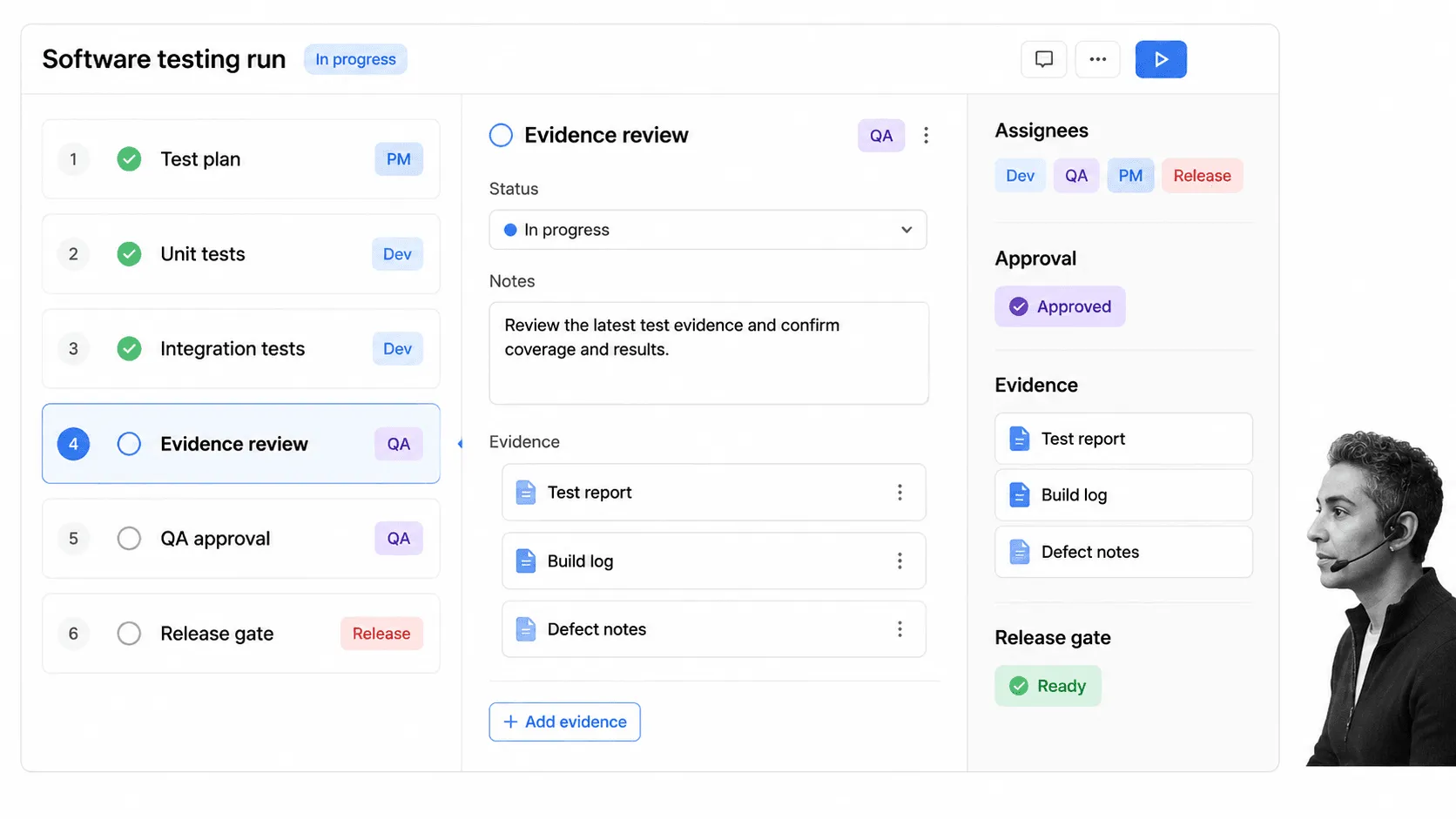
No complex task should be taught or executed without documentation. Humans are error prone, even when the team is experienced.
That is why software testing needs a process as much as it needs tools. The test plan, test data, release gate, owner, evidence, approval, and follow-up work should not live in someone’s head or a scattered set of chat messages.
Process Street is a Compliance Operations Platform. Docs gives teams a governed place to document testing procedures. Ops turns those procedures into recurring workflows with owners, due dates, approvals, and audit trails. Cora helps teams monitor execution and spot gaps in the process before they become repeat release problems.
It can also work as a blank slate for teams that want to type up their own testing process, assign the right account owner, and track completion with everyone involved in the release cycle.
For development teams, that means you can run software testing as a repeatable workflow: assign unit and integration checks, collect UAT evidence, route approvals, trigger deployment tasks, and keep a record of what happened for each release.
We have a few practical checklists for development teams:
Use Process Street when software testing needs to be assigned, followed, approved, and proven. Tests catch product defects. A clear workflow makes sure the tests actually happen.
FAQ
What are the four core types of software testing?
The four core levels are unit testing, integration testing, system testing, and user acceptance testing. They move from the smallest code unit to the full product and finally to real user validation.
What is the difference between functional and non-functional testing?
Functional testing checks whether software does what it is supposed to do. Non-functional testing checks qualities such as performance, usability, security, scalability, compatibility, and recoverability.
Which software tests should be automated?
Automate repeatable tests with clear expected results, especially unit tests, regression tests, smoke tests, API checks, and common browser flows. Keep manual testing for exploratory work, usability, accessibility, and judgment-heavy release decisions.
Where does AI fit into software testing?
AI can help generate test ideas, summarize failures, create draft cases, and speed triage. It still needs human-owned scope, acceptance criteria, evidence, and release decisions.
The post 4 Types of Software Testing and When You Should Use Them first appeared on Process Street | Compliance Operations Platform.