










36 Top Salesforce Apps to Power Up Your Sales Operations
Blog: Blog | Process Street | Compliance Operations Platform
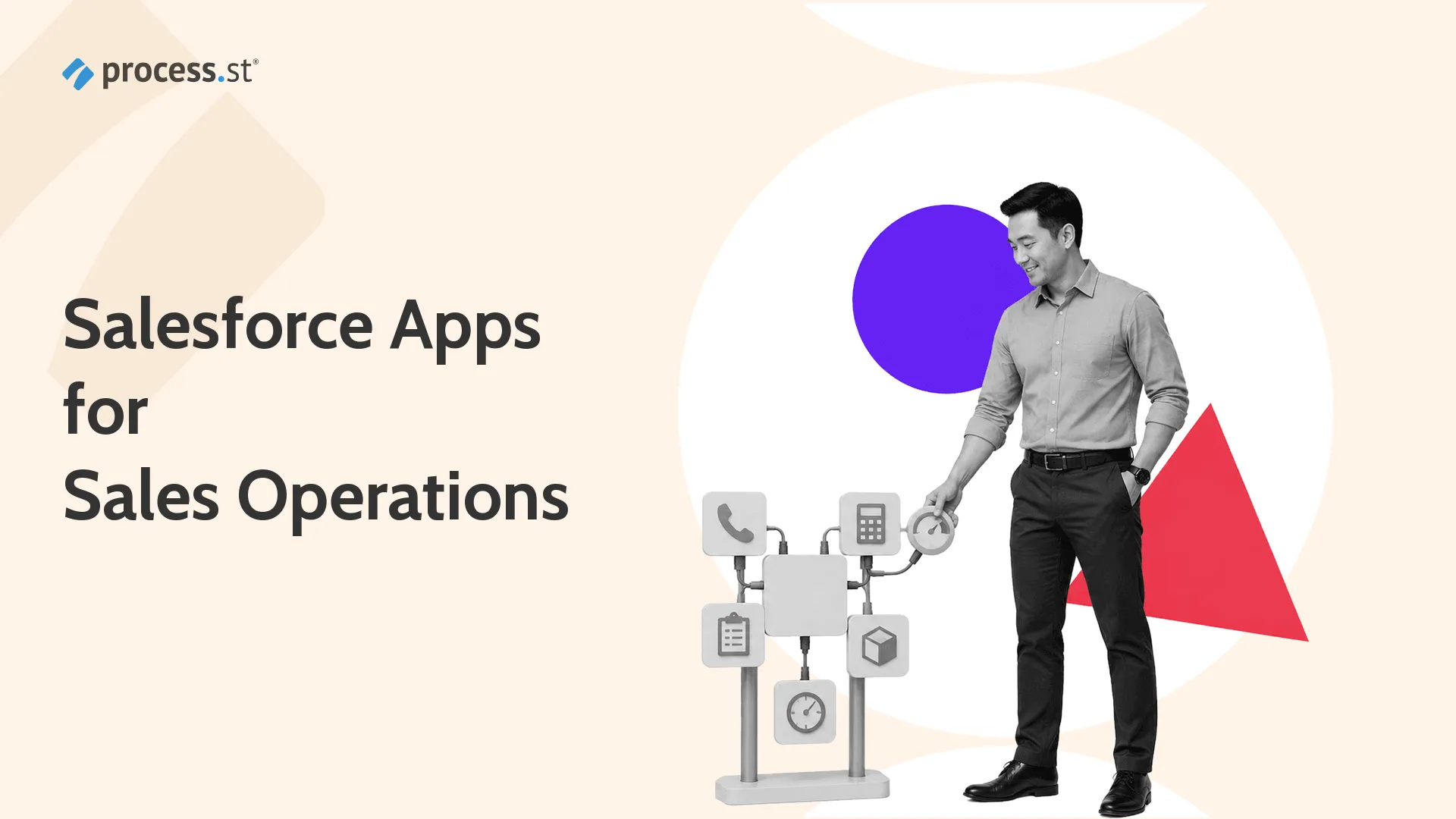
Salesforce is strongest when the CRM record is not the end of the workflow. The Salesforce AppExchange ecosystem can add quoting, proposals, financial services controls, nonprofit fundraising, gamification, admin governance, forms, inventory, calling, analytics, and workflow automation around the same account, contact, and opportunity data.
The best Salesforce apps are the ones that make sales operations easier to run: cleaner records, faster approvals, better handoffs, and clearer reporting. Process Street helps teams connect that app stack to repeatable work through its Compliance Operations Platform: Docs for procedures, Ops for workflow execution, Cora for AI-assisted process work, and integrations across Salesforce and thousands of other tools. For teams standardizing Salesforce-connected work, workflow automation matters as much as the app list itself.
Use the AppExchange category filter as an operating checklist, not just a marketplace directory. For quote and proposal work, compare CPQ solution depth, centralized pricing, chain pricing, discounting add-ons, renewals, contract information, document creation, document template control, branded sales proposals, DocuSign or e-signature handoff, approval workflows, PDF and DOCX output, and whether the app can push data straight back to Salesforce without distracting manual entry.
For financial services, review account opening, client onboarding, client assets, balances, banking relationships, account meetings, account interactions, client services, risk checks, disclosures, compliance adherence, advisory agenda and session notes, and whether tools such as Financial Services Cloud, nCino, Practifi, or TD Ameritrade Institutional Veo-style integrations can support banks, advisors, and investment firms without fragmenting the core account record.
For nonprofit and event operations, compare donor relationship management, donations campaigns, donations tickets, campaigns fundraising, charities, member programs, event registration, agenda session support, Authorize.net payment needs, ticketing, sponsorships, attendee follow-up, Classy fundraising patterns, PatronManager audience records, Fonteva event operations, and whether development teams can drive donations while program teams maintain a full picture of constituents.
For gamification and adoption, avoid measuring activity just because Aberdeen Group-style stats once made gamification sound universal. Look at adoption dashboard use, achievement alerts, broadcast sales wins, competition design, Corsica-style callouts, LevelEleven coaching, SalesScreen recognition, Spinify leaderboards, birthday notifications, contact birthday reminders, and whether badges and points improve efficient selling instead of distracting reps during real pipeline work.
For small business and free apps, compare affordable solution quality, budget fit, free apps, free gems, free DupeCatcher, catch dupes, duplicate prevention, free survey options, free form utilities, free social and Chatter-style collaboration, Mailchimp campaign data, Cloudingo data cleanup, calendars, scheduling, Asana and Box connections, Facebook and Twitter activity, and whether the app can cut costs without creating costly enterprise-targeted maintenance.
For admins, examine approved apps, app private controls, Private AppExchange-style governance, custom categories, custom fields, deployment across environments, development Trailhead courses, coding required versus drag-and-drop builder tools, app development controls, deep integrations, Zapier zaps, automation channels, automation platforms, data sources, custom objects, validation rules, change sets, and whether admins can enforce policy while still letting teams automate workflows.
For forms, compare enterprise form needs, complex forms, customer-facing forms, custom questions, custom fields, prefill, PCI and data security, form builder depth, drag-and-drop form creation, web-to-anything record creation, FormAssembly deep Salesforce connectors, Formstack offers, FormFactory and FormFactor replacement paths, Youreka mobile assessments, and whether submissions create feedback, approvals, and follow-up work in a consistent manner.
For inventory and ERP, compare FinancialForce ERP and Certinia terminology, FinancialForce procurement, FinancialForce workflows, FinancialForce Matrix Velocity-era references, Rootstock manufacturing depth, Ascent ERP inventory, fulfillment inventory, orders, assets, currencies, currency conversion, batch recurring billing, procurement, order management, warehouse visibility, and whether sales teams can see inventory without pulling operations away from their own systems.
For calling and sales engagement, compare click-to-call automated logging, automated voicemail, call recording, call scripts, call performance, area codes, cold calling, voice workflows, agent supervisors, coaching feature depth, Revenue.io and RingDNA terminology, VanillaSoft lead routing, Aircall phone workflows, emails calls, emails inbox, and whether reps can call prospects while Salesforce records update in a consistent manner.
For analytics, compare dashboards, dashboard types, Birst-style BI, Salesforce CRM Analytics, Tableau, Pardot influence, Bizible and Adobe Marketo Measure attribution, AdWords organic search, campaign metrics, campaign here, conversion tools, deeper analytics, forecast sales, funnel reporting, awareness channels, social channels, Google channels, and whether managers can analyze activity alongside revenue instead of appending Twitter, email, and ad data by hand.
Operational comparison also means checking access, ability, add integrations, add inventory, account information, account management, contact records, core account data, core functionality, data associated with opportunities, data already in Salesforce, data entry, data over time, data without duplication, existing Salesforce customizations, applications deployed across teams, compatible connections, and whether tools can pull, push, request, output, and automatically accumulate analytics without fragile manual work.
Product-fit review should cover commonly-used marketing channels, emails, calls, comments, Facebook, Twitter, Chatter, social activity, awareness programs, paid search, organic search, Google channels, coding knowledge, coding required, custom questions, free-form text, complex here, cramming too many fields into a form, confusing areas, and whether the app handles front end intake and back end control without destroying focus.
Commercial review should compare pricing, apps pricing, emailing pricing, forms pricing, courses pricing, free pricing, available spend, budget, costs down, costs wherever possible, cut down manual effort, cut costs, affordable solution fit, enterprise-targeted solutions, enterprises creating forms, freelancers, and whether a free tool or paid app supports the actual workflow instead of becoming another admin burden.
Keep terminology straight when searching: Apttus CPQ, GoCloudz, Brickwork, Matrix Velocity, Birst, Pardot, Bizible, Salesforce Inbox, Survey Force, Social for Chatter, Timesheets, Veo, RingDNA, Easy Opt, FormFactory, FormFactor, FinancialForce, Classy, Fonteva, PatronManager, DupeCatcher, LevelEleven, SalesScreen, Spinify, VanillaSoft, FormAssembly, Formstack, Youreka, Rootstock, and Ascent may appear in older AppExchange results, integration notes, or internal procurement records.
For governance, ask whether admins can create, deploy, customize, build powerful automations, generate documents, create feedback forms, enforce adherence, ensure consistent records, enable reps, encourage adoption, extend Salesforce, broadcast sales achievements, display achievements, fix duplicate data, avoid embarrassment, manage currencies, approve apps, and keep data security, compliance, and reporting intact across departments.
Finally, check reporting on campaign metrics, conversion tool quality, dashboard rolling views, CRM dashboards, CRM contacts, CRM manually maintained fields, CRM upkeep, Salesforce accounts, Salesforce admins, Salesforce apps exclusively built for sales teams, AppExchange features, add custom objects, add attribution, better records, better reporting, better reports, and whether the app powers a clear sales process from awareness to closing.
Salesforce quote & proposal apps
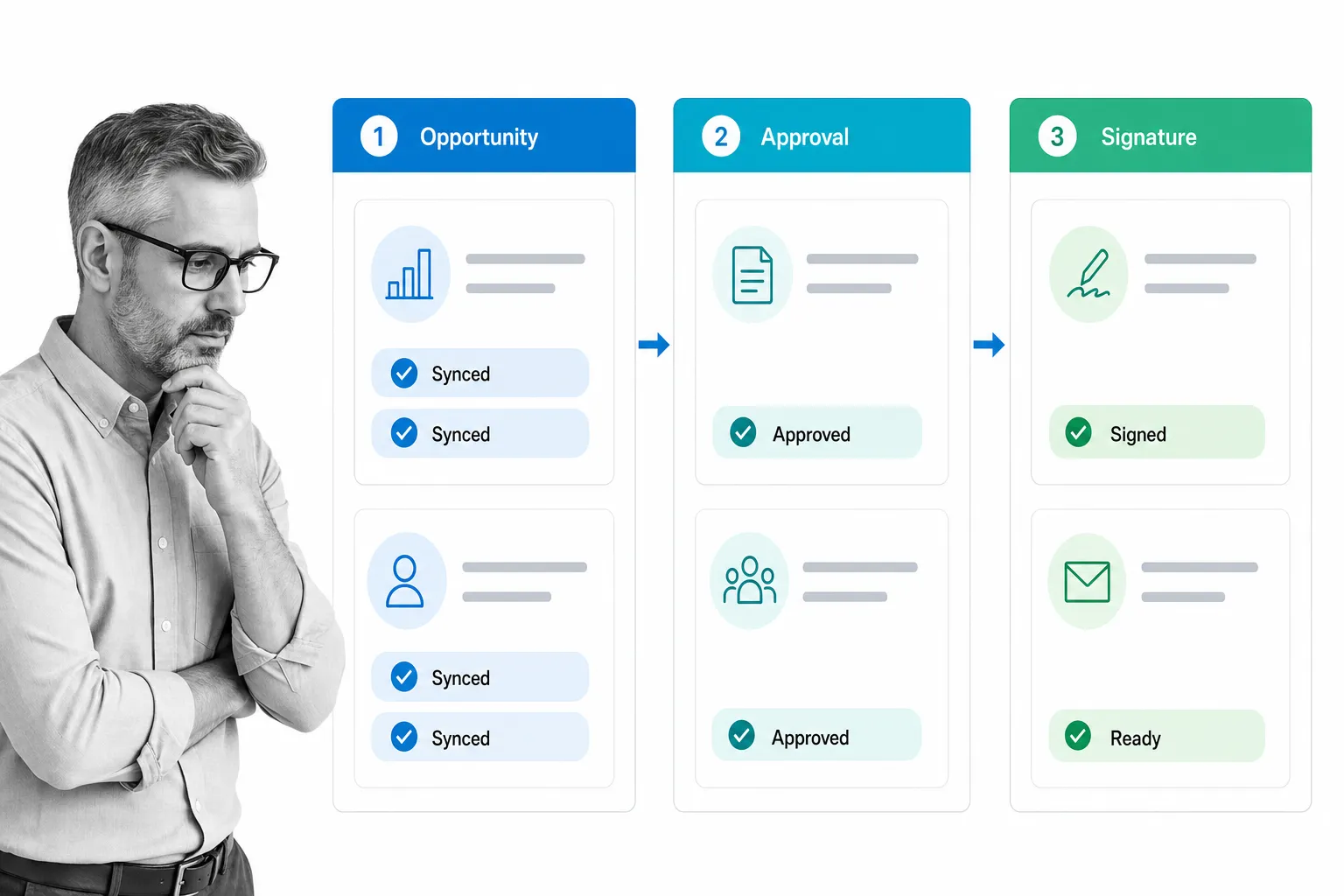
Quote and proposal apps are where opportunity data turns into pricing, approvals, signatures, and clean handoffs. The strongest choices reduce copy-paste between Salesforce, documents, and finance tools while keeping account information, add-ons, renewals, and sales operations controls visible.
Salesforce Revenue Cloud
Salesforce Revenue Cloud Use Salesforce Revenue Cloud when quote configuration, CPQ logic, contracts, and subscription revenue need to stay close to the CRM record. It is the natural first stop for teams already invested in Salesforce data, products, price books, approval rules, and revenue workflows. It helps reps configure complex offers, route discounts, and keep managers from authorizing quotes in Slack, email, or spreadsheets. Revenue Cloud is heavier than a lightweight proposal tool, but that weight makes sense when quoting is tightly tied to forecasting, billing, and compliance.
Conga CPQ
Conga CPQ Conga CPQ is the evolved path for teams that once evaluated Apttus CPQ. It is useful when sales operations has to support bundles, complex discounting, renewals, and legal review without letting reps improvise the back end. Conga can sit alongside Salesforce opportunity data and help standardize proposals, contracts, and approval evidence. It is best for companies with mature quoting rules, multiple revenue models, and a real need to control how sales documents are created, approved, and sent.
S-Docs
S-Docs S-Docs is a strong fit when the bottleneck is document generation rather than full CPQ. Teams use it to create quotes, invoices, proposals, and account letters directly from Salesforce data. It is useful for teams that care about speed, version control, and keeping field data accurate inside generated documents. If your sales team already has pricing logic under control but spends too much time preparing repeatable documents, S-Docs can remove a lot of manual document work.
PandaDoc
PandaDoc PandaDoc is useful for proposal-heavy sales teams that need templates, content blocks, approvals, and e-signature workflows around Salesforce opportunities. It is usually easier for reps and marketing teams to manage than an enterprise CPQ deployment, especially when the core need is a polished proposal experience. Use it when your sales process depends on better-looking proposals, reusable pricing tables, faster signature cycles, and better records of who approved what before a deal moves forward.
Salesforce apps for financial services
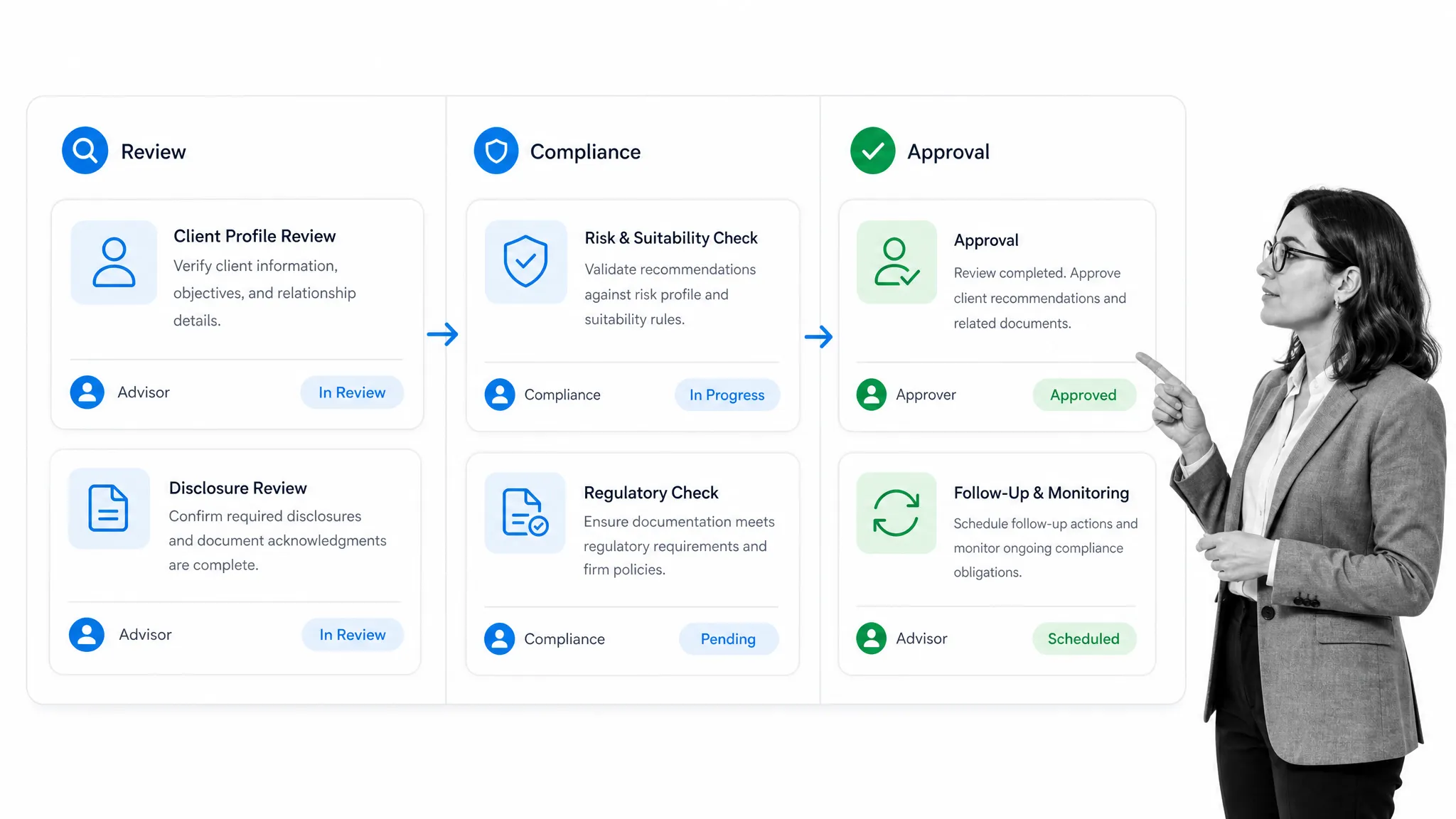
Financial services teams need more than generic account management. Advisor workflows, banking handoffs, client review, disclosures, account opening, household relationships, and regulatory checks all have to work without breaking Salesforce reporting or auditability.
Salesforce Financial Services Cloud
Salesforce Financial Services Cloud Financial Services Cloud is the Salesforce-native option for banks, insurance teams, wealth managers, and advisors that need client relationships, households, referrals, policies, claims, and account meetings in one CRM model. It supports deeper relationship views than a generic Sales Cloud setup and gives admins a better foundation for financial services workflows. Choose it when the business needs better client data, advisor productivity, and compliance-friendly relationship management.
nCino
nCino nCino is built for banking and lending workflows where applications, approvals, credit decisions, document collection, and account opening need structured controls. It is a better fit for financial institutions than a generic form or task app because the workflow itself is the product. nCino helps teams manage loan pipelines, customer interactions, back-office review, and lending operations inside a controlled Salesforce-connected environment.
Practifi
Practifi Practifi is designed for wealth management and advisory firms that need better visibility across clients, centers of influence, compliance tasks, and service work. It helps advisors prioritize relationships, standardize review meetings, and keep follow-up from disappearing after account interactions. It is especially useful when a firm has outgrown basic Salesforce objects and needs client service, practice management, and relationship intelligence in one operating system.
Salesforce apps for non-profits
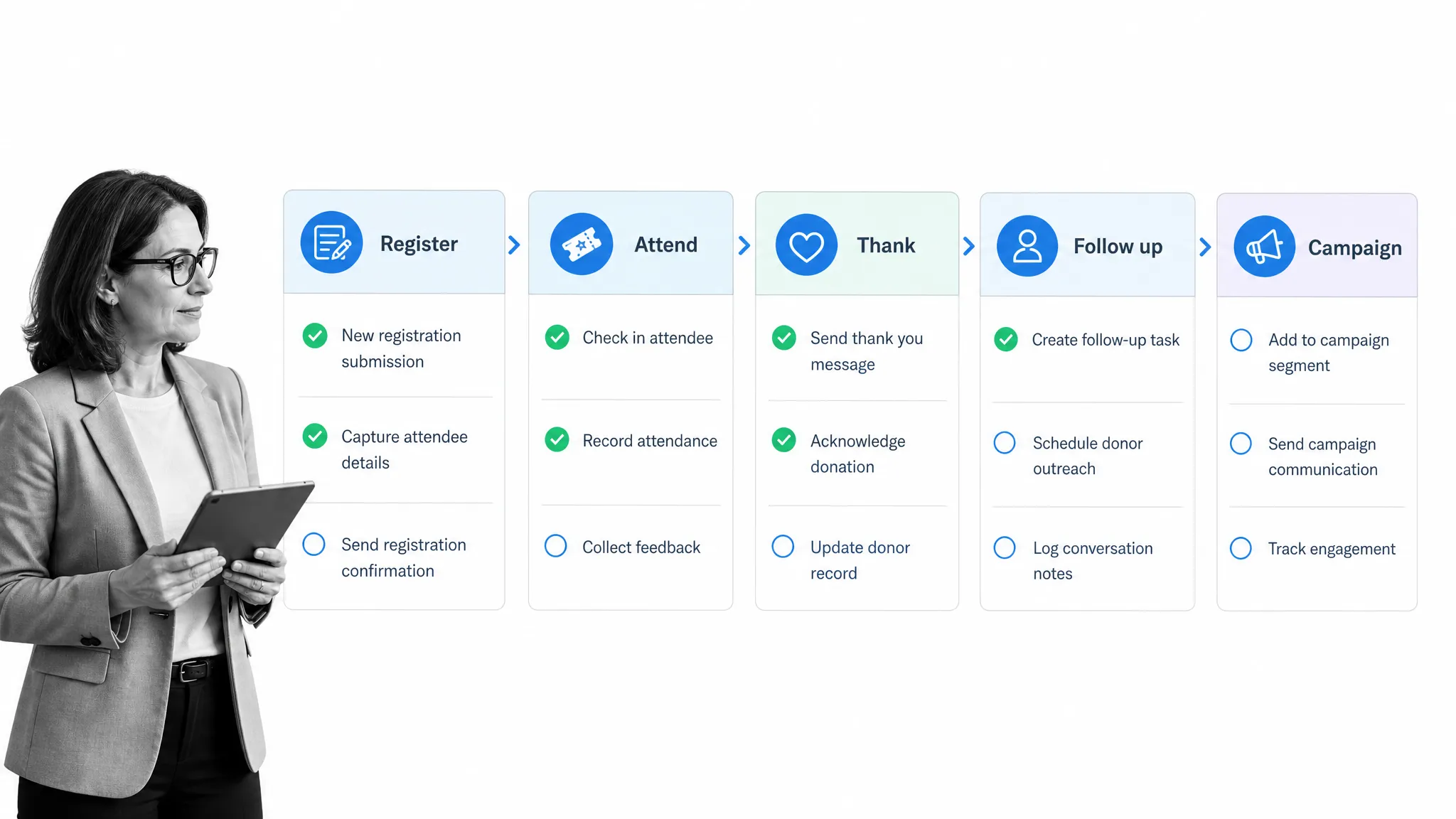
Nonprofit teams often run donor records, campaigns, events, volunteer activity, and program delivery through Salesforce. The right apps make those records easier to act on without forcing staff to maintain duplicate systems for fundraising, ticketing, or events.
Salesforce Nonprofit Cloud
Salesforce Nonprofit Cloud Salesforce Nonprofit Cloud gives organizations a Salesforce-native foundation for donor management, fundraising, programs, outcomes, and constituent relationships. It is the clearest starting point when the organization wants to avoid stitching together too many disconnected nonprofit apps. Use it when the CRM needs to support development, program operations, volunteer coordination, reporting, and leadership visibility in one place.
GoFundMe Pro
GoFundMe Pro GoFundMe Pro, formerly Classy, is useful for nonprofits that rely on online fundraising, peer-to-peer campaigns, recurring donations, and donor engagement. The Salesforce integration helps campaign activity and donor records stay connected, so development teams can follow up with context instead of manually exporting gift data. It is strongest for organizations where campaigns, donation pages, and supporter engagement drive a large share of revenue.
PatronManager
PatronManager PatronManager serves arts, culture, and live-event organizations that want ticketing, fundraising, marketing, and CRM data connected. It is useful when attendees, donors, members, and subscribers overlap and the team needs to understand the full relationship. PatronManager helps theaters, venues, and cultural nonprofits coordinate ticket sales, donations, audience segmentation, and outreach without treating those records as separate worlds.
Fonteva Events
Fonteva Events Fonteva Events is a good fit for associations and nonprofits that need event registration, sessions, agendas, sponsors, payments, and attendee records connected to Salesforce. It is especially helpful when events are not isolated marketing moments, but part of a membership or community program. Use it when the team needs event operations, check-in, session tracking, and follow-up data to land back in the CRM.
Gamification apps
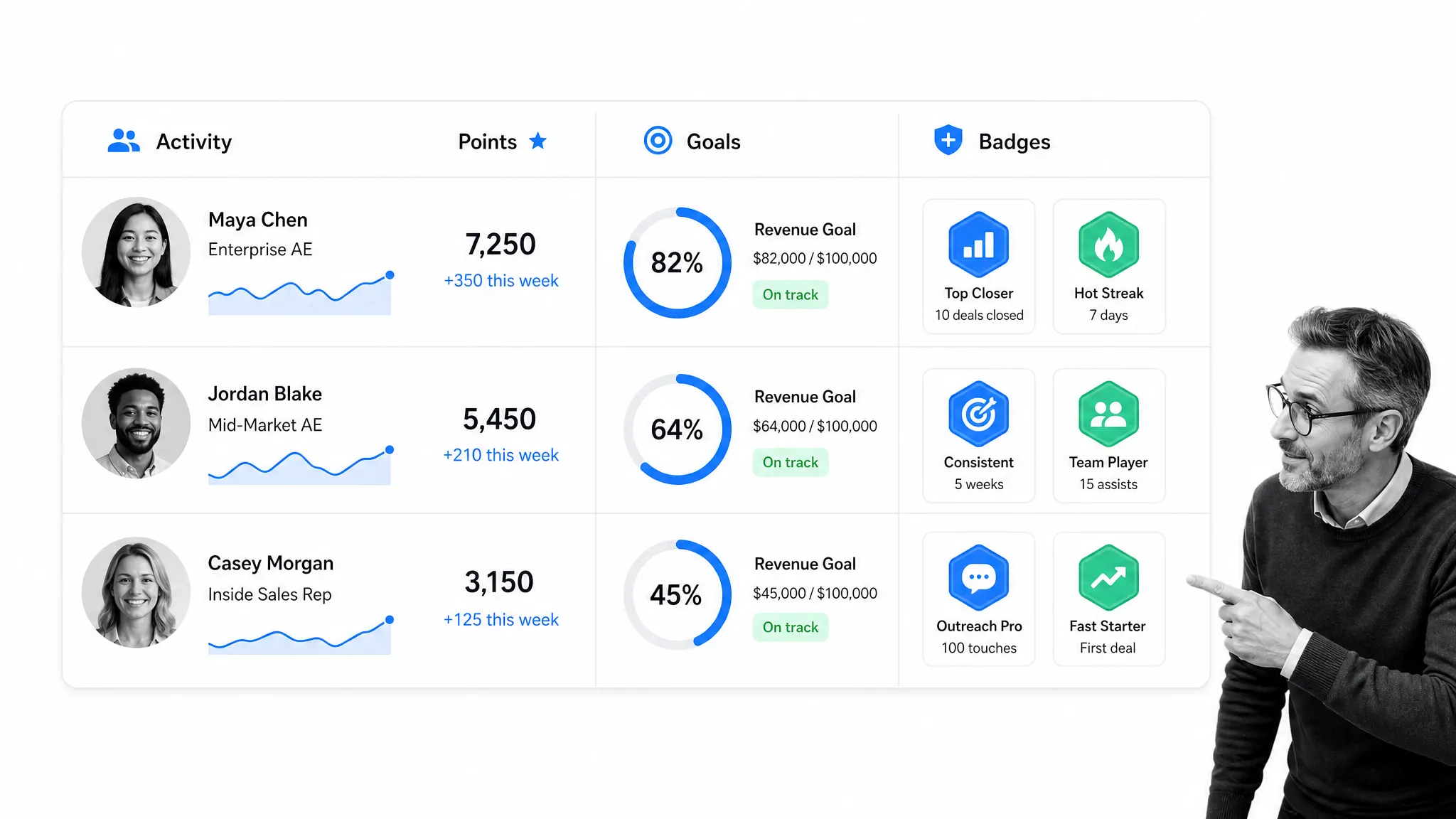
Gamification apps can help with adoption, activity consistency, coaching, and sales floor energy. The useful ones focus on behaviors that already matter: clean CRM updates, meaningful calls, pipeline progression, and measurable goals.
LevelEleven
LevelEleven LevelEleven, now part of Ascent Cloud, helps managers build contests, scorecards, and motivational programs around Salesforce activity. It is useful for teams that want achievement alerts, leaderboards, and better visibility into the behaviors behind revenue. The value is not just points or badges; it is turning sales activities into coaching signals that managers and reps can understand quickly.
SalesScreen
SalesScreen SalesScreen works well for distributed sales teams that need goal tracking, competitions, recognition, and activity visibility across locations. It can make CRM behavior feel less like admin work and more like progress toward shared targets. Use it when reps need visibility into goals, managers need a cleaner coaching rhythm, and leaders want to keep motivation high without relying only on end-of-quarter dashboards.
Spinify
Spinify Spinify brings leaderboards, competitions, celebrations, and performance TV-style displays into the Salesforce sales environment. It is useful when a team wants quick feedback loops around calls, demos, opportunities, and activity. Use it carefully: the best gamification programs reward behaviors that improve pipeline quality, not just raw volume. That means aligning contests with clean data, next steps, follow-ups, and meaningful sales outcomes.
Salesforce apps for small business
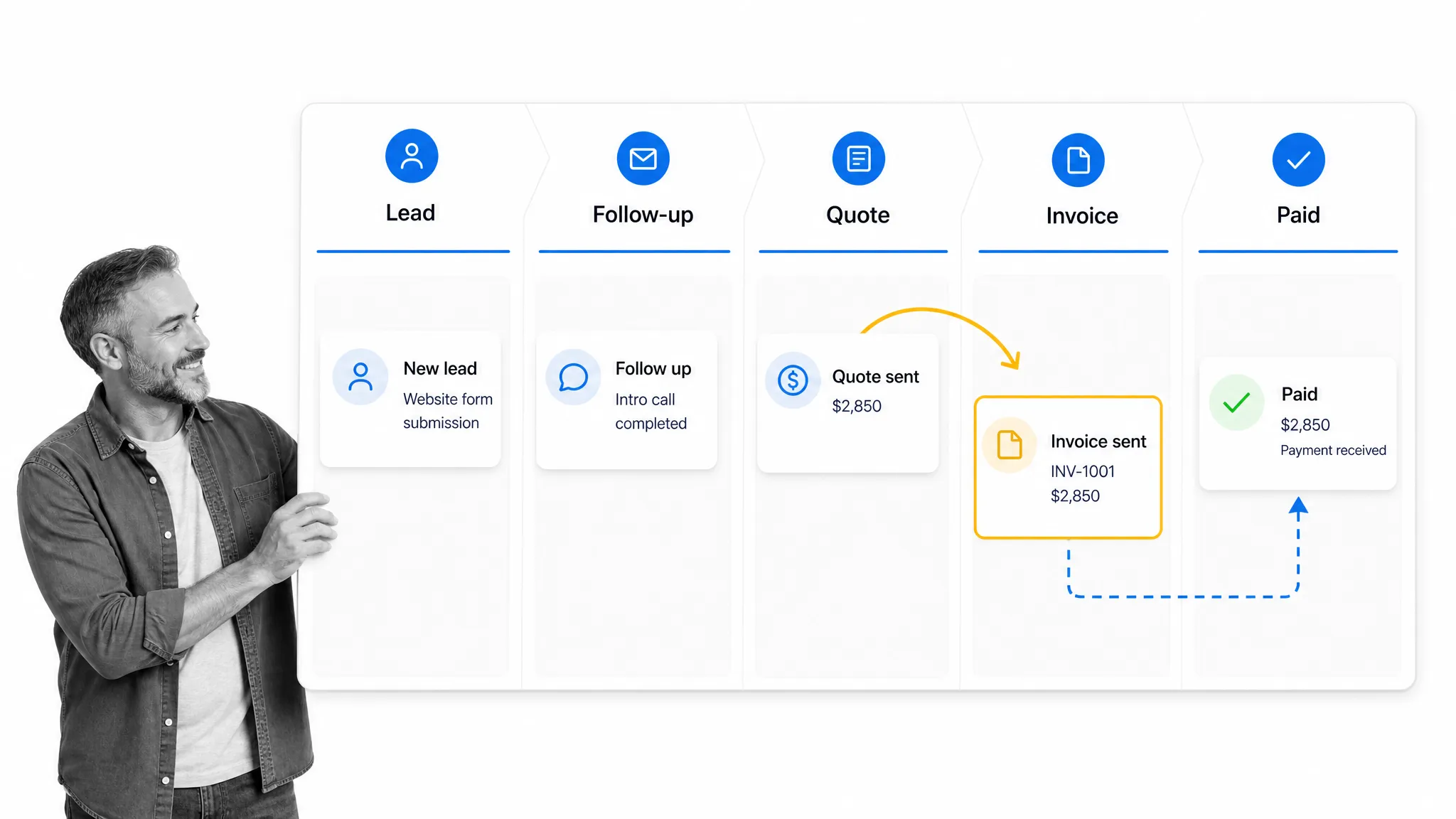
Small business teams usually need practical apps that reduce manual work without creating a full enterprise stack. Lead capture, email, data cleanup, scheduling, quotes, invoices, and basic workflow automation should stay simple enough for a lean team to maintain.
Mailchimp for Salesforce
Mailchimp for Salesforce Mailchimp for Salesforce is a practical choice for small teams that want campaign activity and CRM records to talk to each other. It helps keep leads, subscribers, segments, and email engagement from living in a separate marketing silo. Use it when the team needs affordable email marketing, better reporting, and cleaner follow-up from campaigns into sales conversations.
Cloudingo
Cloudingo Cloudingo helps small and mid-sized teams clean duplicates, standardize records, and avoid embarrassing account or contact errors. Duplicate data is one of the biggest pains in Salesforce adoption, especially when leads come from multiple sources. Cloudingo is useful when admins need matching rules, merge controls, scheduled cleanup, and better confidence that reps are looking at the right record.
Calendly
Calendly for Salesforce Calendly is useful when scheduling friction slows sales calls, demos, and account meetings. Connecting Calendly to Salesforce helps teams record meetings, reduce back-and-forth email, and make sure booked calls are visible to reps and managers. It is not a complex app, but for small teams it can remove a repetitive bottleneck that affects lead response time and rep productivity.
Free Salesforce apps
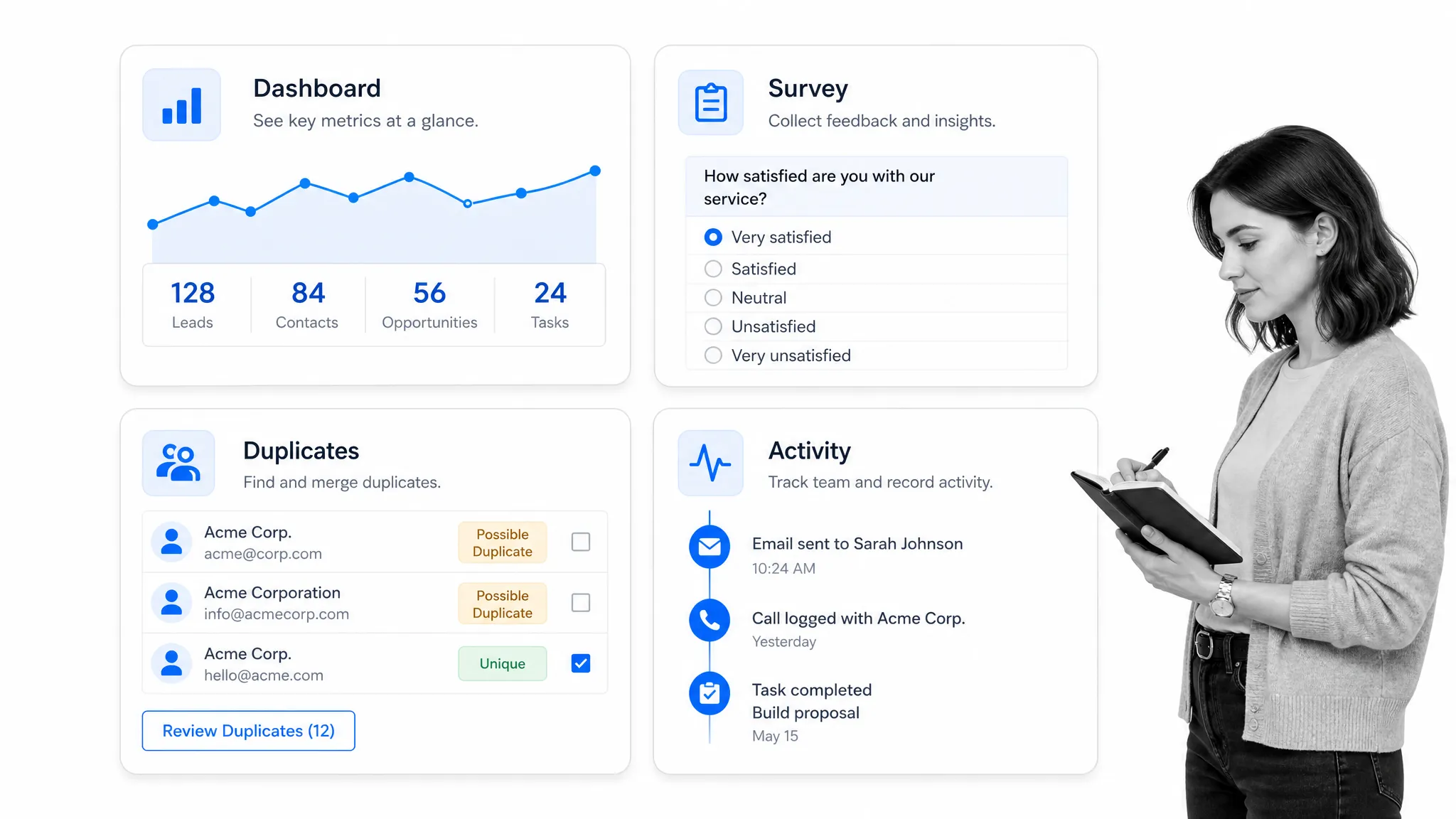
Free Salesforce apps are best for quick wins: adoption dashboards, duplicate prevention, survey collection, lightweight reporting, and admin utilities. They are useful when the team needs a better baseline before spending on a larger AppExchange stack.
Salesforce Adoption Dashboards
Salesforce Adoption Dashboards Salesforce Adoption Dashboards give admins a clearer view of who is using Salesforce, what records are being created, and where adoption challenges appear. They are a useful starting point before buying heavier analytics or enablement tools. If the team is asking whether reps are entering calls, opportunities, and follow-up activity, adoption dashboards can make the problem visible enough to fix.
DupeCatcher
DupeCatcher DupeCatcher is a free duplicate-prevention app for Salesforce that helps block common lead, account, and contact duplicates at the point of entry. It is not a full data quality program, but it can stop a lot of everyday mess before it accumulates. Use it when admins need a lightweight way to improve record hygiene and reduce confusion for reps.
Salesforce Surveys
Salesforce Surveys Salesforce Surveys is useful when teams need feedback tied to Salesforce records without standing up a separate survey platform. It can support customer satisfaction, post-service feedback, event follow-up, and simple internal pulse surveys. The benefit is context: responses can connect back to accounts, cases, contacts, and opportunities instead of living in a detached spreadsheet or survey tool.
Salesforce apps for admins
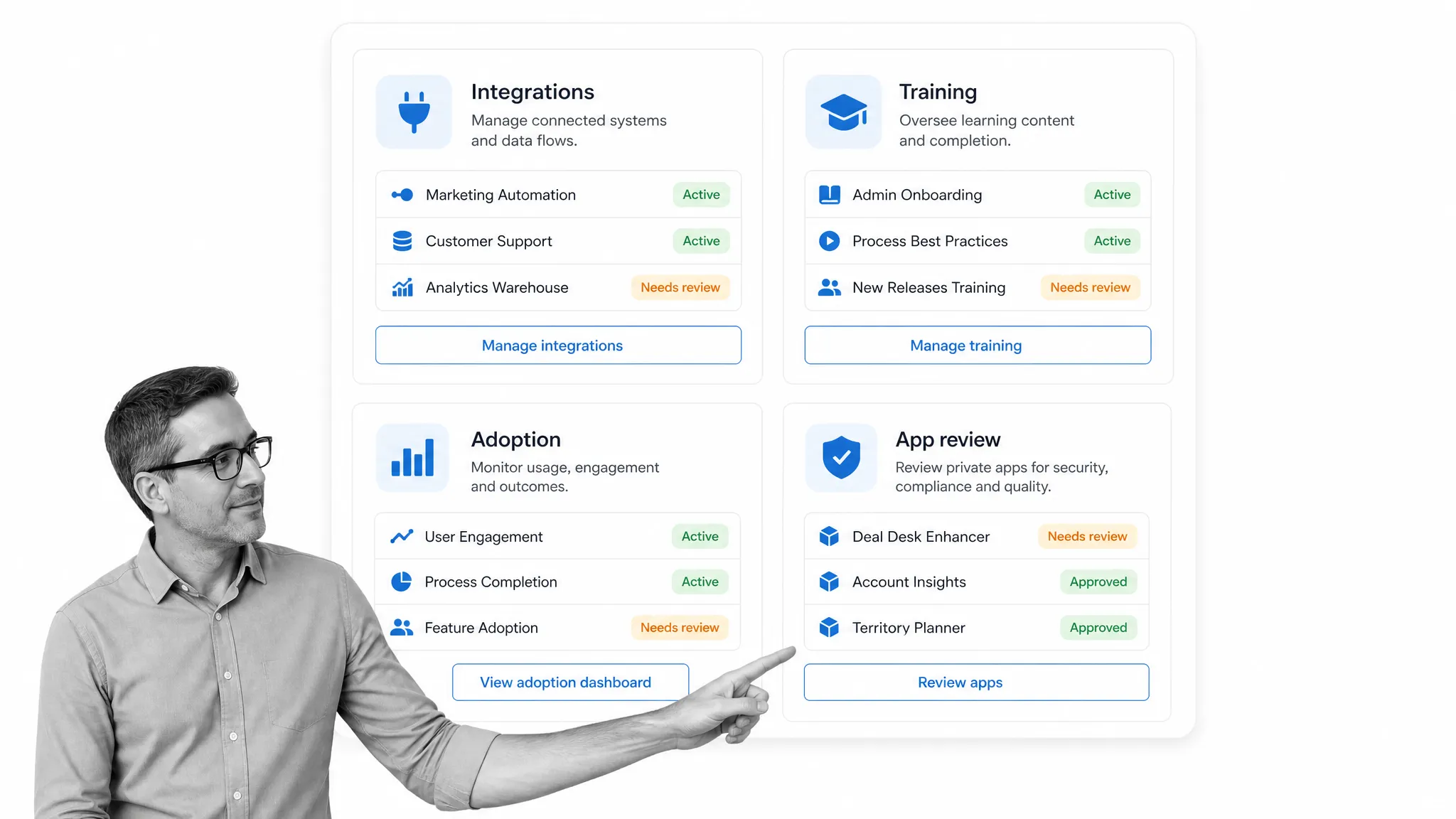
Admins need apps that improve governance, training, deployment, integration, and change control. The right admin tools help Salesforce stay orderly as the app stack grows across sales, marketing, service, finance, and operations.
Zapier
Zapier Salesforce integrations Zapier is useful for Salesforce admins who need to connect apps without building every integration from scratch. It can automate tasks between Salesforce and tools for forms, calendars, communication, accounting, and reporting. For more governed work, pair app-to-app automation with documented approvals and operating procedures so admins know what action occurs, who owns it, and where errors should be reviewed.
Trailhead
Trailhead Trailhead helps admins and managers improve training, onboarding, and Salesforce literacy. It is useful for adoption because the team can learn Salesforce concepts, admin patterns, reports, flows, and app development in a structured way. If reps do not understand how Salesforce supports their sales process, even the best AppExchange tools will be underused.
Elements.cloud
Elements.cloud Elements.cloud helps teams map Salesforce org complexity, document processes, assess risk, and manage change. It is especially useful when admins need to understand fields, automations, requirements, user stories, and dependencies before making changes. Use it when your Salesforce org has accumulated custom objects, validation rules, flows, managed packages, and private app decisions that need clearer governance.
Gearset
Gearset Gearset gives admins and developers a stronger deployment and release management workflow for Salesforce. It helps compare metadata, manage changes, automate testing, and reduce release risk. Gearset is useful when the admin team has moved beyond manual change sets and needs a more reliable way to ship configuration, flows, code, and AppExchange-related changes across environments.
Form apps for Salesforce
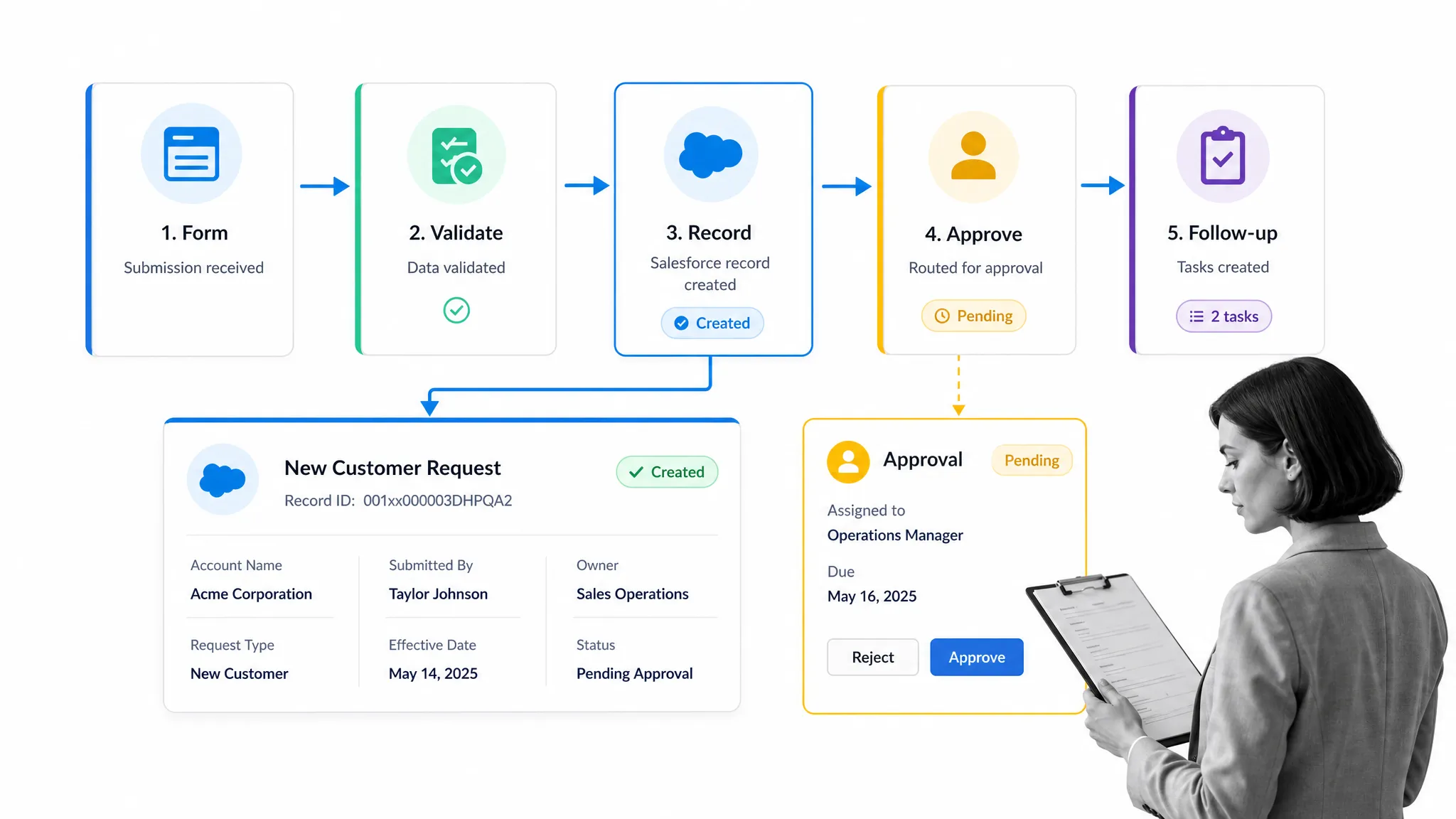
Form apps matter whenever web submissions, requests, onboarding, assessments, or field data need to create clean Salesforce records. The best form apps support validation, routing, approvals, and follow-up tasks instead of simply dumping form responses into a database.
Formstack by Intellistack
Formstack by Intellistack Formstack by Intellistack is useful for teams that want forms, document generation, and workflow around Salesforce records. It can support lead capture, requests, intake, approvals, and repeatable documents. Teams that once compared Formstack AppExchange listings, FormFactory, or FormFactor should focus on whether the current product can validate data, route submissions, and create usable Salesforce records without manual cleanup.
FormAssembly
FormAssembly FormAssembly is built for Salesforce-connected data collection where control, security, and routing matter. It is a strong choice for teams collecting sensitive or structured information through public forms, internal requests, or customer intake. Use it when the form needs conditional logic, data validation, prefill, connector controls, and reliable Salesforce record creation.
Youreka
Youreka Youreka supports mobile forms, inspections, assessments, and guided field work that connect back to Salesforce. It is useful when reps, service teams, or field staff need to collect structured information away from a desk. Rather than forcing teams to type notes later, Youreka helps capture the information in a workflow-friendly format that can trigger follow-up tasks and reporting.
Salesforce inventory management apps
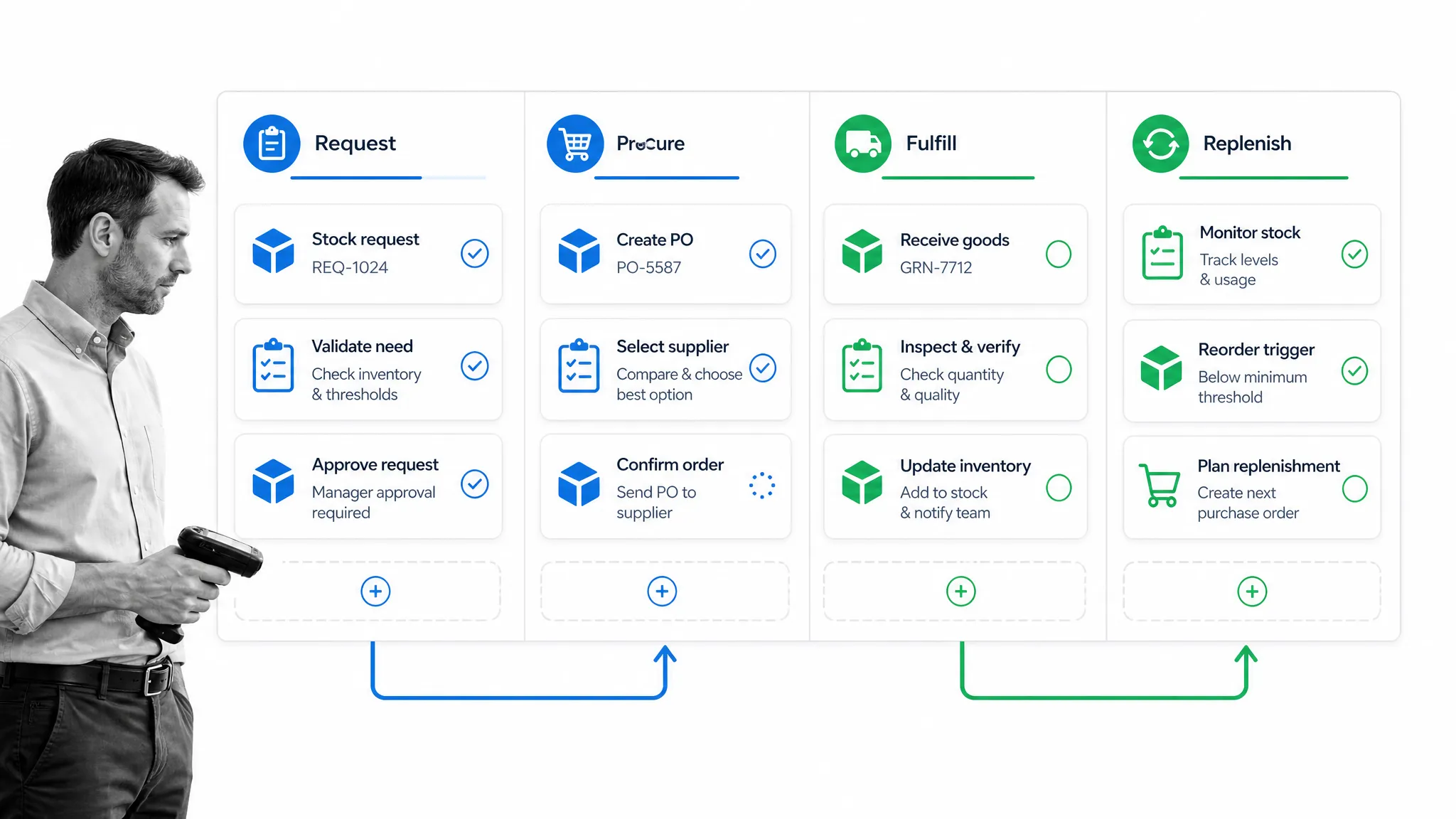
Inventory management apps help teams connect sales demand with stock, procurement, fulfillment, finance, and service operations. They are useful when inventory data affects sales promises, customer expectations, revenue recognition, or post-sale delivery.
Certinia ERP Cloud
Certinia Certinia ERP Cloud, formerly FinancialForce, is useful when Salesforce needs to connect front-office sales work to finance, services, billing, and ERP operations. It can support quote-to-cash, projects, revenue, and back-office visibility. Choose Certinia when inventory and financial records need to stay close to the CRM and leadership wants better reporting across sales and operations.
Rootstock Cloud ERP
Rootstock Cloud ERP Rootstock Cloud ERP is a Salesforce-native ERP option for manufacturers, distributors, and supply chain teams. It can support inventory, procurement, production, engineering, order management, and fulfillment. Rootstock makes sense when Salesforce is already central to sales and customer work, but the business also needs deeper operational controls behind the customer-facing process.
Ascent ERP
Ascent ERP Ascent ERP supports inventory, order management, warehouse activity, kitting, purchasing, and fulfillment on Salesforce. It is useful for companies that need inventory information available to sales and service teams without forcing everyone into a separate back-end system. Use it when reps need accurate stock signals, operations needs control, and managers need better visibility across the order lifecycle.
Apps for sales calls
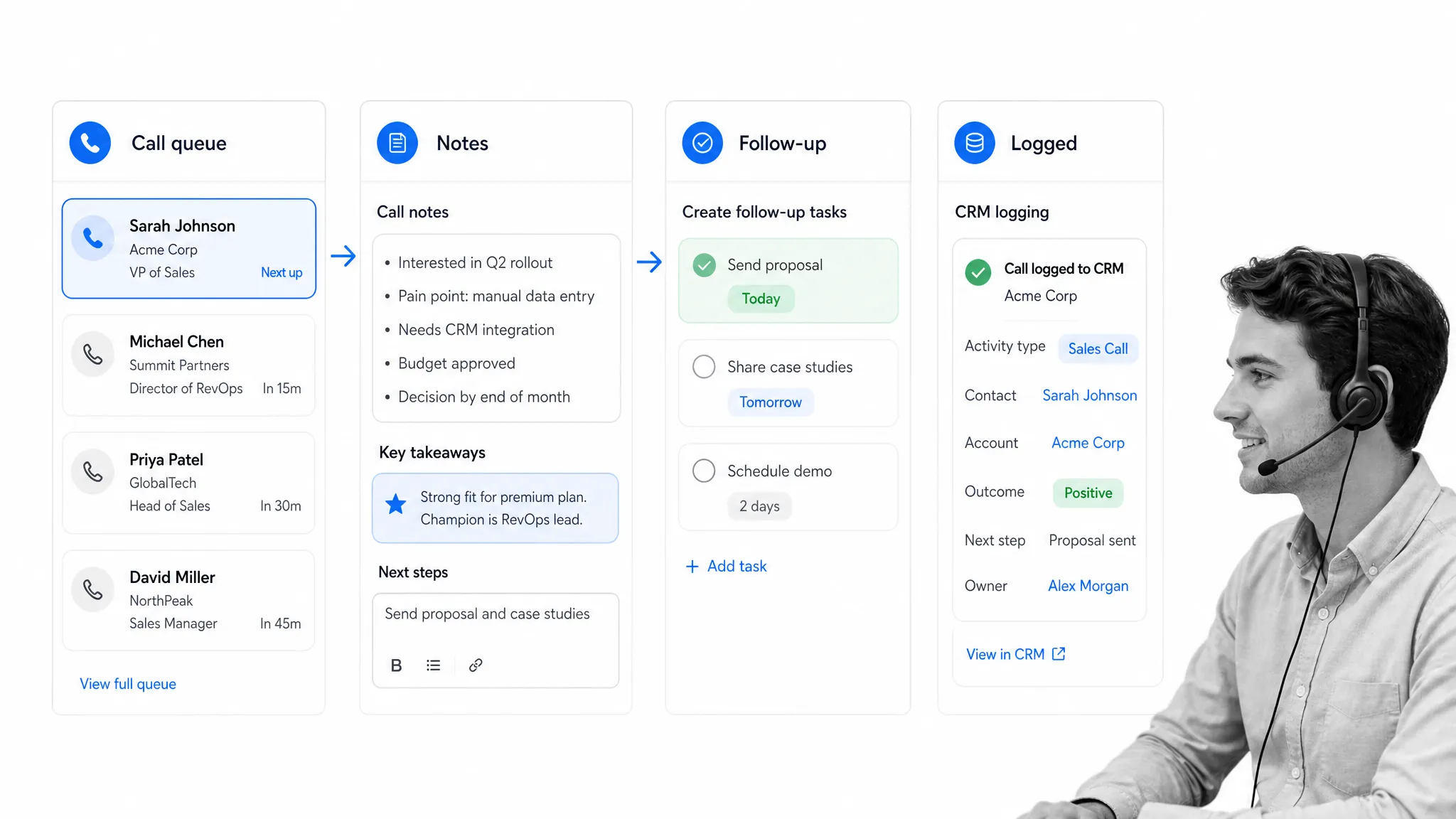
Sales call apps help teams handle calling, call logging, voicemail, routing, coaching, and follow-up. The best fit depends on whether the team needs inside sales velocity, conversational intelligence, telephony, or structured call execution.
Revenue.io
Revenue.io Revenue.io is the current name behind the product many teams knew as RingDNA. It helps revenue teams manage calling, engagement, guidance, and sales execution inside a Salesforce-connected workflow. It is useful when managers need better call records, reps need better prompts, and leadership wants call activity tied to opportunity progress rather than scattered phone data.
Aircall
Aircall Aircall is a cloud phone system that can connect calls, voicemails, notes, and call outcomes with Salesforce. It is useful for teams that need practical click-to-call, logging, and call routing without turning the CRM into a separate phone system. Use it when sales and support teams need better voice workflows, faster follow-up, and cleaner account interactions.
VanillaSoft
VanillaSoft VanillaSoft is useful for inside sales teams that need lead routing, cadence management, call queues, email, SMS, and follow-up prioritization. It can help reps blaze through the right activities while keeping call outcomes structured. Use it when the team needs disciplined sales engagement and wants Salesforce records to reflect the next best action, not just the last note.
Salesforce analytics apps
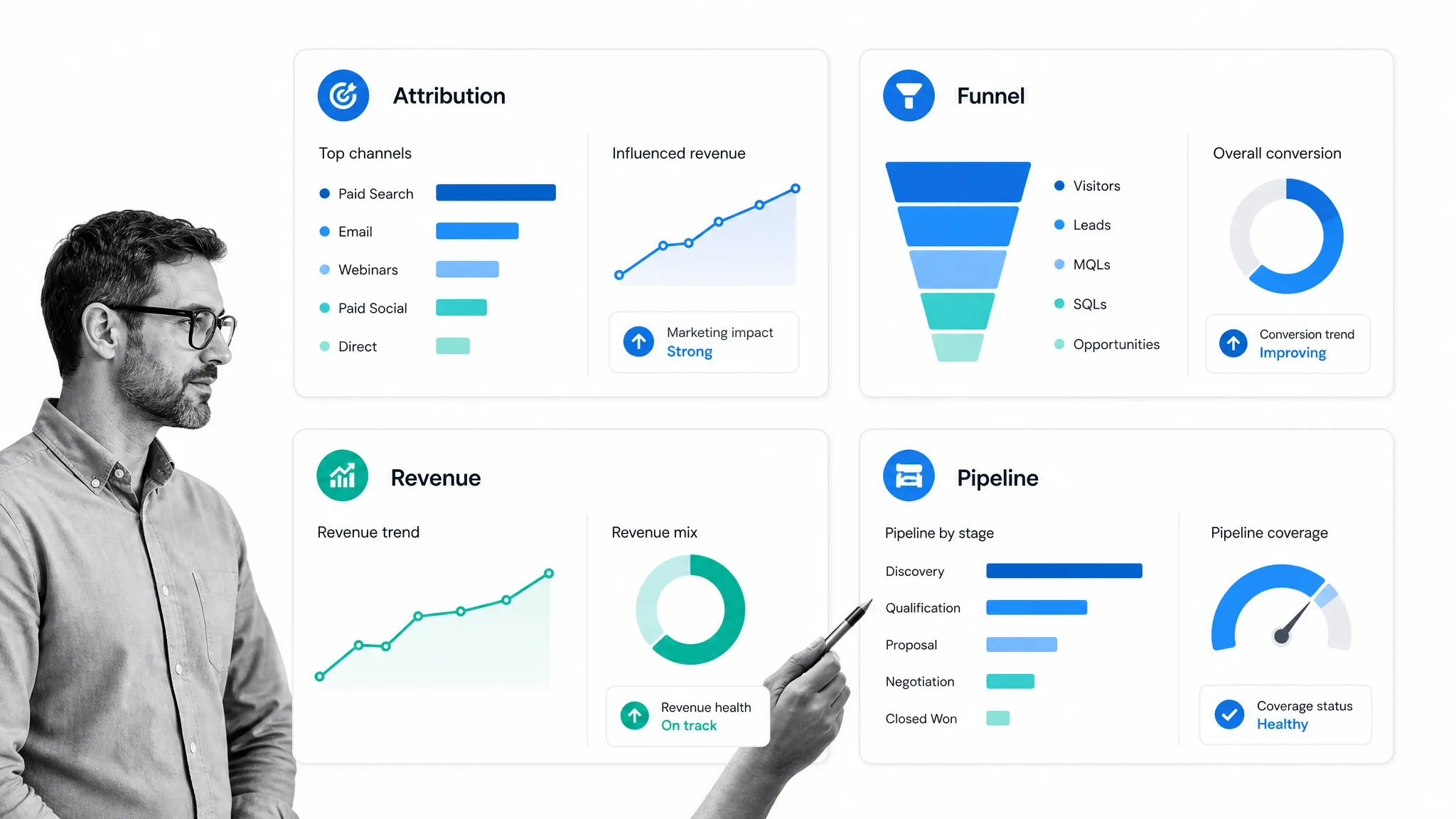
Analytics apps help revenue teams understand pipeline, attribution, forecast quality, campaign influence, and rep activity. The right analytics layer depends on whether the team needs Salesforce-native dashboards, business intelligence, or marketing attribution.
Salesforce CRM Analytics
Salesforce CRM Analytics Salesforce CRM Analytics is the native analytics layer for teams that want deeper dashboards, predictions, and insights from Salesforce data. It is useful when standard reports are not enough and the team needs to analyze pipeline, service, adoption, revenue, and account trends. It pairs well with stronger operating workflows because better reports only help if teams know what action to take from them.
Tableau
Tableau Tableau is the broader business intelligence choice when Salesforce data needs to sit alongside finance, product, support, marketing, and operational datasets. It is useful for executive dashboards, data exploration, and cross-functional reporting. Use Tableau when the question is bigger than Salesforce alone and leadership needs to compare CRM records with the rest of the business.
Adobe Marketo Measure
Adobe Marketo Measure Adobe Marketo Measure is the product path behind Bizible for marketing attribution. It helps teams understand how paid search, organic search, AdWords programs, campaigns, content, and sales touches influence pipeline and revenue. It is useful when marketing and sales need a shared view of attribution instead of arguing from separate dashboards.
A strong Salesforce app stack should make the sales process easier to execute, not harder to govern. Start with the workflow the team actually runs: how leads enter, how reps qualify, how quotes are approved, how calls are logged, how inventory or financial data affects promises, and how managers review performance. Then choose apps that strengthen those handoffs inside Salesforce.
For recurring operational work around Salesforce, Process Street can turn the surrounding procedures into managed workflows with assignments, approvals, evidence, audit trails, and AI-assisted execution through Cora. That keeps Salesforce as the system of record while giving sales operations, compliance, finance, and customer teams a clearer way to run the work around it.
The post 36 Top Salesforce Apps to Power Up Your Sales Operations first appeared on Process Street | Compliance Operations Platform.