











14 Essential Workflow System Features to Make Your Team Into Superstars
Blog: Blog | Process Street | Compliance Operations Platform
Whether you’re writing a blog post or building the world’s largest commercial aircraft, you need to be able to rely on your systems. To do that, your platform has to have a set of basic workflow system features.
That is unless you want to follow Airbus A380’s example and waste massive amounts of time and money because of a few simple oversights.
“Building the Airbus A380… required production facilities from across the globe to build individual parts of the airplane… During installation, they discovered the parts designed by different teams didn’t fit together, this cost the company $6 billion to put right and set the project back two years.”
Greg Bailey, 4 Famous Project Management Failures and What to Learn From Them
Here at Process Street we’re no strangers to what makes workflow and BPM software effective. That’s why we’ve collected a list of the 14 essential workflow system features that every team (and individual) needs to be useful.
Let’s get started.
Codeless workflow creation
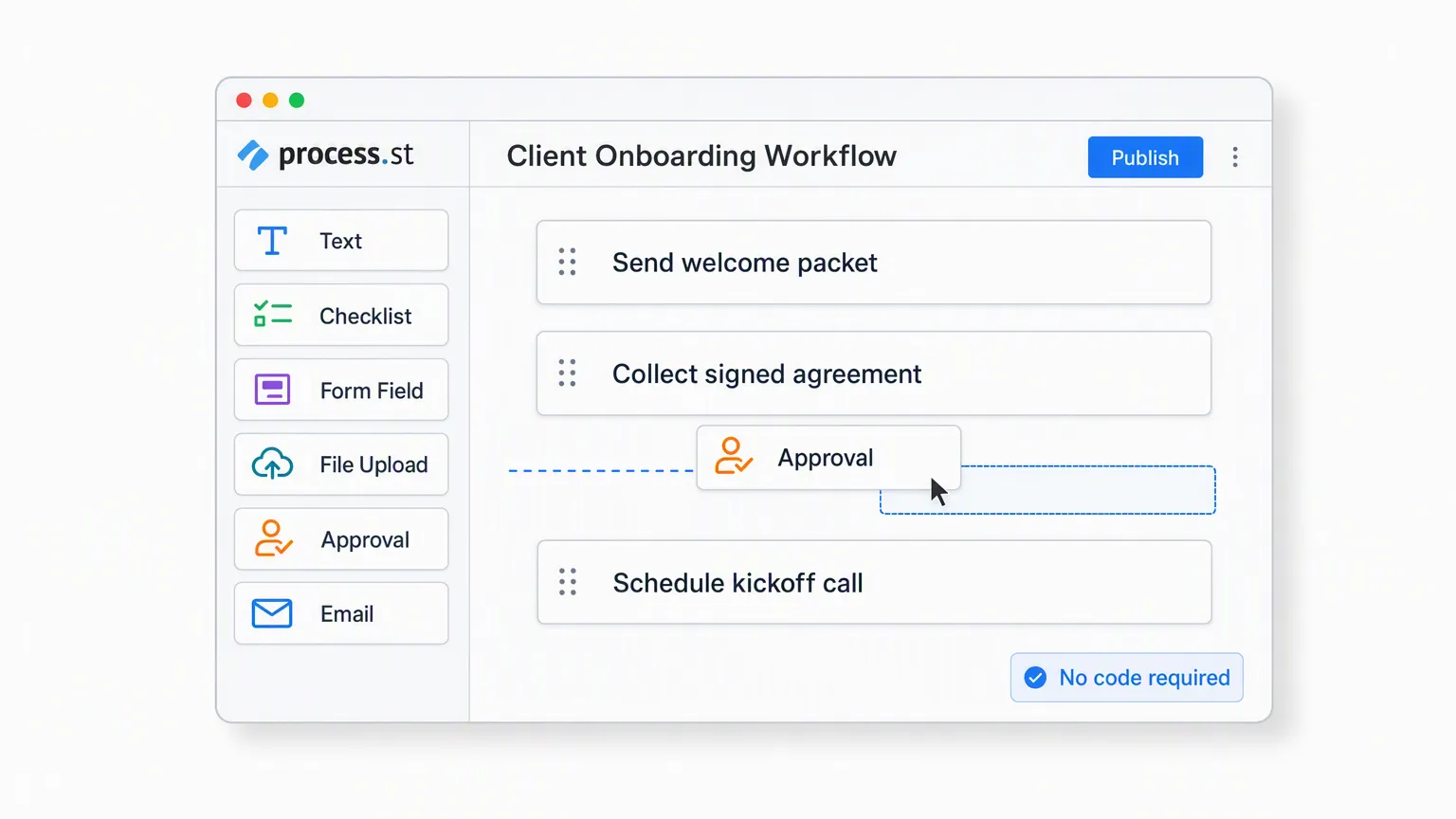
Nobody wants to have to learn programming just to map out their workflow. That’s why one of the most vital workflow software features is the ability to create workflows without having to code.
There are many forms of this: some apps use a drag-and-drop visual setup (a-la business process model and notation) to create large maps for your workflows and processes while others (such as Process Street) go for a more traditional structured approach.
Whatever the method, it’s vital for your workflow software to have this feature, as it means that anyone and everyone will have the ability to create a workflow (as long as they have permission to do so). Without that you’re stuck to relying on someone with coding knowledge to create or edit your processes and workflows, which is incredibly limited.
Not to mention that the people who understand your workflows (and are therefore best suited to creating them) may well not have coding knowledge.
Expandable tasks (room for instructions and rich files, etc)
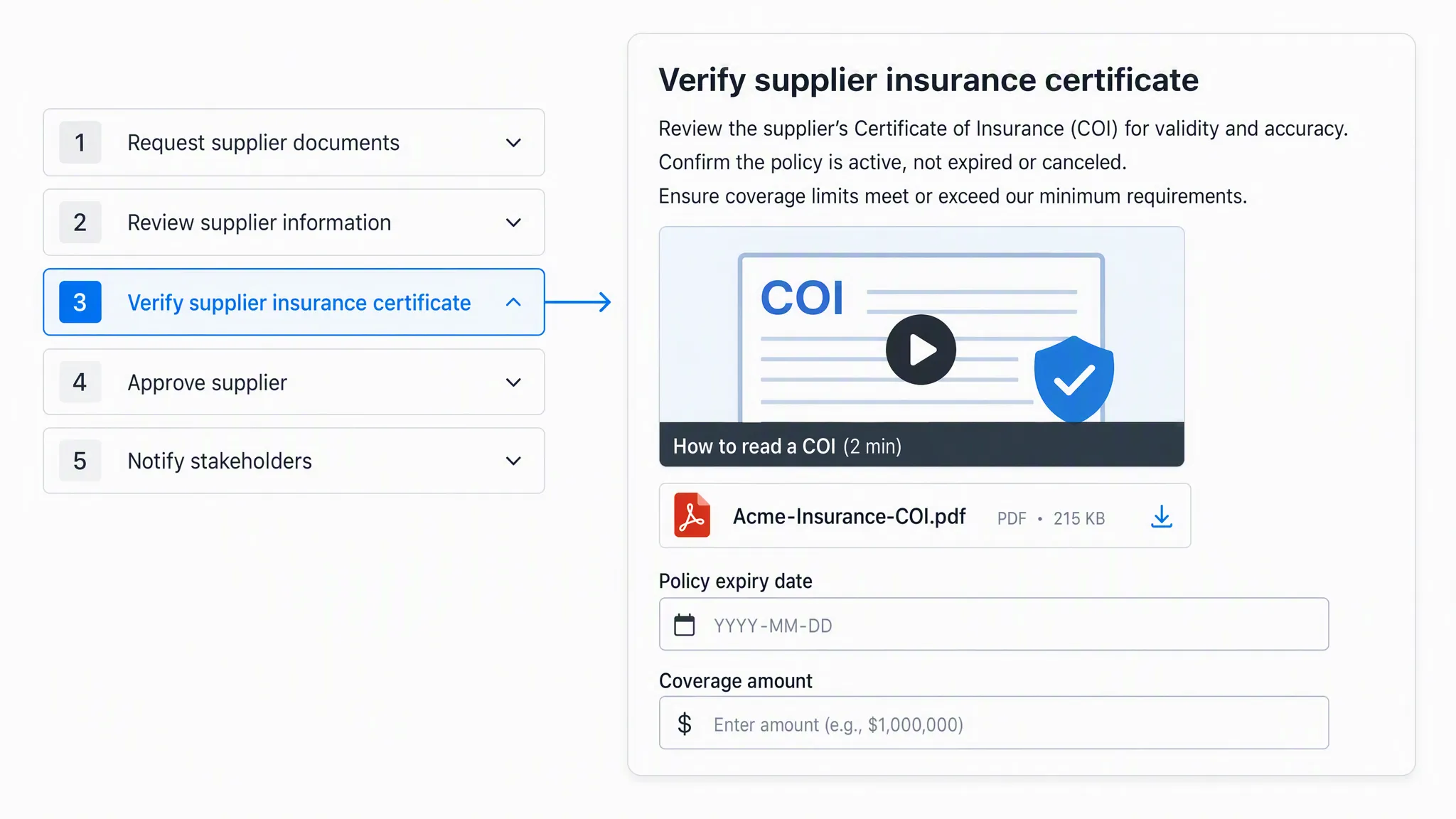
Ideally, workflow software should allow whoever is performing the tasks to complete their duties without needing to look elsewhere. The more programs and instructions that your team needs to look up to complete their duties, the greater the chance of them making a mistake or getting complacent and flying blind.
That’s why your workflows should have space to include instructions on how to complete them, along with supporting resources and screenshots where necessary.
It’s not enough to have a list of task names without direction. That’s why Process Street’s workflows can expand tasks to give room for all of the information required to complete them.
For example, take a standard client onboarding process. The first thing you’d want to do is to record the details of the client so that it’s easy to track and refer back to. However, without room to note their details in the task itself you’re relying on the knowledge and memory of the person doing the task.
With just a little extra room in each task and a few fields which are designed to record information, there’s now no reason for mistakes to be made.
Workflow management
While pretty obvious, no list of workflow system features is complete without the ability to manage your workflows.
This means that you need to be able to freely edit your workflows so that they can always be improved. Continuous improvement is a great way to improve your business and teams’ performance, and that will be severely hindered if you have to create a new workflow from scratch for every iteration.
Linking workflows together is another incredibly useful feature. In other words, the best workflow tools allow you to show which workflows come together as part of a larger process.
Let’s say you’re a real estate management firm and are running a real estate sales process. This is a huge process which involves completing several smaller workflows such as property staging, listing, setting up viewings and screening tenants.
At the very least your workflow system needs to have space to link to each of these workflows within the larger sales process. Putting all of them (and the instructions for them) into one workflow would make it unwieldy and more difficult to track, whereas splitting them up into smaller workflows means that each individual stage can be tracked and logged separately.
Your workflows should also be easy to find and navigate between. This could be done with a standard folder and sub-folder setup but a huge amount of time can be saved with features like tagging workflows into collections and including a search bar to quickly locate them by name.
Process flexibility
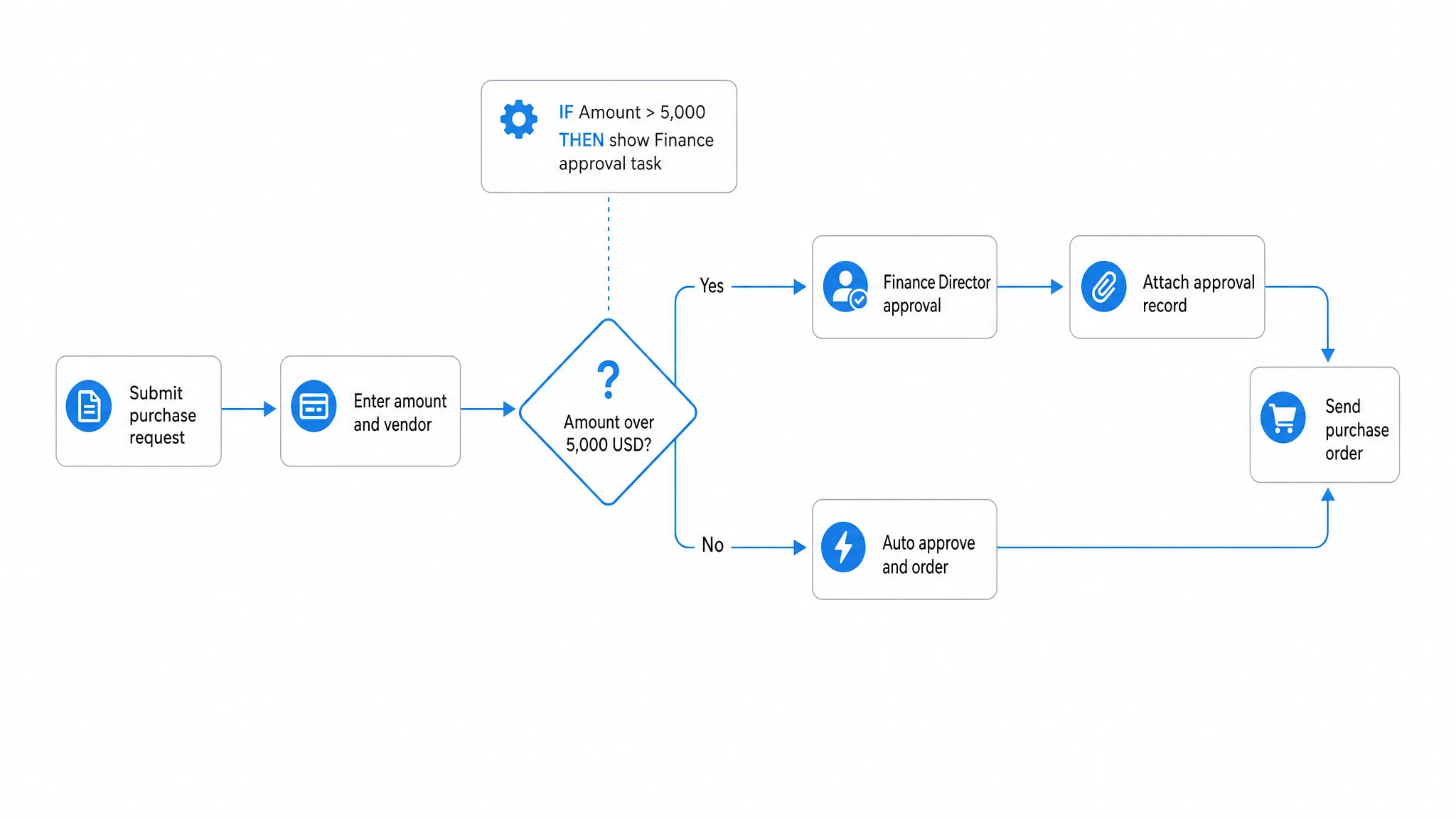
Workflows and processes are great for managing a team and keeping everything running smoothly. However, workflows that are too rigid and constricting create more problems than solutions.
You don’t want to be wasting time trying to adapt workflows to every situation by editing them constantly.
Instead, the platform should allow for some flexibility in the workflows to account for the different situations your team might find themselves in.
If you’re using a mostly visual setup (through things like BPMN and process mapping) this will result in branching process trees which use a logic flow to include the tasks and instructions necessary to a given situation.
If your workflows use a more traditional task list setup it’ll need to have some sort of conditional logic to allow the task list to adapt to the situation at hand. Process Street has this feature, allowing you to set rules for your processes to hide certain tasks until (and if) they’re needed.
Easy visual summaries
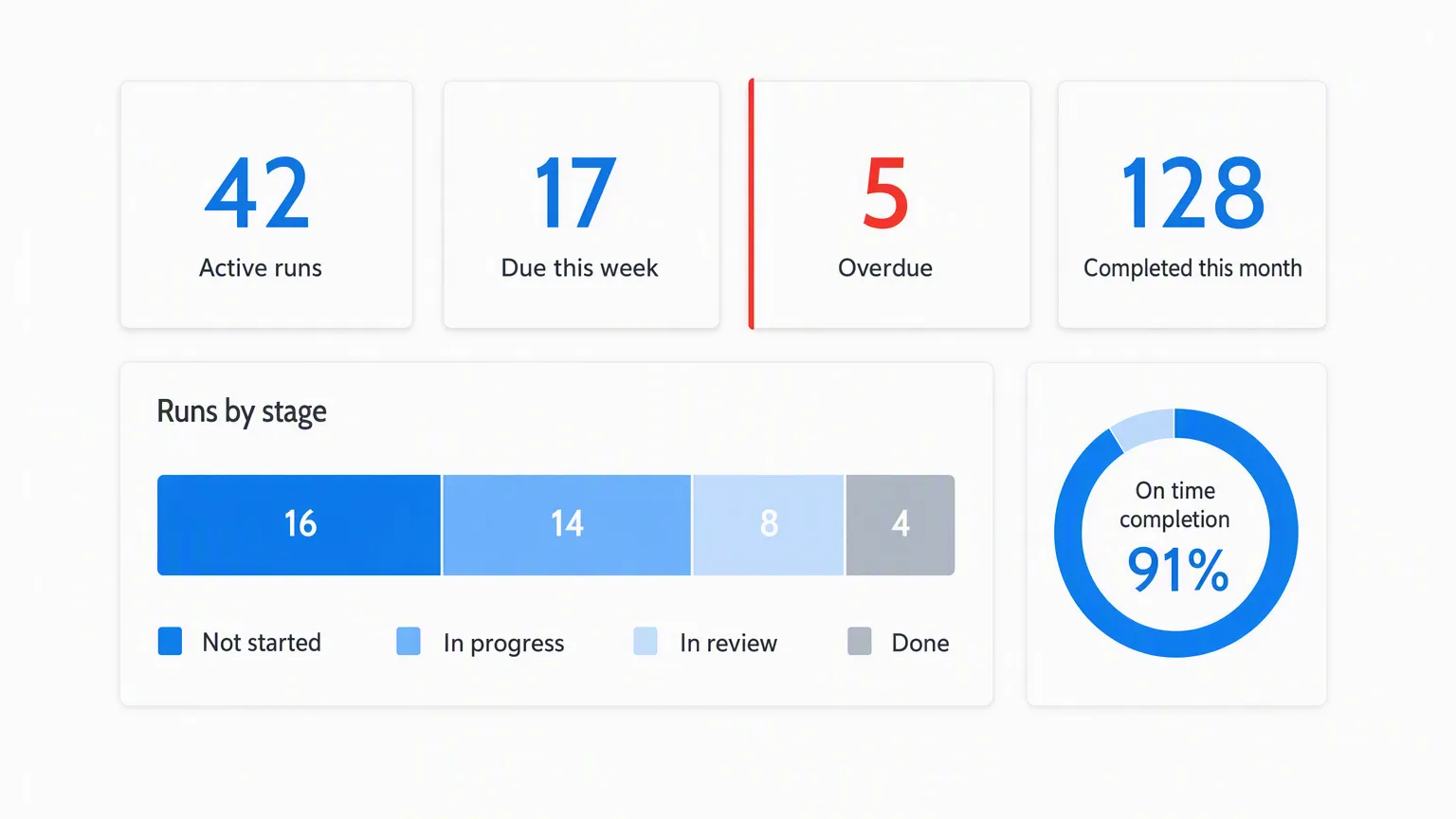
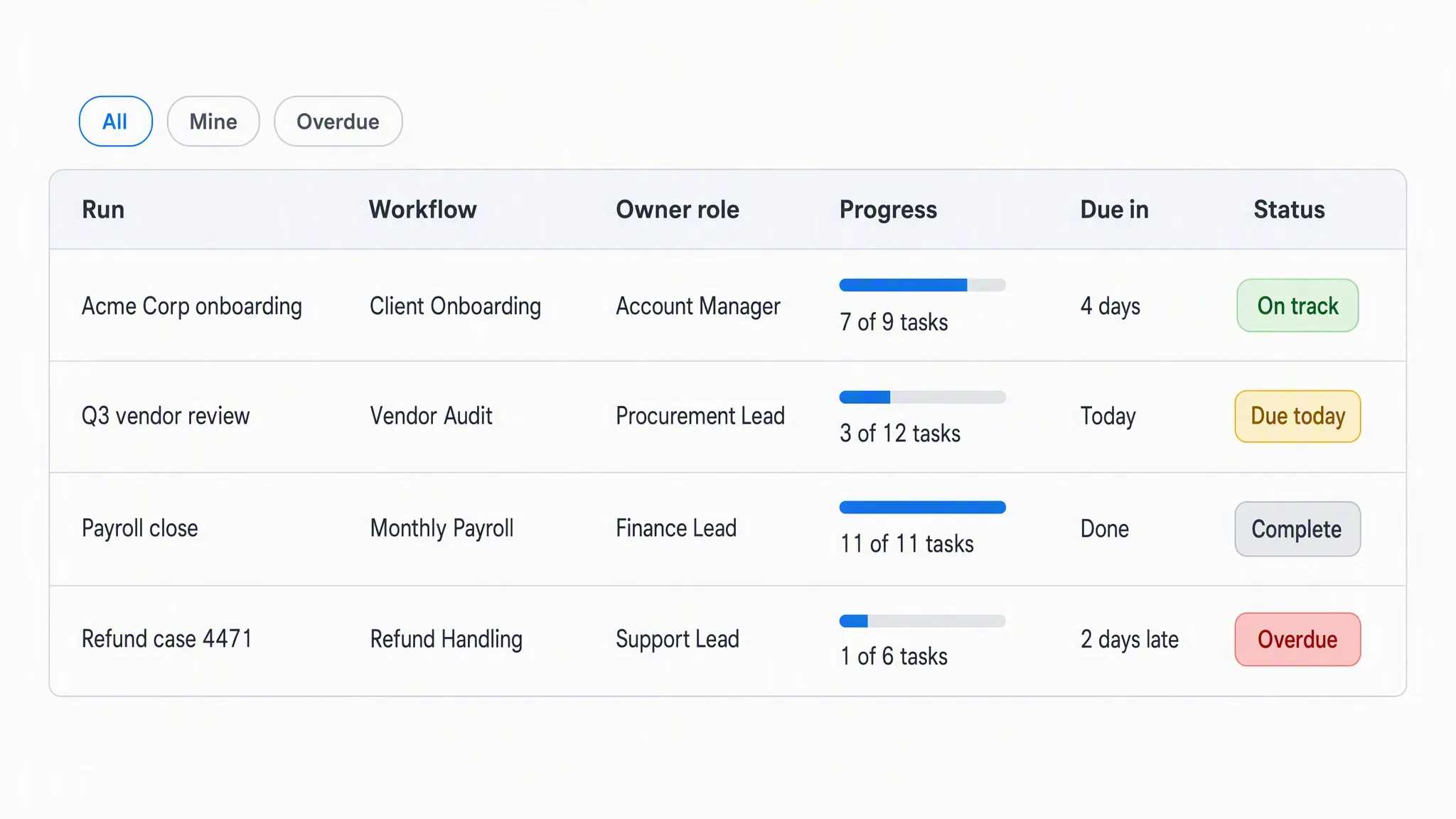
Having efficient processes is all well and good but if there’s no way to see an overview of them you’re going to lose time and patience having to go through individual records to bring your data together. Hence why workflow tools need to have a method for summarizing the workflows that have been completed in one easy-to-understand view.
Think of it like a spreadsheet that logs which tasks have been completed, along with other useful information such as who completed the task, whether any extra information was logged, the date it was completed, and so on.
The key is having this view without needing to manually update it.
Take the template overview tab in Process Street for example. This view shows a customizable spreadsheet view of all of the workflows run from a given process, making it easy for managers and employees alike to see the status of everything in a single view.
Reporting
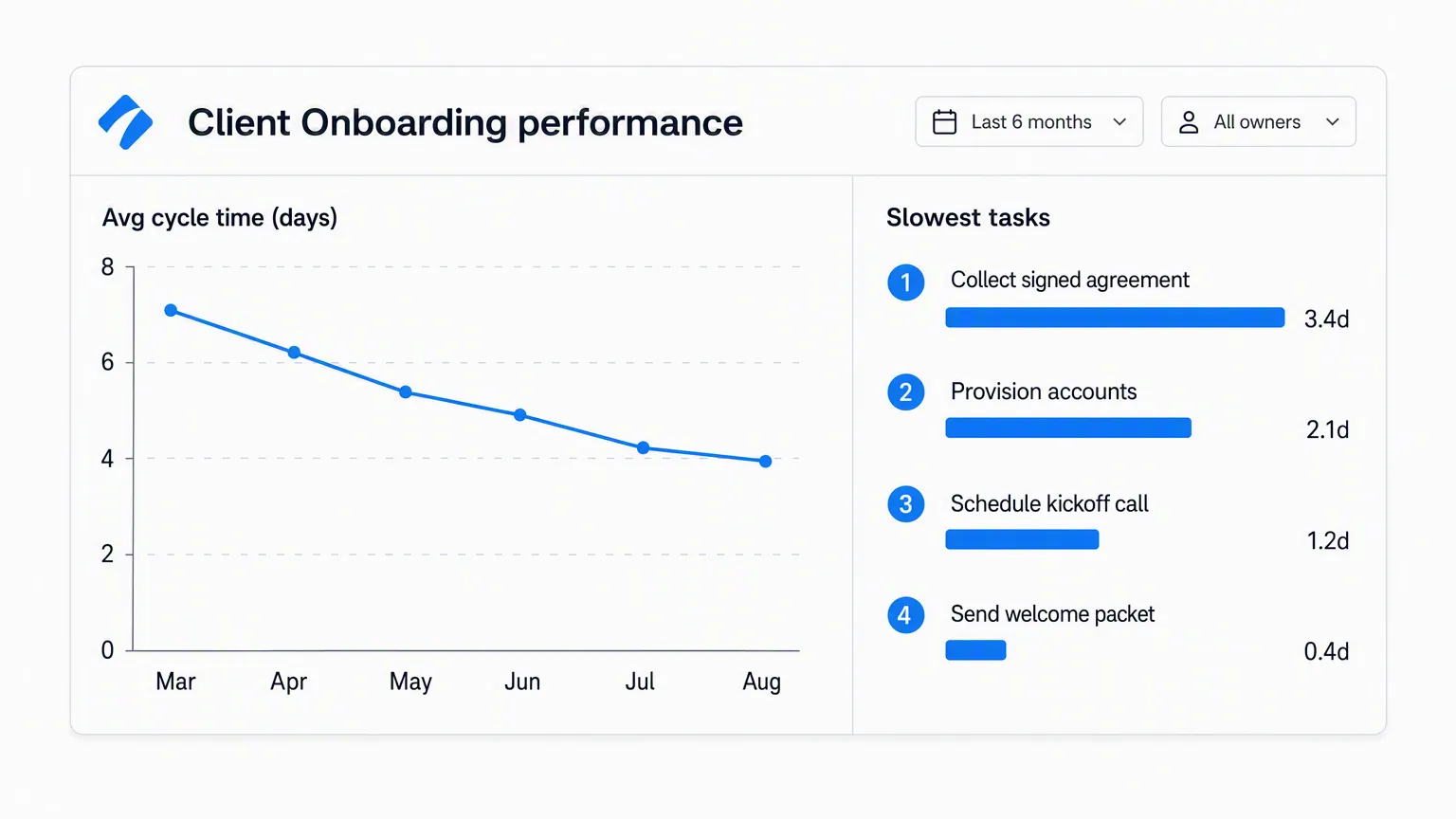
Following up on the visual summary feature, it pays to be able to generate reports of your workflows to permanently log what’s going on in your organization. Over time this will let you see the status of your work as a whole and identify areas that need improvement.
Ideally, the platform should have a way to set up automatic reporting but the important thing is being able to generate concise, easy-to-understand reports in the first place.
Admittedly, this tends to come alongside the ability to see a summary of your workflows, so most platforms that have the latter should come pre-fitted with this option.
Notifications and reminders
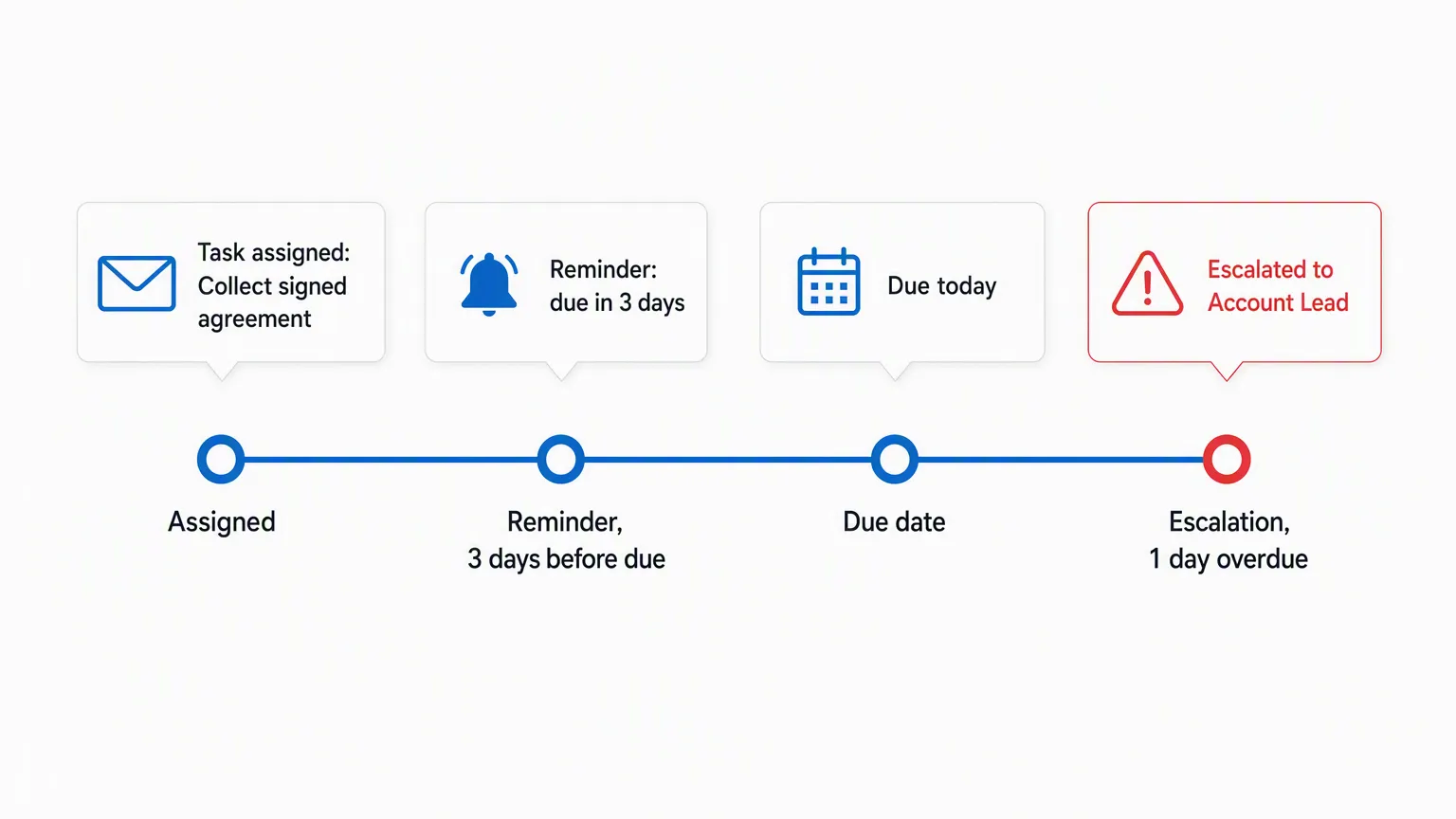
Even the best of us forget to do things every so often. The key is not letting it get in the way of completing your workflows on time.
Notifications and reminders are vital to doing this, giving everyone involved with a given workflow a small prod to make sure that everything stays on track.
This is especially important in workflows that involve multiple people and can’t progress beyond a certain point without a certain action being taken.
For example, we have an in-house graphic designer who creates the header images for our blog posts (among other things). No matter how quickly we write the post, it can’t be published until the header image is done, meaning the publishing schedule is reliant on everyone completing their tasks on time.
If we wrote the post but our designer forgot to create the image, the post wouldn’t be able to be published. Thankfully, this isn’t a problem due to his reliability and the fact that Process Street sends email notifications to those assigned to workflows to make sure everyone remembers all of their tasks.
Process assignment
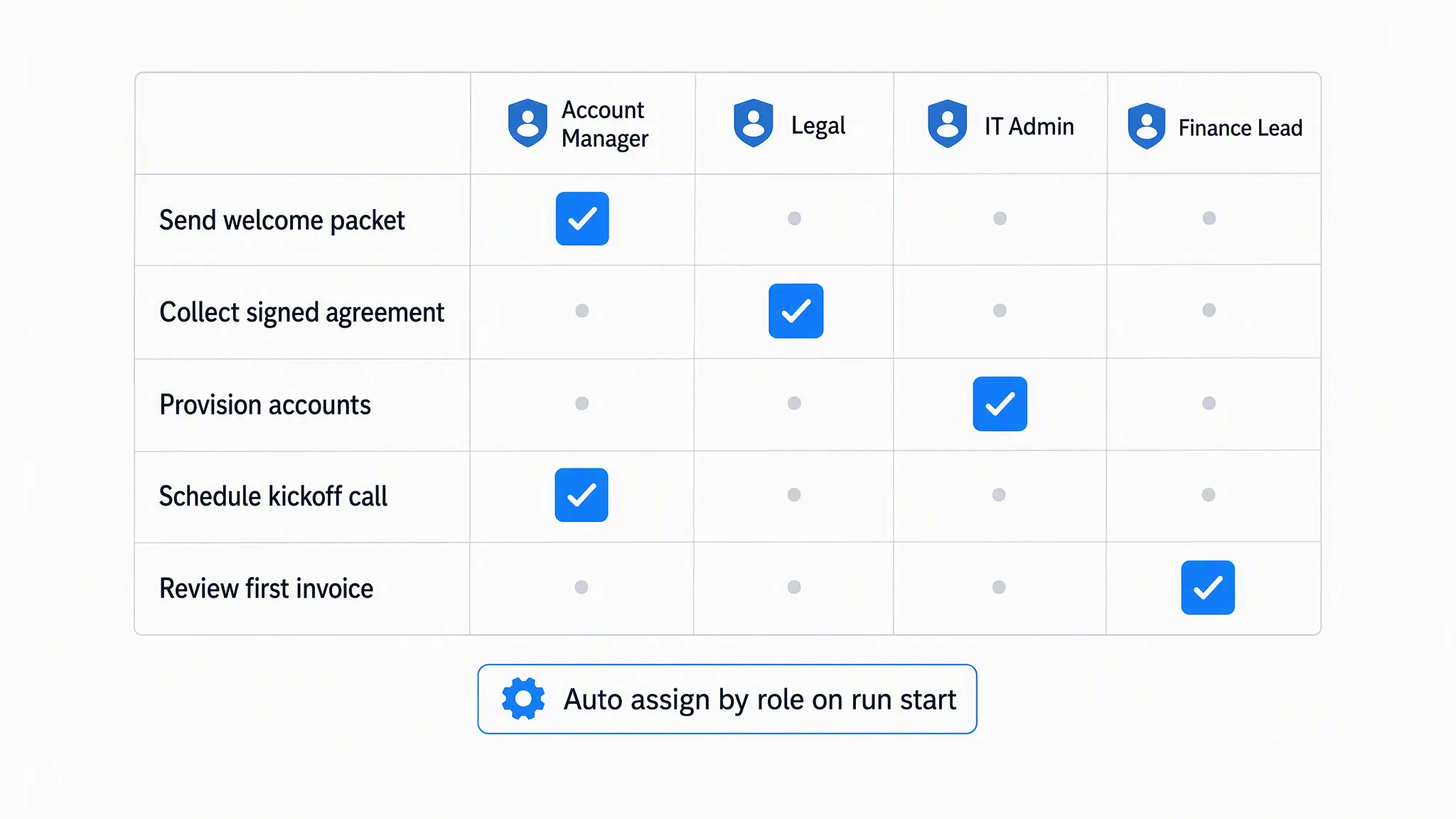
Assigning people to specific processes is a key part of giving accountability to their duties. Knowing that you have to do a task doesn’t have the same weight as knowing that your team can see who the task is assigned to, and thus who they’re relying on to get things done.
Not to mention that it makes things easier to track for individual members. It’s much easier to refer to the duties that you’ve been assigned to and know how to prioritize them accordingly if there’s some kind of physical indication of what everyone wants you to do.
Process Street takes this one step further by allowing you to assign team members to specific tasks along with overall workflows. This means that no matter the scale of the workflow or how many people are involved, everyone will always be able to see exactly what they have to do and what they need from everyone else.
After all, it’s always motivating to know that your team can chase up any tasks that aren’t completed.
Variable permissions
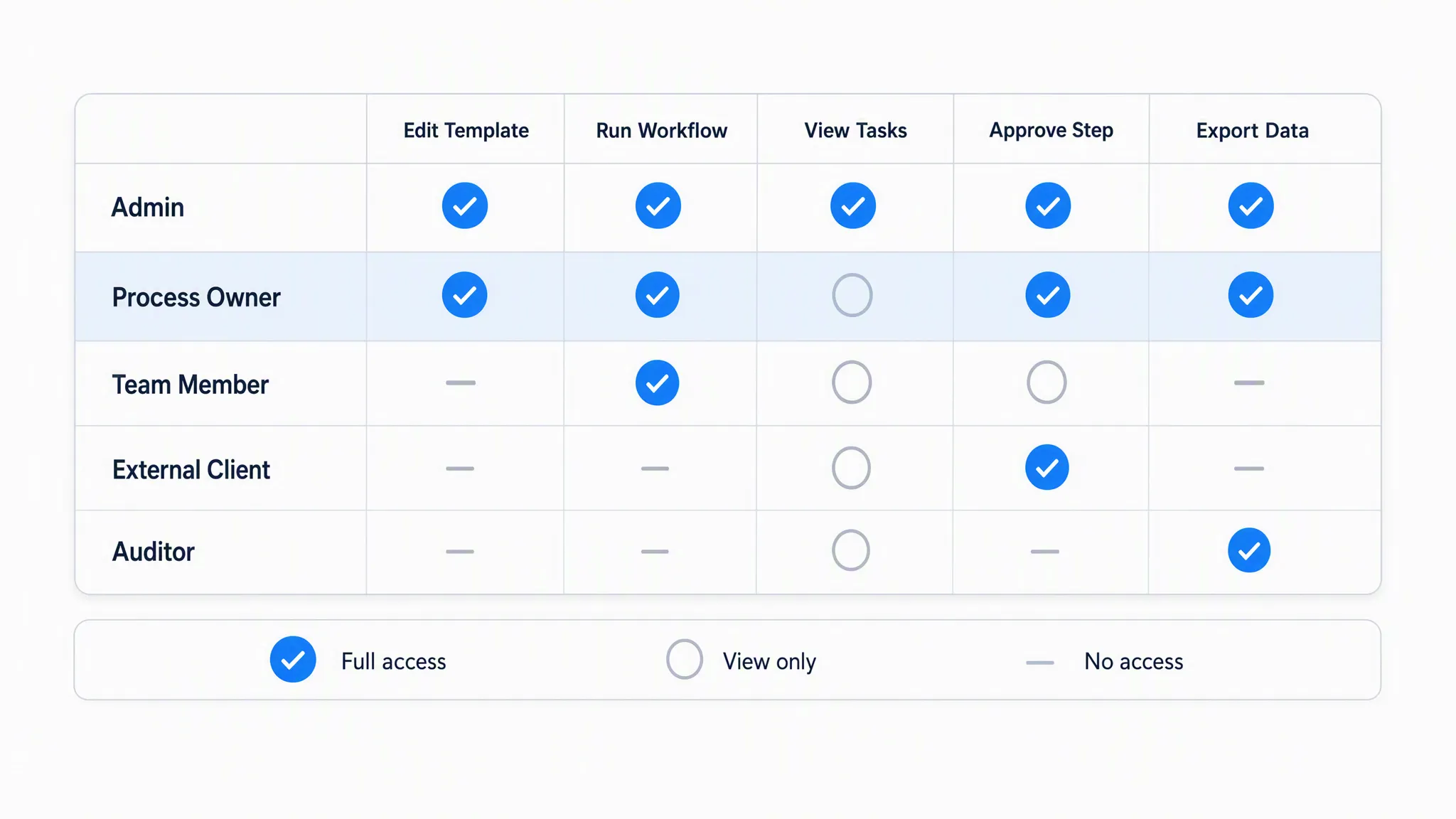
Whether your workflows contain sensitive information or you just want to keep your team’s view clear of irrelevant processes, it pays to have variable permission levels to assign to your organization’s members.
Part of this is a security need. You wouldn’t want anyone and everyone to be able to see confidential information on how your company works, so it makes sense to limit access to these workflows to those who need it.
Another part of this feature is convenience. Teams don’t want to have their workflow software view cluttered up with processes that they will never need to use. They’ll be able to focus on their tasks more easily if they can find them at a glance rather than having to dig through the workflows of a completely separate team.
The final aspect of variable permissions is consistency. You need to be able to rely on your workflows to give accurate information and instructions, which is put at risk if everyone has the ability to edit them to their heart’s content. That’s why you need to be able to distinguish between users who have the ability to access certain workflows and those who can edit them.
Accountability measures
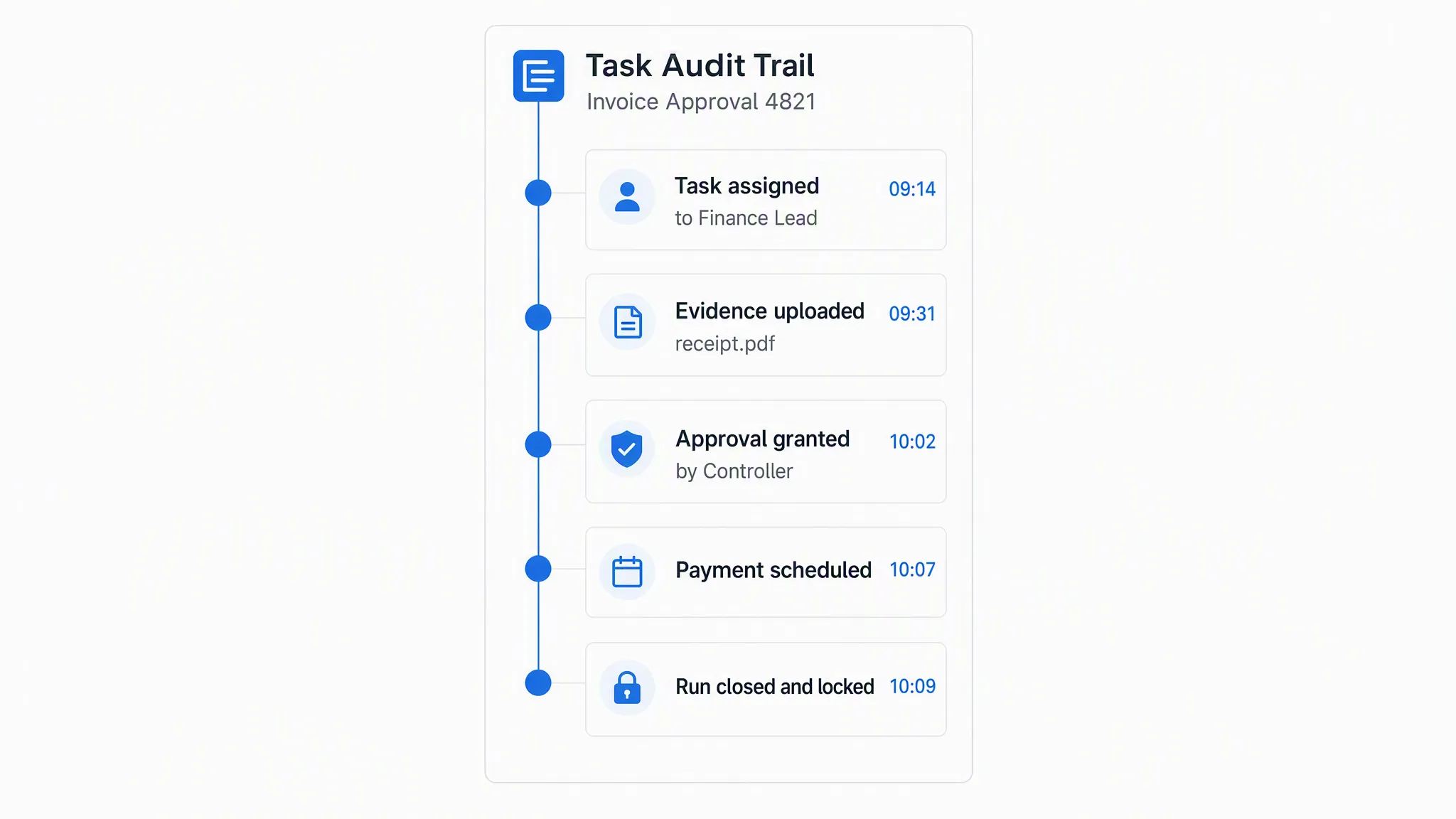
We’ve talked before on the need to have a way of improving accountability in the workplace. The more everyone knows what they’re responsible for (and feels that responsibility), the more likely it is that everything will be completed on time.
Having no accountability also makes it easy to lose track of who is supposed to do what, making it difficult to organize and complete duties even if everyone wants to get everything done.
Thus your workflow system should have a way of making team members accountable for the tasks that they’re being relied on for. This comes partially through other features like process and task assignment but can be enhanced through other things like:
- Allowing team members to see task assignments
- Showing a picture of assigned team members
- Activity logs to show when actions were taken
Workflow enforcement
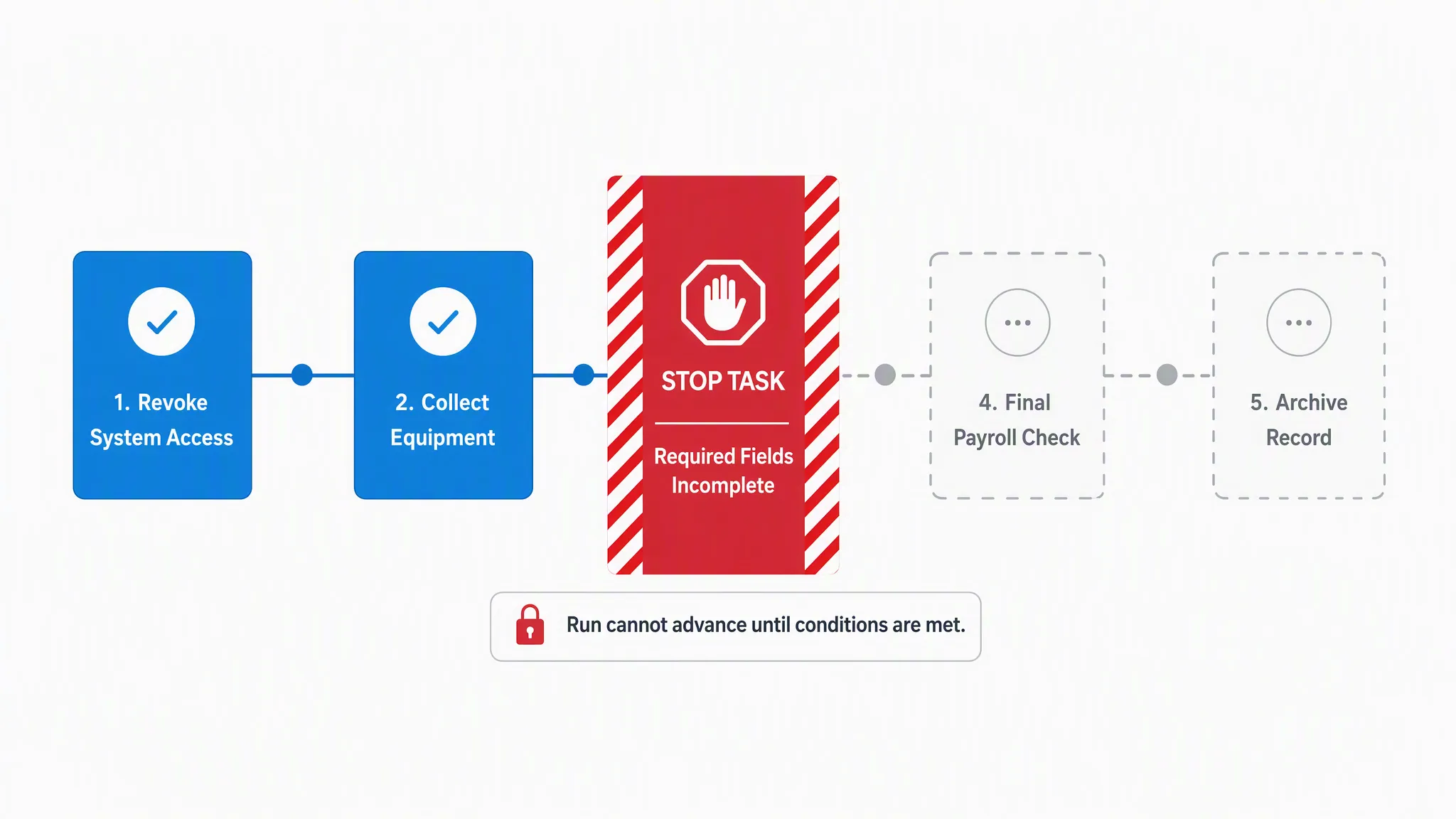
Here at Process Street, we have a saying:
“If there’s room for mistakes, someone will make them“
In other words, if your workflow system has any room for error, someone will make those mistakes sooner or later. Unless there are features designed to enforce the workflow and make sure everything is done correctly and in the right way, something will go wrong.
The method of doing this depends on how your workflow system is set up and operates but the basic idea is to set your task list order and require some kind of confirmation before they can be completed.
For example, Process Street uses stop tasks and required form fields to make sure that progress cannot be made until the necessary elements have been gathered. This is a core part of how compliance enforcement works: policies are followed by default, not by choice.
Integration and automation
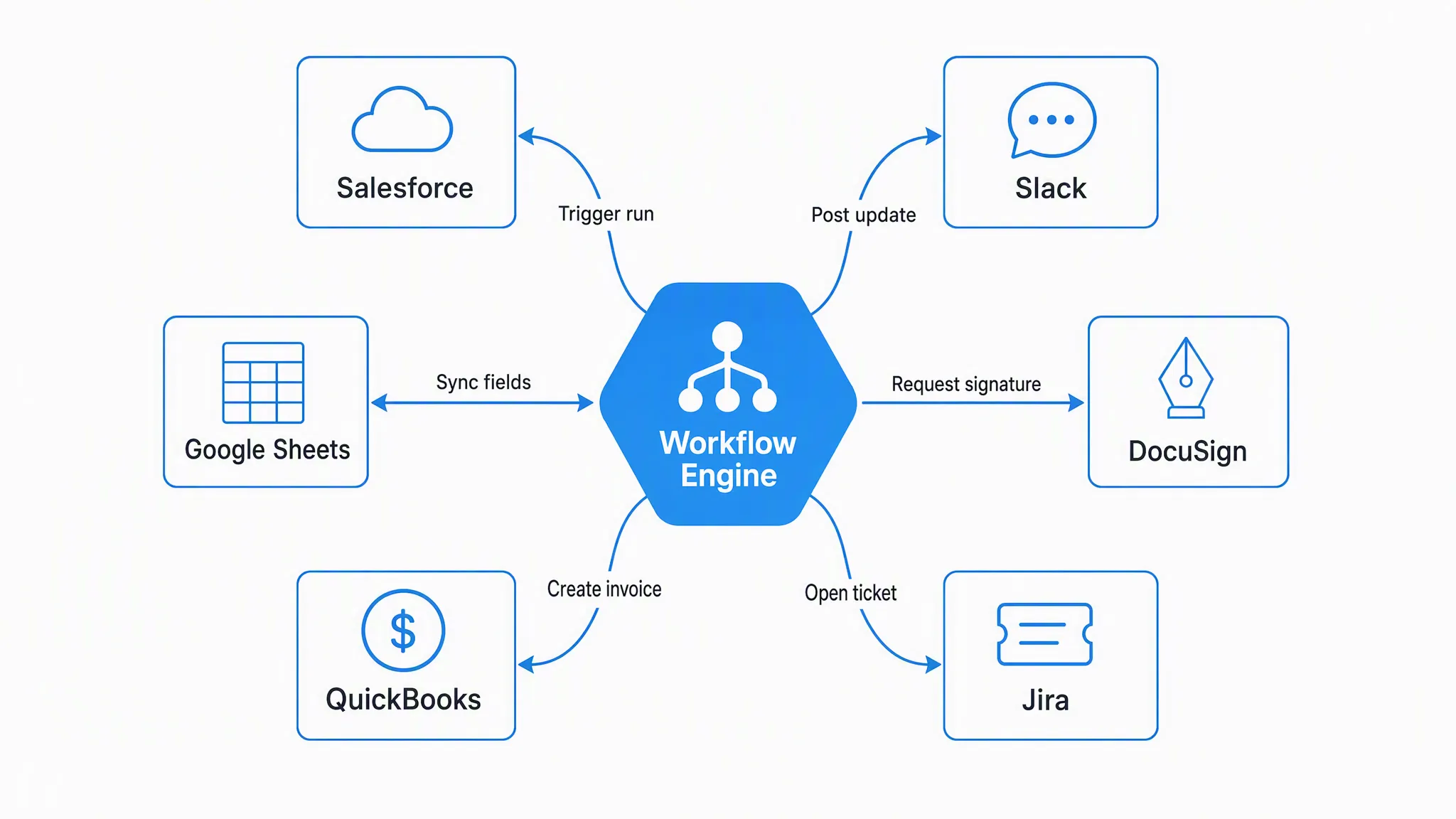
Business process automation is an immensely powerful feature for any platform to have, workflow software and systems included.
By linking your apps together you can automatically complete tasks that would otherwise gum up your team’s workflows and slow them down to a crawl. No more dry data transfer, no more having to manually trigger various workflows to run, just pure work focus.
Ideally, your platform should allow for integrations without relying on a third party, as this means you don’t have to learn how to use yet another service in order to get your apps talking to each other. For example, Process Street’s variables and integration links allow you to pass information into your workflows to skip manual data entry.
If you need more advanced automation, Process Street also connects with thousands of apps through native integrations and third-party connectors, letting you automate complex multi-step workflows across your entire tech stack.
Check out our guide to learn more about business process automation with Process Street:
Process embedding options
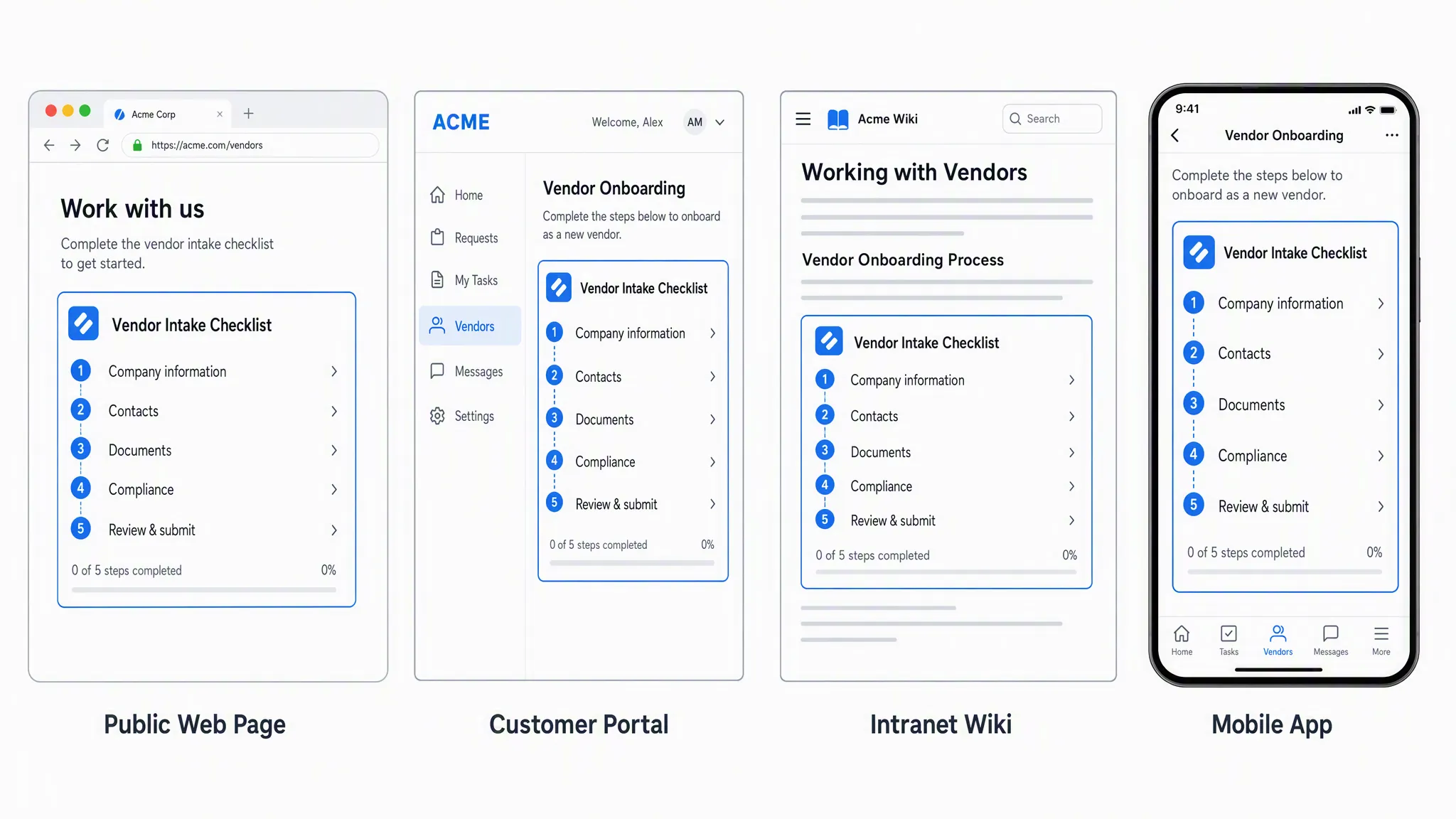
What’s better than having workflows and processes to guide your team through their regular duties and make sure that everything is done efficiently, consistently, and correctly?
Not having to load up a separate webpage or program to access them.
Workflow systems tend to resemble databases full of your processes which you need to load up in order to access. However, those which allow you to embed or link to workflows outside of the service itself give a huge advantage, letting you and your team have easy access to information without forcing them to have constant access to the platform.
Cloud hosting
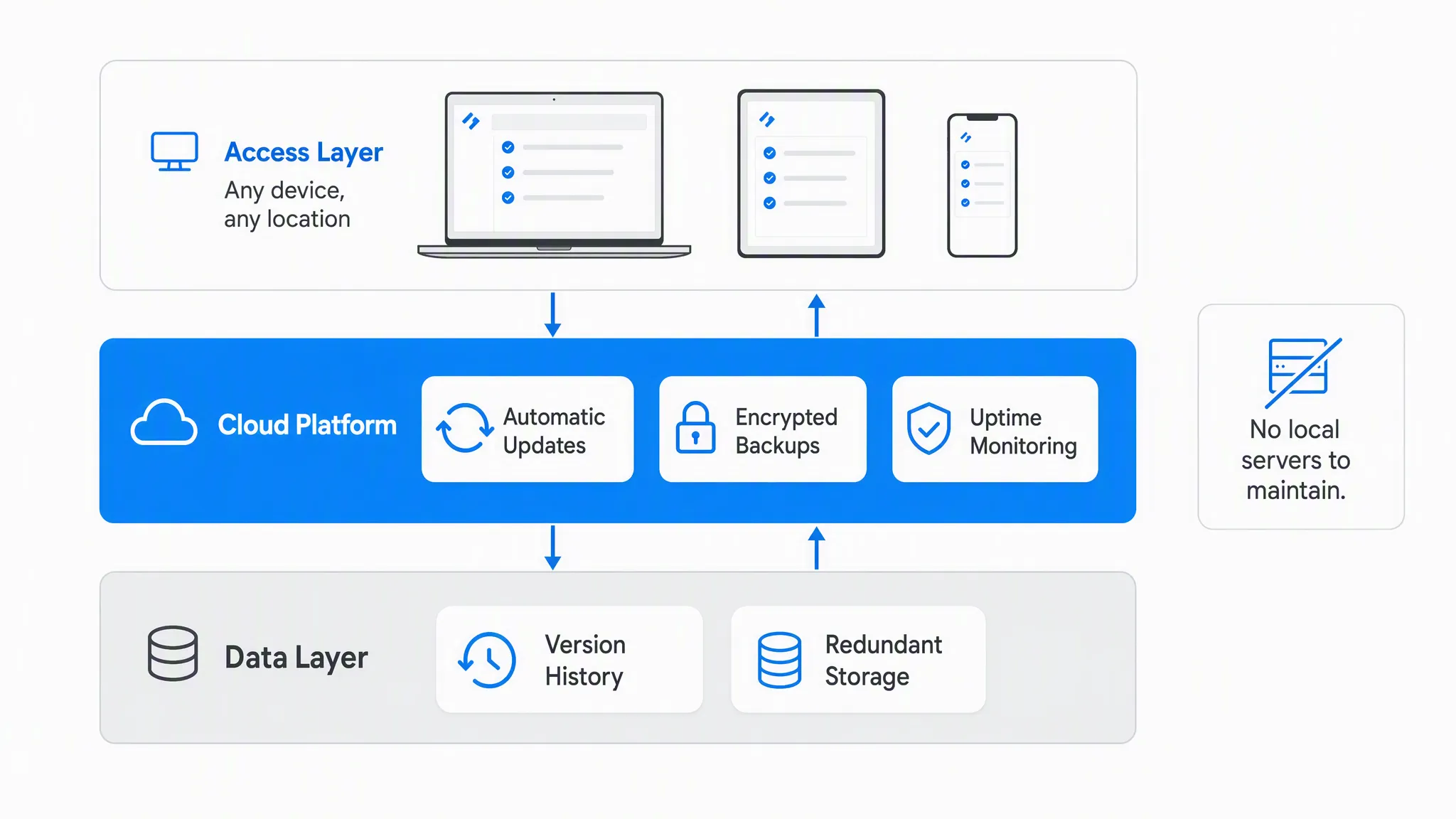
You’ve done it. All of your workflows are set up and ready to go. It’s all set and saved on your laptop.
Then your internet goes down or (worse still) your computer dies. No-one can access the workflows they need to follow until you’ve sorted the problem, meaning that mistakes will be made and tasks will be exponentially harder to track.
That’s why the final entry in our list of essential workflow system features is cloud hosting.
It’s simply not good enough to rely on a single team member or machine to host your workflow library. Your team needs to be able to access their processes no matter where they are, when they’re working or what they’re doing. Hence why the system you’re using needs to have a cloud save feature.
The best systems will have cloud hosting for your workflows while also allowing you to save, download, or print your workflows to have isolated copies of them too. That way you’ll even be able to follow your processes if the internet goes out or the system’s servers go down.
In other words, there will be literally no excuse for not following the workflow and the instructions therein.
Stop relying on lacking workflow system features
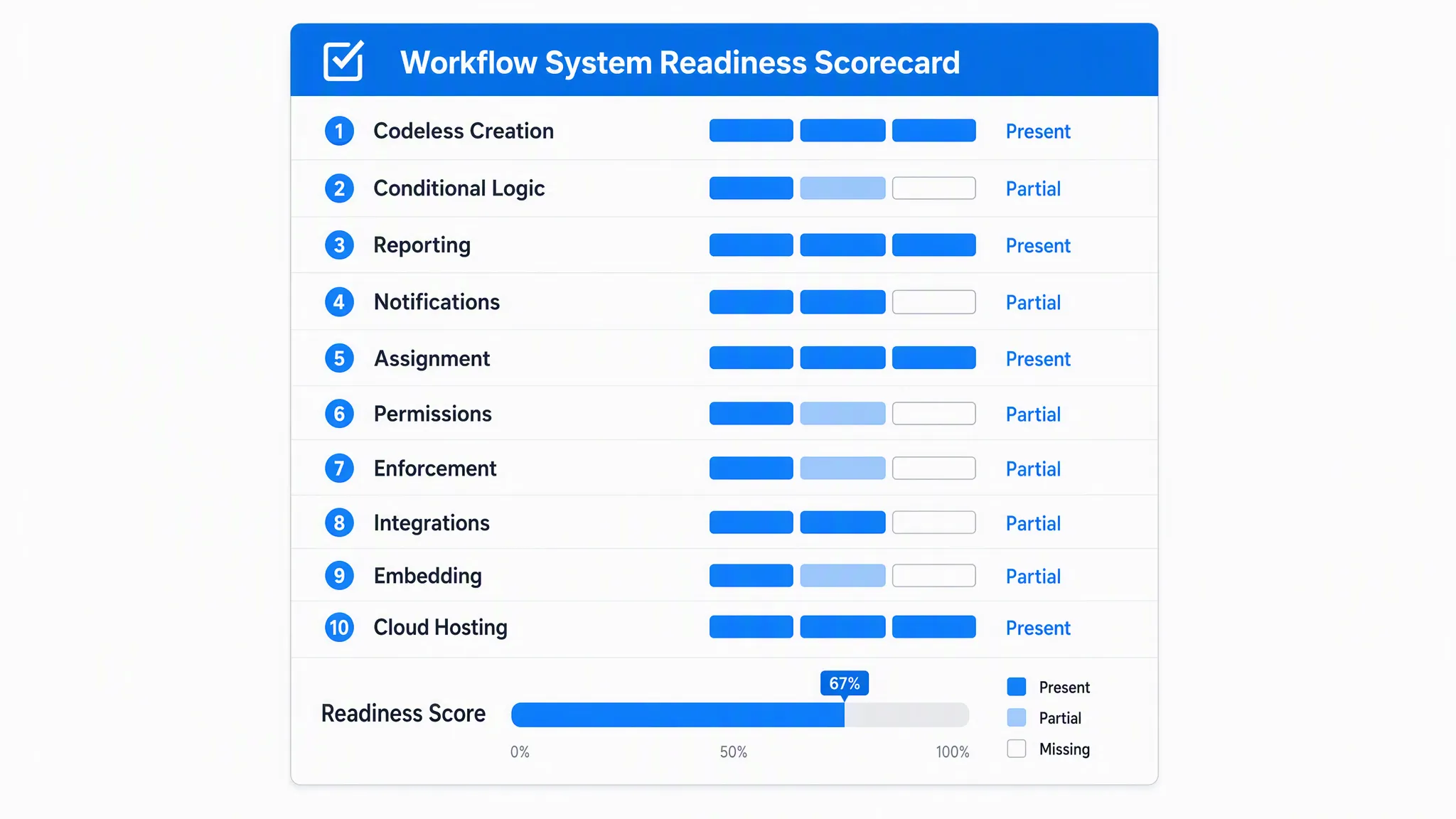
It’s not easy to stay organized when there are so many things competing for our attention. It’s also a trial and a half to make sure that your team consistently performs their tasks in the right way every time.
Add the need to track your processes to make sure that you know what’s going on at any given time and it’s no surprise that most of us need a workflow system to stay on top of our tasks.
However, by using a platform with the workflow system features above you can stay organized and get the most out of your efforts. While this isn’t an exhaustive stack that’s perfect for everyone, it’s more than enough for most teams to boost productivity and keep their output at a consistently high level.
If you’re looking for a workflow system built for project management, try giving Process Street a go. Process Street is a Compliance Operations Platform that automates work, enforces standards, and proves compliance. It comes with all of the essential features above and has a free plan which is perfect for testing it out and running small-scale operations.
Sign up for Process Street today.
The post 14 Essential Workflow System Features to Make Your Team Into Superstars first appeared on Process Street | Compliance Operations Platform.